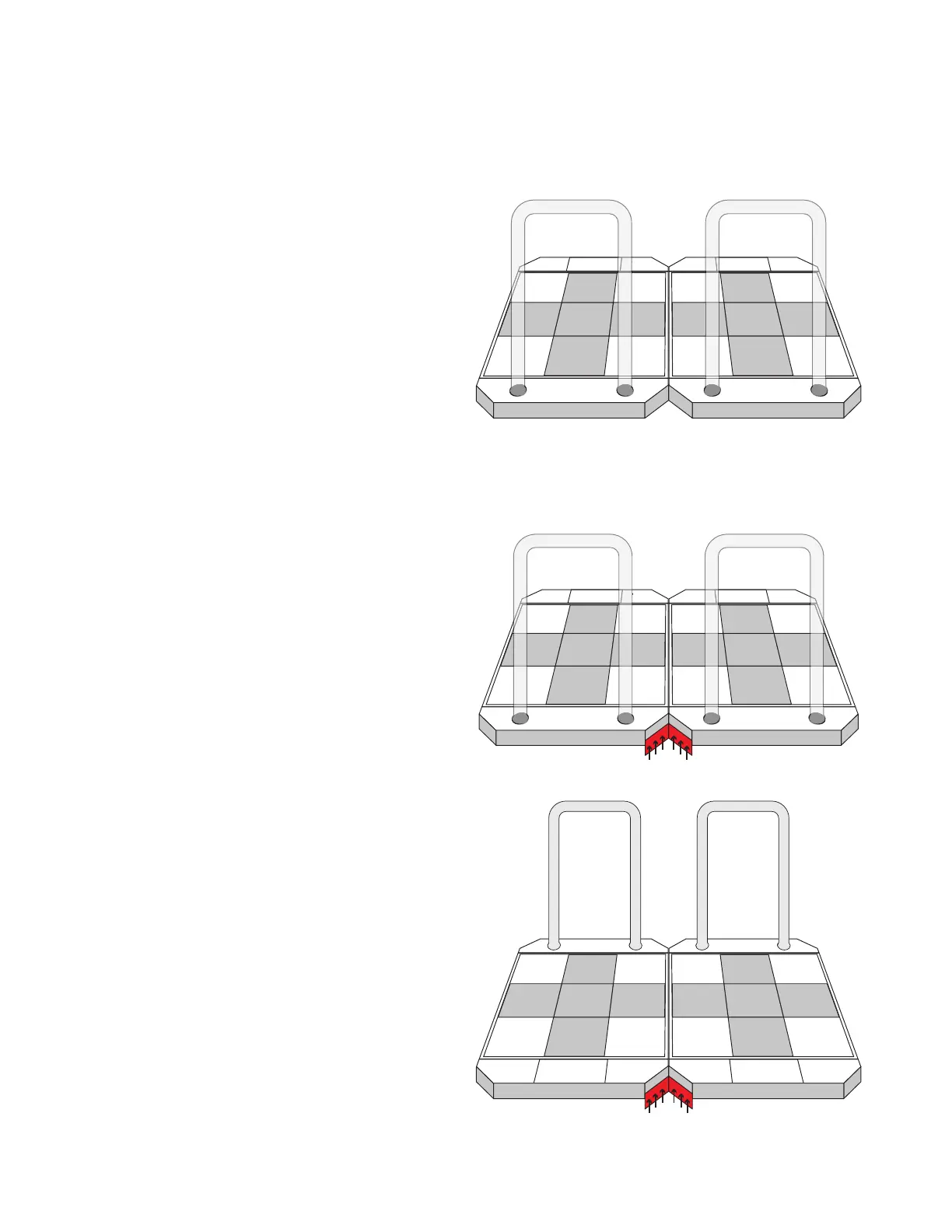
Stepmaniax STAGE setup
Joining the stages
Join the two stages together for a stable setup.
1. Ensure both stages are properly oriented.
The left stage, as viewed from behind the
bars, is shipped marked “P1”, and the right
stage is marked “P2”.
2. Using one of the included V-brackets and
6 of the included M8 screws, attach the
bracket onto the back of the stages in the
area between them. This will connect the
stages together and provide stabilization.
Do not completely tighten the screws at
this point.
Repeat this process for the front of the
stages.
3. After both V-brackets have been installed,
fully tighten all 12 screws until they are
secured.
P1 P2


 To Next Page