2
In the installation CD contents, find and setup configuration file according
to the operating system of the PC (.exe or .dmg).
* The images presented are for reference; The procedure may vary due to updates.
The software used is not owned by Steren; The company is not responsible for its operation or updates.
DO NOT connect the adapter to the PC before installing the software *; This
could affect the procedure.
SOFTWARE INSTALLATION
1
When the installation wizard window opens, accept the terms and
conditions, and then click
2
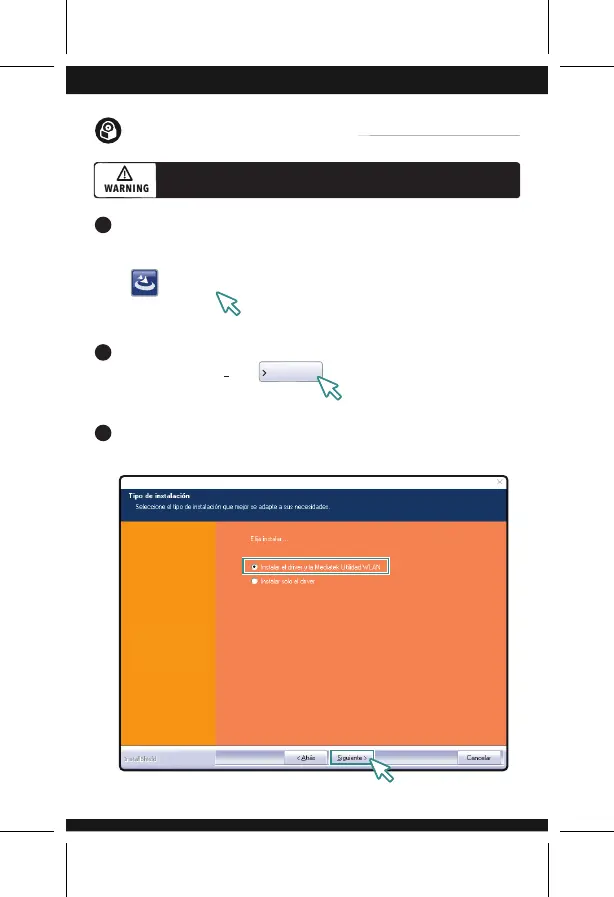
Select Instalar el driver y la Utilidad WLAN option; click on Siguiente
3
Setup
Siguiente



 To Next Page