CAUTION: Alw
the possibility o
device or other pr
damage caused b
precautions include
HANDLING CA
• Do not use the de
corrosive gas
• Do not rest your w
Avoid applying exc
• Avoid pulling the c
the device.
• When removing t
by the plug follo
Bending or pulling the cable f
Storing: Store t
swallowing small par
immediately.
Notice: To avoid t
product, damag
notices below.
HANDLING AND MA
• Handle the headphone arm
• Refer also to t
• Do not use headphones that are malfunctioning.
• Do not expose the device to excessive dust or vibration, or extreme
cold or heat (such as in direct sunlight, near a heater, or in a car during
the day), in order to prevent the possibility of disfiguration, unstable
operation, or damage to the internal components.
• Do not place vinyl, plastic or rubber objects on the device, this might
cause discoloration.
• When cleaning the device, use a dry and soft cloth. Do not use paint
thinners, solvents, cleaning fluids, or chemical impregnated wiping cloths.
• For information on replaceable parts, such as earpads and audio
cables, please contact your local Sterling Audio products dealer for
more information.
ACCESSORIES
• 2.4mm straight cable
• Threaded 1/4” (6.3mm) gold-plated adapter
• Carry pouch
• Owner’s Manual (this booklet)
INFORMATION
Illustrations in this manual are for instructional purposes only. The
company and product names in this manual are the trademarks or
registered trademarks of their respective companies.
The contents of this manual apply to the latest specifications as of the
publication date. To obtain the latest manual, download it from the
SterlingAudio.net website.
LOCKING CABLE
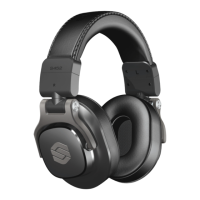
S452 STUDIO HEADPHONES OWNER’S MANUAL
STERLINGAUDIO.NET
180° ROTATABLE EARCUP
Rotatable earcup for comfortable
single-ear monitoring as shown
in the illustration. Rotating earcup
stops in place.
EAR CUSHION REMOVAL/
REPLACEMENT
In the event that your headphones
require new ear cushions
from damage, abuse, or from
passionately playing with them
too hard, you can replace the ear
cushions with new ear cushions
from your local authorized
Sterling Audio dealer.
When installing new ear cushions,
you will need to press in the four
(4) posts until you hear or feel
a “snap” or “lock” action during
installation.
FOLDING MECHANISM
You can tuck in earcups for
storage or carrying. Put left and
right earpad together, and then
gently tuck in the earcups toward
the headband.
Threaded 1/4” (6.3mm)
gold-plated adapter
2.4mm
Straight Cable
1. Insert
2. Rotate clockwise to align marks
21


 To Next Page
 Loading...