EN
ORIGINAL INSTRUCTIONS
7
PRODUCT OVERVIEW
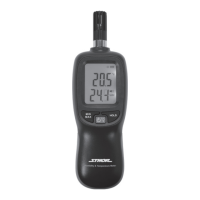
The meter is used to measure the relative humidity and air temperature. The measurement
result is presented on the LCD. The product is battery powered and its small dimensions and
light weight ensure high mobility.
Before using the product, read the entire instructions manual and keep it for future ref-
erence.
CAUTION! This product is not a measuring instrument within the meaning of the Trade Me-
trology Act.
TECHNICAL SPECIFICATION
Parameter Unit Value
Catalogue No. 81716
Relative humidity measurement range – RH [%] 0 ~ 100
Relative humidity measurement accuracy [%] ±4
Temperature measurement range [
O
C /
O
F] -20 ~ +70 / -4 ~ +158
Temperature measurement accuracy [
O
C] ±1
Dew point [
O
C /
O
F] -20 ~ +50 / -4 ~ +122
Wet bulb temperature [
O
C /
O
F] -20 ~ +50 / -4 ~ +122
Dew point and wet bulb temperature measurement accuracy [
O
C] ±2
Max. measurement response time 30 s
Supply voltage [V DC] 4.5
Battery type 3 x AAA
Weight (without battery) [g] 108
The accuracy of the relative air humidity measurement is given for the reference temperature
of 25
O
C (77
O
F)
The accuracy of the dew point and wet bulb temperature measurement is ±2
O
C for the range of
+5
O
C ~ +50
O
C (+41
O
F ~ +122
O
F) / 10% RH ~ 90% RH.
SAFETY INSTRUCTIONS
The product is not waterproof and should always be kept dry. Do not expose to precipitation. Do
not immerse in water or other liquids.
Always replace batteries in pairs. The utilisation of used and new batteries to supply the device
will result in its shorter operating time and can also lead to leakage of electrolyte from the
battery. Be sure to maintain proper polarity when replacing batteries. In case of storage of the
product for an extended time (over one month), remove the batteries from the product.
The device can also be powered by Ni-MH batteries. In this case a shorter operating time of the
device should be taken into account.
The product is not intended to be operated by children. Make sure that children do not treat
the product as a toy.
PRODUCT OPERATION
Installing and replacing the batteries
Open the battery compartment cover. If batteries are already installed in the compartment,
remove them. Install new batteries observing the correct polarity. Replace the battery compart-
ment cover. It is recommended to use good quality alkaline batteries.
Operating the device
Press the power switch, the meter will turn on and all symbols will be visible on the display for
approx. 1 second. Next, the meter will automatically measure the relative humidity and tem-
perature. The measurement result will be shown on the display and will change according to
the humidity and temperature in the vicinity of the meter. The top row of the display shows the
temperature value and the bottom row – the relative humidity.
Another pressing of the power switch will turn on the display backlight. The display backlight will
be turned off after pressing the power switch again.


 To Next Page