Installation and Operation Manual
STI Wireless Chime Series, 433 MHz
Thank you for purchasing an STI Wireless Chime. Your satisfaction is very important to us. Please read this manual carefully to
get the most from your new product.
Features
• Up to 500’ operating range (line of sight)
• Low and high volume setting on receiver
• Low battery alert
• UL/cUL Listed. FCC and IC Certied
• 433 MHz
• Jingle Bells
• Barking Dogs
• Bicycle Bell
• Buzzer
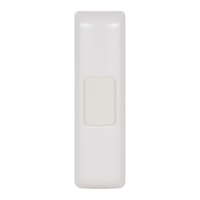
STI-3301 Wireless Doorbell Chime Sensor
Battery Installation and Replacement
1. For rst time installation, use thumb or athead screwdriver to hold down bottom tab and pull off cover.
2. Insert included CR2032 battery plus (+) side up.
3. Once mounted, to access battery, grab the bottom of cover, squeeze slightly and pull.
Program receiver with sensor and select sound, see STI-3353 section.
Mount with provided screws or tape. Keep cover off for mounting.
Program/sound
selection button
• Westminster – 4 note
• Westminster – 8 note
• Knock Knock
• 10 Sound Options
• Ding
• Dong
• Ding-Dong
STI-3551 Wireless Entry Alert
®
Sensor
Battery Installation – Open sensor and insert battery as shown below.
Program/sound selection button.
AAA battery
included.
Program receiver with sensor and select sound, see STI-3353 section.
Mount – Use provided double sided tape and see below.
Mount arrow on
magnet adjacent to
line on sensor.
To open sensor, slide
back and cover apart
as shown.
Back
Cover
Maximum gap 5/8” on non-
metallic surface. When mounting
on metallic surface distance
could be reduced.
Sensor
Magnet
STI-3601 Wireless Motion-Activated Sensor
Mounting and Programming
1. Mount base at 7.5 feet (ideal height) with provided
wall anchors and mounting screws.
2. Program the PIR and select sound,
see STI-3353 section.
3. Adjust PIR detection range as necessary.
4. Align top of cover over tabs on PIR, then rotate down
and install cover screw.
5. Loosely place the lock ring on the post connected
to the PIR (do not snap). Press the PIR on to the base.
6. Adjust the PIR to desired detection angle then snap
the lock ring into position.
Testing and Operation Mode
Once PIR Sensor is mounted, test for optimal placement
for operation. Unit will detect motion every 10-15
seconds. After motion is detected, the sensor has a
10-15 second reset delay.
PIR DETECTION
RANGE ADJUSTMENT
H - 42’
M - 30’
L - 20’
LOCK RING
BASE
WALL ANCHOR
MOUNTING SCREW
PROGRAM/SOUND
SELECTION BUTTON
PIR
COVER SCREW
COVER
LITHIUM CR123
BATTERY INCLUDED


 To Next Page
 General