EasyManua.ls Logo

STI STI-SA5000 Series - User Manual

STI STI-SA5000 Series
8 pages
Print Icon
To Next Page IconTo Next Page
Loading...
STI-SA5000 SERIES
SELECT-ALERT
ALARM MINI CONTROLLER
INSTRUCTION MANUAL
“We Protect The Things That Protect You.”
Safety Technology International, Inc.
Features:
This controller can be used as a cabinet
alarm, door alarm, link with push but-
ton/switch or as a burglar alarm.
Available with amber, green, blue, red
or white lens.
Durable, polycarbonate construction.
Includes ten high intensity LED’s.
Siren offers 32 user selectable tones.
May be set for a piercing 100 or 85 dB
alarm.
For indoor use only.
Independent strobe and siren timing
of 15 seconds, 30 seconds, 60 seconds
or continuous.
Includes a tamper switch which trig-
gers the alarm when unit is being re-
moved from a wall.
Low battery indicator.
Powered by a 9 VDC battery (not in-
cluded) or external 12 – 30 volts.
One Form “C” dry relay contact output.

Other manuals for STI STI-SA5000 Series

Question and Answer IconNeed help?

Do you have a question about the STI STI-SA5000 Series and is the answer not in the manual?

Summary

Installation Guide

Electronic Setup

Configure alarm tones (S1) and timing/volume (S2) via DIP switches.

Alarm Tones Configuration

Alarm Tone Selection

Select from 32 user-definable siren tones using DIP switch S1 settings.

Alarm Timing and Volume Settings

Timing and Volume Adjustment

Set alarm timing and volume levels (low/high) using DIP switch S2.

Terminal Strip Connections

Wiring and Power Input

Connect power and external monitoring circuits to the terminal strip.

Mounting Options

Mounting to STI Backbox

Install the unit using the STI backbox SUB-71100A-W with provided hardware.

Wall Mounting without Box

Mount the unit directly to a wall or key switch plate without an electrical box.

Electronics Final Assembly

Lens Installation

Secure the colored lens to the unit using the tamper-proof screw.

Operation

Arming and Resetting

Arm the unit with the key switch and cycle it to reset the alarm.

Summary

Installation Guide

Electronic Setup

Configure alarm tones (S1) and timing/volume (S2) via DIP switches.

Alarm Tones Configuration

Alarm Tone Selection

Select from 32 user-definable siren tones using DIP switch S1 settings.

Alarm Timing and Volume Settings

Timing and Volume Adjustment

Set alarm timing and volume levels (low/high) using DIP switch S2.

Terminal Strip Connections

Wiring and Power Input

Connect power and external monitoring circuits to the terminal strip.

Mounting Options

Mounting to STI Backbox

Install the unit using the STI backbox SUB-71100A-W with provided hardware.

Wall Mounting without Box

Mount the unit directly to a wall or key switch plate without an electrical box.

Electronics Final Assembly

Lens Installation

Secure the colored lens to the unit using the tamper-proof screw.

Operation

Arming and Resetting

Arm the unit with the key switch and cycle it to reset the alarm.

Overview

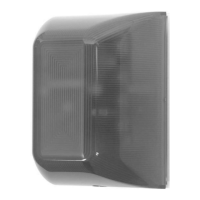
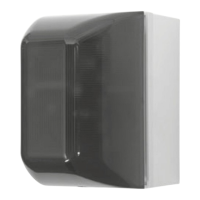
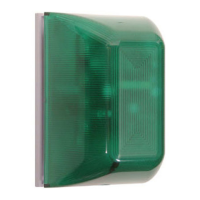
The STI-SA5000 Series Select-Alert Alarm Mini Controller is a versatile security device designed for indoor use, capable of functioning as a cabinet alarm, door alarm, push button/switch link, or a burglar alarm. Its robust construction, made from durable polycarbonate, ensures longevity. The device is available with a choice of amber, green, blue, red, or white lenses, allowing for customization to suit various environments or signaling needs.

Key Features:

  • Visual Alert: Equipped with ten high-intensity LEDs, the Select-Alert provides clear visual signaling.
  • Audible Alert: The siren offers 32 user-selectable tones, providing a range of distinct sounds for different alert scenarios. Users can also set the alarm for a piercing 100 dB or a slightly lower 85 dB, depending on the required alert level.
  • Flexible Timing: Both the strobe and siren have independent timing controls, allowing for durations of 15 seconds, 30 seconds, 60 seconds, or continuous operation. This flexibility enables tailored responses to various alarm events.
  • Tamper Protection: A built-in tamper switch triggers the alarm if the unit is removed from its mounting surface, enhancing security against unauthorized removal or tampering.
  • Power Options: The device can be powered by an internal 9 VDC battery (not included) or an external 12-30 VDC power source. When external power is used, the battery acts as a backup, ensuring continuous operation during power outages.
  • Low Battery Indicator: A low battery warning is provided by an LED flash once every 30 seconds, alerting users when the battery needs replacement.
  • Relay Output: It includes one Form "C" dry relay contact output (0-30VAC/DC, 1 Amp), which can be used for remote alarm monitoring. The contacts reset after the longest alarm setting.
  • Alarm Switch: The alarm is activated by a normally closed contact. For standby, a normally open contact is required.
  • Key Switch: The key switch is normally closed when the alarm is on.
  • Flammability Rating: The polycarbonate material has a UL94V-2 flammability rating.

Technical Specifications:

  • Operating Voltage: Internal 9 VDC battery (not included) or remote power 12-30 VDC.
  • Operating Temperature: 32°F to 120°F (0°C to 49°C).
  • Power Consumption:
    • Standby: 50µA
    • Siren low volume: 85mA
    • Siren high volume: 90mA
    • Strobe: 25mA
  • Siren Volume: Low: 85 dB, High: 100 dB.
  • Dimensions: 3.25 inches (83mm) wide x 4.83 inches (123mm) high x 2.73 inches (69mm) deep (1.58 inches/40mm from mounting surface).

Installation and Setup:

The installation process involves several steps:

  1. Electronic Setup: This includes setting the alarm tone (S1) and alarm/strobe timing and volume (S2) using dip switches. There are 32 selectable alarm tones and various timing/volume combinations.
  2. Terminal Strip Connections: The device features a terminal strip for connecting remote power (12-30 VDC, 125mA), a key switch or other main power on/off switch, and dry contacts (NC, COM, NO) for remote alarm monitoring. The "DC IN" terminals are polarity sensitive.
  3. Mounting Options:
    • To STI Backbox SUB-71100A-W: Involves drilling holes in the backbox and wall, then securing the backbox and base plate with screws.
    • To Key Mount Plate or Into Wall without Electrical Box: Requires drilling holes for anchors and screws. A key switch mounting bracket (SUB-SA505) can be used, and wires for the key switch and reed switch are routed through designated holes.
    • To Single Gang Electrical Box: The base plate is mounted to a standard single gang electrical box using screws.
  4. Electronics Final Assembly: After mounting the circuit board assembly and connecting wires, the lens is installed by sliding its lip behind the circuit board mounting plate, rotating it into position, and securing it with a tamper-proof screw and special wrench.

Operation:

  • To arm the device, turn the key switch on.
  • To reset an alarm, cycle the key switch.
  • The alarm will activate if the cover is removed, the unit is removed from the wall, or a connected cabinet/door is opened (if the alarm switch is electronically closed).
  • To service the device, turn the key switch off.

Maintenance:

  • All units are recommended for indoor use.
  • The unit must be tested periodically to verify battery life. STI recommends changing the 9 Volt battery twice a year.
  • Periodically test connections to ensure audibles function at an appropriate sound level. An audio-meter may be needed to measure sound levels in the environment where the alarm is expected to be heard.
  • The device comes with a three-year guarantee against breakage of the polycarbonate housing in normal use (one year on electro-mechanical and electronic components).
  • All specifications and information are subject to change without notice.

Accessories:

  • SUB-71100A-W: Backbox kit
  • 18151: N.C. reed switch and magnet
  • SUB-SA505: Key switch mounting bracket (includes key switch & 2 keys)
  • BAT-9VDC: 9 volt battery
  • 18075: Additional replacement key

STI STI-SA5000 Series Specifications

General IconGeneral
BrandSTI
ModelSTI-SA5000 Series
CategoryController
LanguageEnglish

Related product manuals