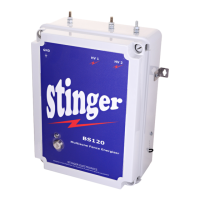
STINGER ELECTRONICS (PTY) LTD BS120 INSTRUCTION MANUAL REF:03/2018
Printed: 4/26/2019 Page 11 of 20
Battery low indication. The battery voltage is down to a critically low level, the unit will switch
off sometime in the next few hours.
The HT voltage at unit 1 is too low (lower than 3000 Volt) due to a system fault.
Gate open alarm. Will operate only if the gate inputs at the energizer are connected to a gate
switch.
2 User Menu BS120
To enter the user Menu, press “Menu” for 2 seconds.
To enter the user menu, the pin code must be entered first(if menu pin is enabled in the
advanced menu). The default code is 0000, which can also be changed in the advanced menu. To
enter the code, press the “increase” button to increment the display to reach the first correct
digit. Press “next key” and repeat for the second digit etc. The pin code can also be disabled in
the advanced menu.
To switch the HT voltage to the low voltage mode, press the “low” button. The unit will now
carry-on at an output voltage of 800V. This feature is useful in case of a school installation
where children are present during the day.
The display back-light can be switched on/off in this menu.
Whenswitched off, it will always switch-on when a button is activated or if there is an alarm to
be displayed.
2007/01/01 0:00:17
UNIT1 H 20 Zones
! HT Failure !
(RESET) (MENU)
- - - - -- -User Menu- - - - - - - - - 1
Enter Menu pin
0 _ _ _
(Increase) (Next Menu)
- - - - - -User Menu- - - - - - - - - 2
Energizer HV output
High
(Low) (Next Menu)
- - - - - - -User Menu- - - - - - - - - 3
Display Backlight
On
(Off) (Next Menu)
- - - - - - -User Menu- - - - - - - - - 4
Siren Output
Enabled
(Disabled) (Next Menu)
2007/01/01 0:00:17
UNIT1 H 20 Zones
! Gate open !
(RESET) (MENU)


 To Next Page
 Loading...