Operating your Washing Machine Cont.
Customising a Program
• The washing machine is equipped with fuzzy logic technology when using the “Heavy” program. The
machine will detect the weight of your wash load and select the appropriate wash cycle processes.
• Using the fuzzy logic technology, the machine will automatically select the correct water power and level,
wash and spin time, and rinse type.
• If you wish to manually adjust the program yourself, you can follow the instructions below:
1. Prepare your washing according to points on page 16.
2. Press the Power button, then press the Program button to select the washing program, e.g. Heavy,
Jeans.
3. Press the appropriate process button to select the process and time you want to adjust. The relevant
indicator light will illuminate when the option is selected.
Wash Time Options Rinse Options Spin Time Options Delay Time Options
6 / 9 / 12 minutes 1 / 2 / 3 cycles 3 / 5 / 7 minutes 0 / 1 / 2 / ... / 24 hours
4. Press the Water Level button and choose an appropriate water level.
5. Close the lid and press the Start/Pause button for the washing program to start.
6. At the end of the washing program, a buzzer will sound to alert you that the program has nished
before the power is shut off automatically.
Note: When the Standard program is selected, you can not adjust the wash rinse or spin functions.
Selecting a cycle process (instead of complete wash program)
• On occasion, you may wish to select a single wash cycle or two cycle processes instead of a
complete washing program. For example, if clothing has been soaked from rain, you may want
to run a “spin cycle” only.
Examples below
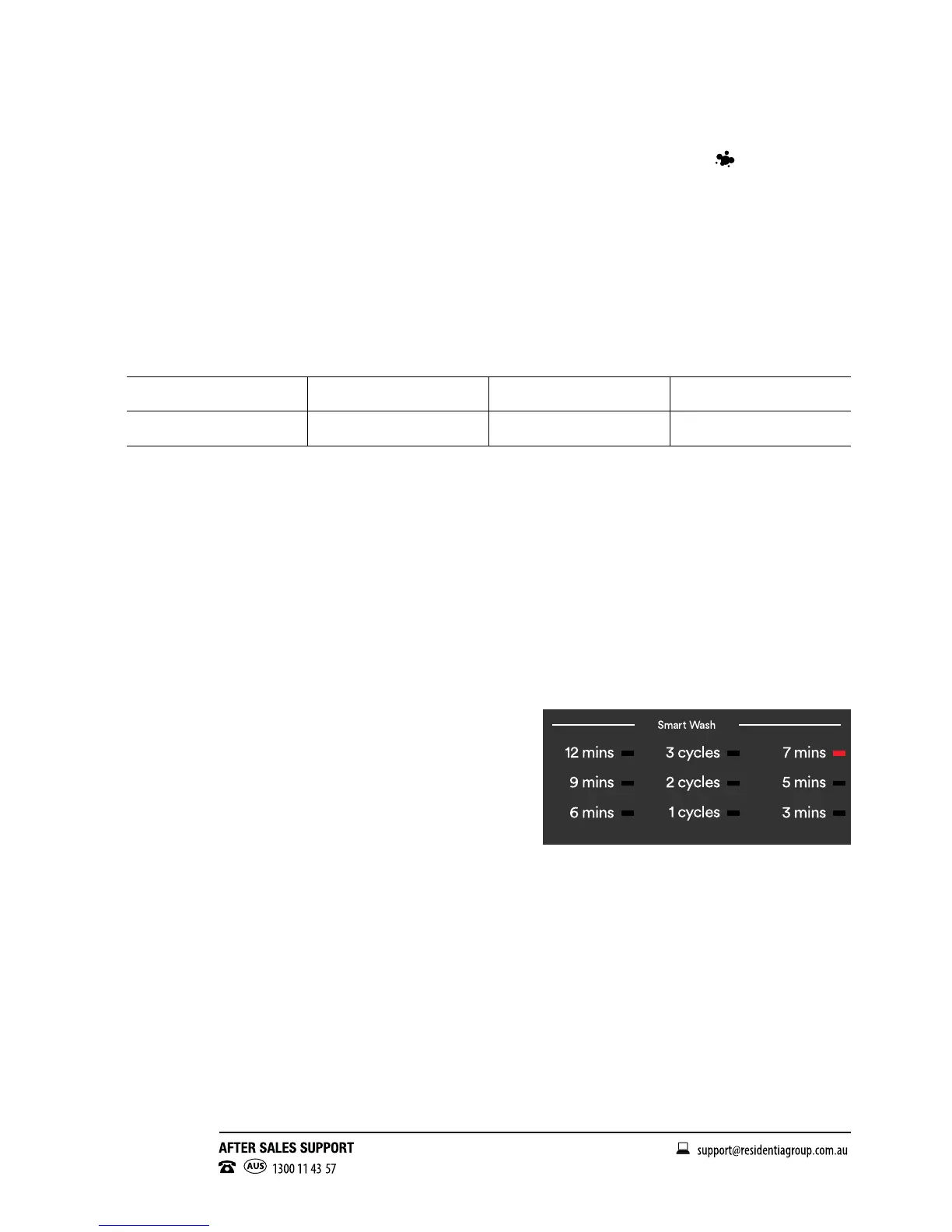
o Spin Cycle Only: Press the “Wash” button until there
is no indicator light on any of the settings. Press the
“Rinse” button until there is no indicator light on any
of the settings. Now you can press the “Spin” button
between the 3 available settings depending on how long
you wish to run the cycle.
– See Fig. 13 for reference.
o Rinse & Spin Cycle Only: Press the “Wash”
button until there is no indicator light on any of the
settings. Now you can press the “Rinse” and “Spin”
buttons between the available settings to created
your desired program.
Fig. 13



 To Next Page