Page 18 Página 19
R1 PLUS R1 PLUS
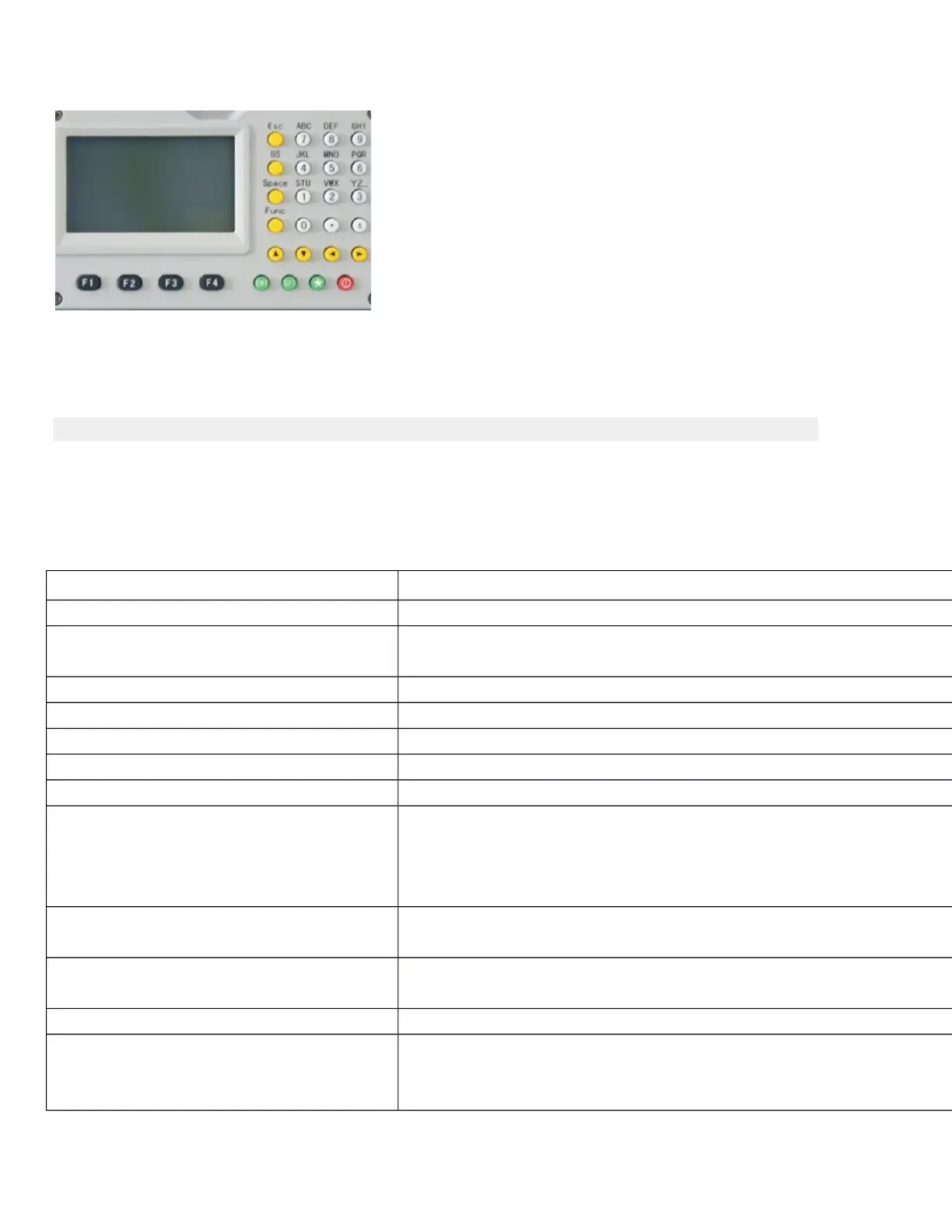
CLAVES DESCRIPCIÓN
F1-F4 Seleccione las funciones que coinciden con las teclas de función
0-9 1. Número de entrada cuando la entrada numérica
2. Introduzca caracteres cuando la entrada alfabética
● Introduzca un punto decimal
± ± Señal de entrada más / menos
Power Power on/off Encendido / apagado
★
Entra en el modo de ajuste directamente
ESC Escape al menú anterior o el modo
SFT 1. Shift between number and alphabetic when inputting 1. Cambie
entre número y alfabético cuando se introducen
2.Shift targets model when measuring 2.Shift está dirigido a modelo
en la medición
BS 1. Borrar el carácter a la izquierda del cursor cuando se introducen
2. Open electronic level menu 2. Abrir el menú de nivel electrónico
Espacio 1. Input a black space when inputting 1. Entrada a un espacio negro
al introducir 2. El objetivo o instrumento de entrada de altura
Func Gire la página
ENT 1. Select/Accept input data 1. Seleccionar / Aceptar datos de entrada
2. Accept the option when selecting 2. Acepte la opción al
seleccionar



 To Previous Page