5
Prepare the Storm Shell Back (same steps as in 44 Storm Shell
Instruction Manual)
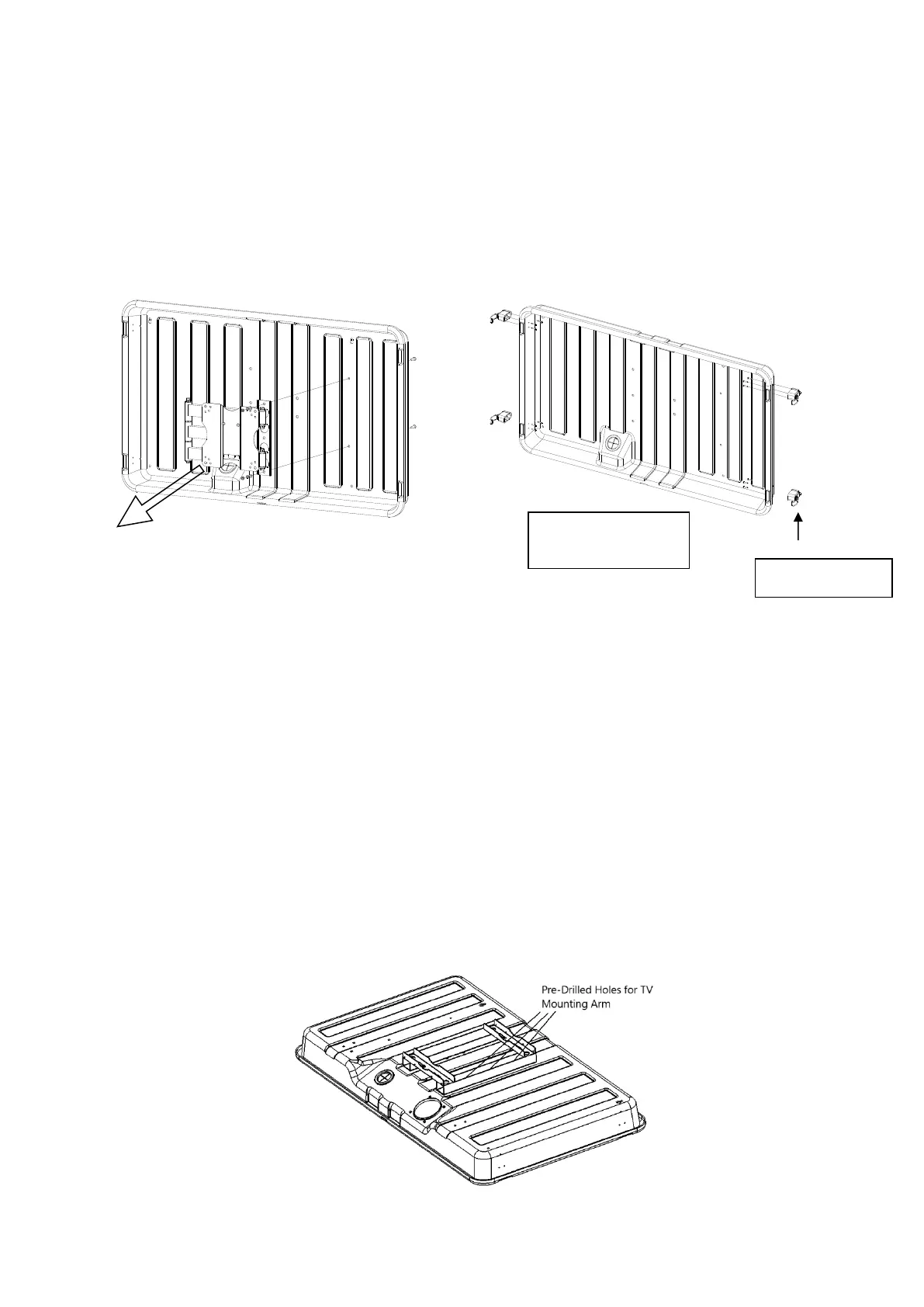
Remove the TV bracket from the Storm Shell Back by unscrewing the two shipping screws
(Figure 2).
Assemble the four buckle latches (B1) onto the Storm Shell Back using the S6 screws (Figure
3). These items are part of the hardware kit included in the Storm Shell Hard Cover
package.
Figure 2
Figure 3
Install the Storm Shell Back onto Pole Mount
Two people are needed for this installation.
1. Place Storm Shell on a protective cover over the ground or other smooth surface with the
back facing upwards. Position the Pole Mount Plate on the back of the Storm Shell. Make
sure the flat side of Mount Plate is lying flat against Storm Shell Hard Cover Back (Figure 4a
and 4b). Line up pre-drilled TV Mounting Bracket holes on Storm Shell Hard Cover with holes
on Pole Mount Plate. (optional – to ensure Mount Plate is in correct location you may
assemble (3) M8 x 25mm bolts (L6). Insert from the back of Pole Mount Plate and fasten on
inside of body)
Screws:
S6: ST3.5X20: 12pcs



 To Next Page