USER MANUAL
WWW.STRANDLIGHTING.COM
VISION.NET HARDWARE
7
2
VISION.NET CONTROL
STATIONS
This section describes Vision.Net Portable Stations, Vision.Net Keyswitch Stations, and Vision.Net Wall Stations.
STANDARD STATION OVERVIEW
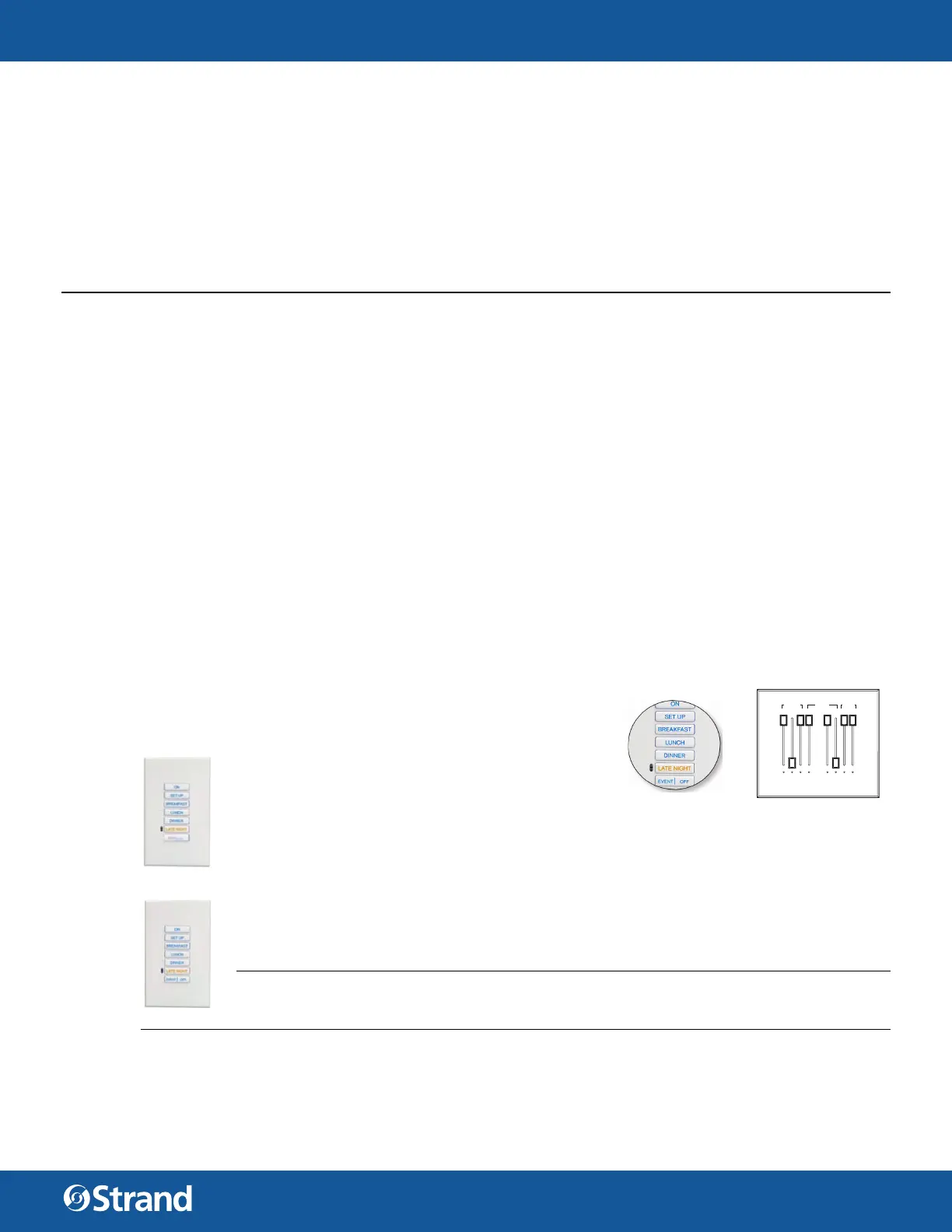
The Standard Button Station is a Button Station with Raise/Lower. This station is a push button station that has
6 full sized buttons and the last button space is split into 2 half sized buttons. By default, the left half is Raise
and the right half is Lower. Configuration can be changed to other functions using Designer for Vision.Net soft-
ware. This station fits into a single gang back box.
The Button Station hardware underneath the faceplate is identical to a standard Button Station (All 8 buttons
are present underneath). Only buttons 3 and 5 have access through the faceplate and are available to the user.
When ordered, each Vision.net station can be custom configured for your facility by indicating the number of
buttons or sliders that are required in each gang position.
The Button / Slider Station combination has a 7 Button Station on the left side and a 4 Slider Station on the
right. This fits into a two gang station. For this station, the custom configuration chart would be used for both
the first gang and the second gang.
STATION ENGRAVING
There are two types of engraving options available; Button Keypad Engraving to label the buttons themselves
and Faceplate Engraving to label the surrounding faceplate.
Both horizontal and 45-degree printing is available for custom engraving.
HARDWARE
CONTROL STATIONS
Control stations are used to control the lighting in a room or zone.
These stations can be push button stations, slider fader stations or
slider and button combination stations.
BUTTON STATIONS
A Button Station is a push button station that has 7
buttons that can be configured to perform dierent
functions. All button stations have the same number
of physical buttons (7) and any unused buttons are masked by the faceplate. So a single button
station is a 7 button station where the faceplate has only a single button exposed. (Button #4…in
the middle.)
BUTTON STATIONS WITH RAISE/LOWER
A Button with Raise / Lower Station is a push button station that has 6 full sized buttons and the
last button space is split into two half sized buttons for a total of 8 buttons. The left half is Raise
and the right half is Lower.
NOTE: Remember that this is an 8 button station and that the bottom split buttons can be set
to any buttontype…not just Raise and Lower. This configuration can be adjusted using Vision.net
Designer software.
16 17 18 19
20 21 22
23
ENTRIES
UPPER
LEVEL
LOWER
LEVEL
VESTIBLES
MAIN LEVEL
SCN OUTER
ACNT FAR
ACNT NEAR
SCN OUT/FAR
SCN NEAR
GALC LEVEL
Button Keypad Engraving
Faceplate Engraving


 To Next Page
 Loading...