13. To complete the Express Setup process, unplug the computer from the switch and wait until the Setup LED
indicator turns completely off.
14. Change your network adapter to a static IP address in the same network as the switch and re-connect to
the switch port.
15. Now re-launch the web browser to the switch using the new IP address set for the switch in step 10.
For IOS version 15.2(4) EA3, switches use multi-mode Express Setup.
The new firmware 15.2(4)EA3 introduces the multi-mode Express Setup press which means the mode is
determined by how many seconds the Express Setup button is held in. All the steps from above are still
valid except for step 5 Press and release the Express Setup button. See the multi-modes below along with their
features.
Short Press mode—You want to use Express Setup to enter the initial IP address of the switch. You can then
configure additional network settings via Device Manager. To run Short Press mode, press and hold the
Express Setup button until the Setup status indicator flashes green during seconds 1...4, and then release.
Follow all the steps from above section.
Note: If a non-default configuration already exists on the switch and you do the Short Press mode, it will
cause the Setup LED go solid red for 10 seconds. You will have to do a factory defaults first to clear the
non-default configuration then do the Short Press mode to get back into Express setup. This behavior is
working as designed as stated per the Stratix Managed Switches User Manual
(http://literature.rockwellautomation.com/idc/groups/literature/documents/um/1783-um007_-en-
p.pdf) Publication 1783-UM007 on Page 35.
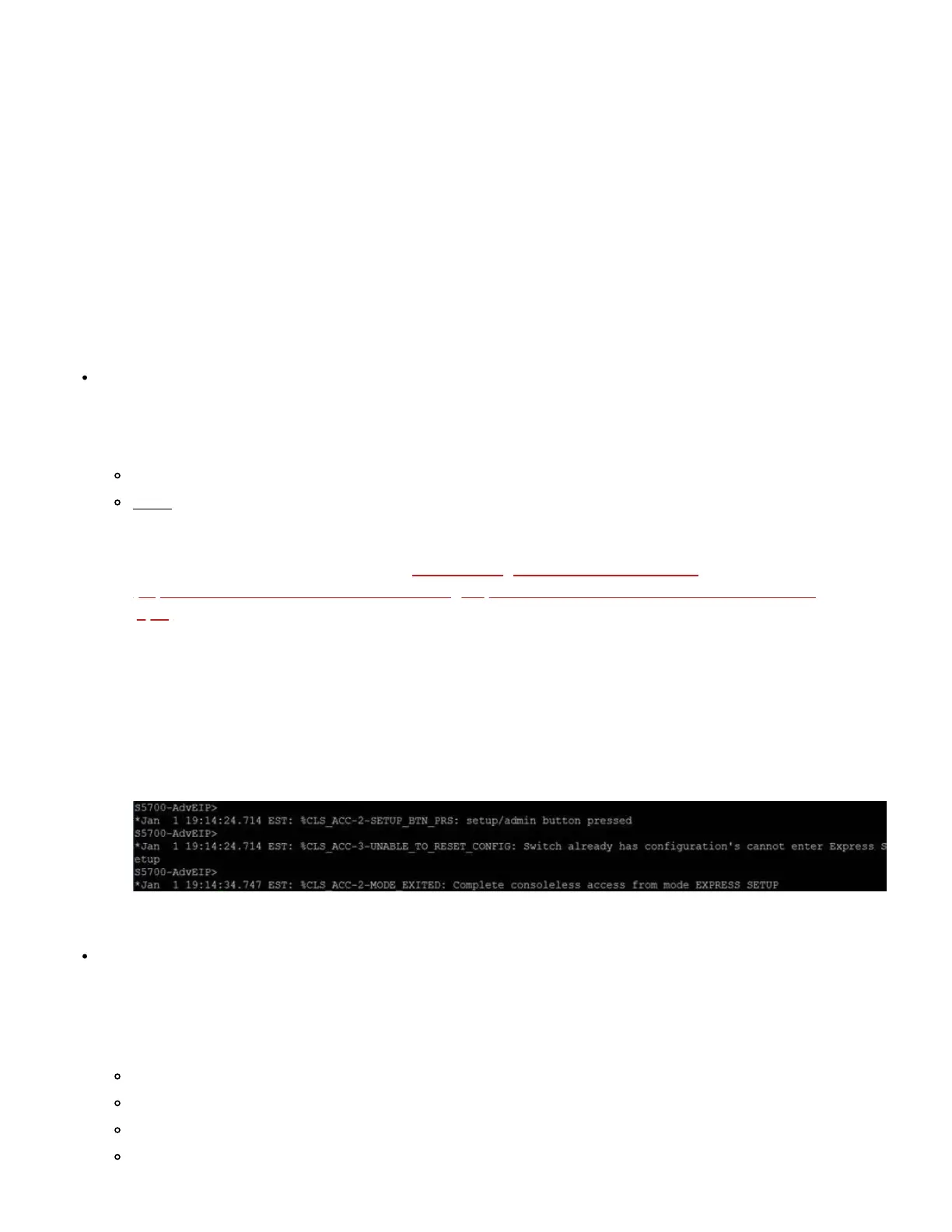
If you are looking in the CLI you will see the following error message:
%CLS_ACC-2-SETUP_BTN_PRS: setup/admin button pressed
%CLS_ACC-3-UNABLE_TO_RESET_CONFIG: Switch already has configuration's cannot enter Express
Setup
%CLS_ACC-2-MODE EXITED: Complete consoleless access from mode EXPRESS SETUP
Medium Press mode—You want to use a DHCP server to assign the switch an IP address. You can then
configure additional network settings via Device Manager or the Logix Designer application. To run
Medium Press mode, press and hold the Express Setup button until the Setup status indictor flashes red
during seconds 6...10, and then release.
The Setup status indicator flashes green during seconds 1...5, and then red during seconds 6...10.
The switch broadcasts a DHCP request out of all ports on VLAN 1.
VLAN 1 is configured with the IP address returned by the DHCP server.
CIP is enabled on VLAN 1 with CIP security password set to switch.


 To Next Page
 Loading...