
 Need help?
Do you have a question about the Stratix 5700 and is the answer not in the manual?
General answer for Express Setup issues, including timeout windows and LED status indicators for different IOS versions.
Detailed steps for performing single-mode Express Setup, including network configuration and browser access.
Guidance on resolving issues like pop-up blockers or antivirus software interference during setup.
Using Short Press mode for initial IP address configuration and subsequent network settings.
Using Medium Press mode for DHCP IP assignment and network configuration via Device Manager.
Using Long Press mode to reset the switch to factory default settings.
 General
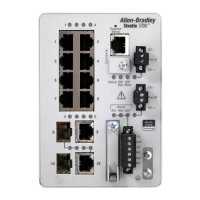
| Model | Stratix 5700 |
|---|---|
| Category | Industrial Ethernet Switch |
| Managed | Yes |
| IP Rating | IP30 |
| Software | Cisco IOS |
| Memory | 512 MB |
| Flash Memory | 256 MB |
| Layer | Layer 2 and Layer 3 |
| Mounting | DIN Rail |
| Operating Temperature | -40°C to 70°C |
| Redundancy | Yes |
| Power Supply | 24V DC |
| Dimensions (H x W x D) | 135 mm x 142 mm x 129 mm |
| Ports | Up to 24 x 10/100/1000 Mbps RJ45 ports, Up to 4 x 100/1000 Mbps SFP ports (depending on model) |
| Power over Ethernet (PoE) | Available on some models |

 To Next Page