11
TURNING RECEIVER ON OR OFF
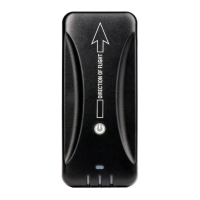
After mounting, press the power button to turn on the receiver. All LED
indicators will briey illuminate red and then green as the receiver powers
on and auto-calibrates. If Stratus 2S is moved after being turned on, it
must be re-calibrated in ForeFlight Mobile.
POWER OPTION SETTINGS
You can select how the receiver is powered on: only when the power
button is pushed, or automatically whenever the device receives power. By
default, the receiver will power on only when the power button is pushed,
but automatic power-on may be enabled by enabling the “Turn on When
Powered” switch in the ForeFlight Mobile Stratus Status page. For more
information about the Stratus Status page, see page 19.
NOTE: If the receiver is set to automatically power on and external power
is removed, it will power off within two minutes if the aircraft is traveling
under 5 knots. If the aircraft is traveling faster than 5 knots, the receiver
will not power down and will draw from the battery power. To override the
automatic power-off, press the power button after removing power.



 To Next Page