5
CHARGING THE BATTERY
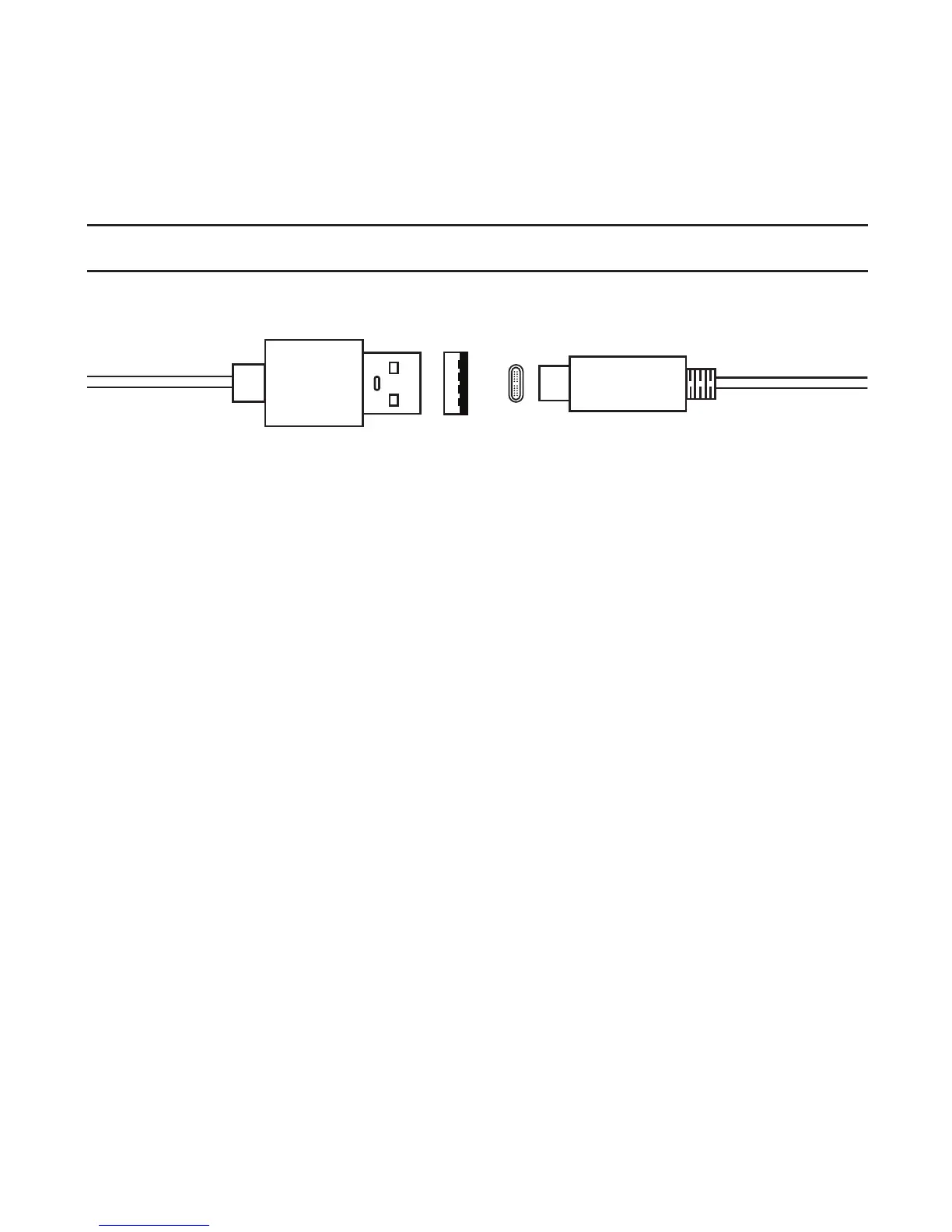
The receiver comes with a Type-A to Type-C USB charging cable.
Fully charge the receiver’s battery prior to rst use. To charge the battery:
1. Insert the charging cord’s Type-A USB plug into the wall charger’s
port.
2. Plug the Type-C USB plug into the receiver’s charging port. There is
no designated top or bottom and can be plugged in with either side
facing up.
3. Plug the wall charger into an electric wall outlet. When connected
to an external power source, the power LED will pulse. Refer to the
LED Indicator table on page 14 to determine when the battery is fully
charged.
NOTE: You may check the battery’s current charge level from the Stratus
Status page in ForeFlight. See page 19 for more information.
WARNING: Use of non-approved battery chargers may result in
decreased battery performance, permanent damage to the USB port,
and/or inoperability of the receiver, and voids the warranty. The receiver
requires a 2.1 amp charger. Most computer ports do not supply 2.1 amps.
Type-A Type-C



 To Next Page