4
BATTERY CHARGING & MONITORING
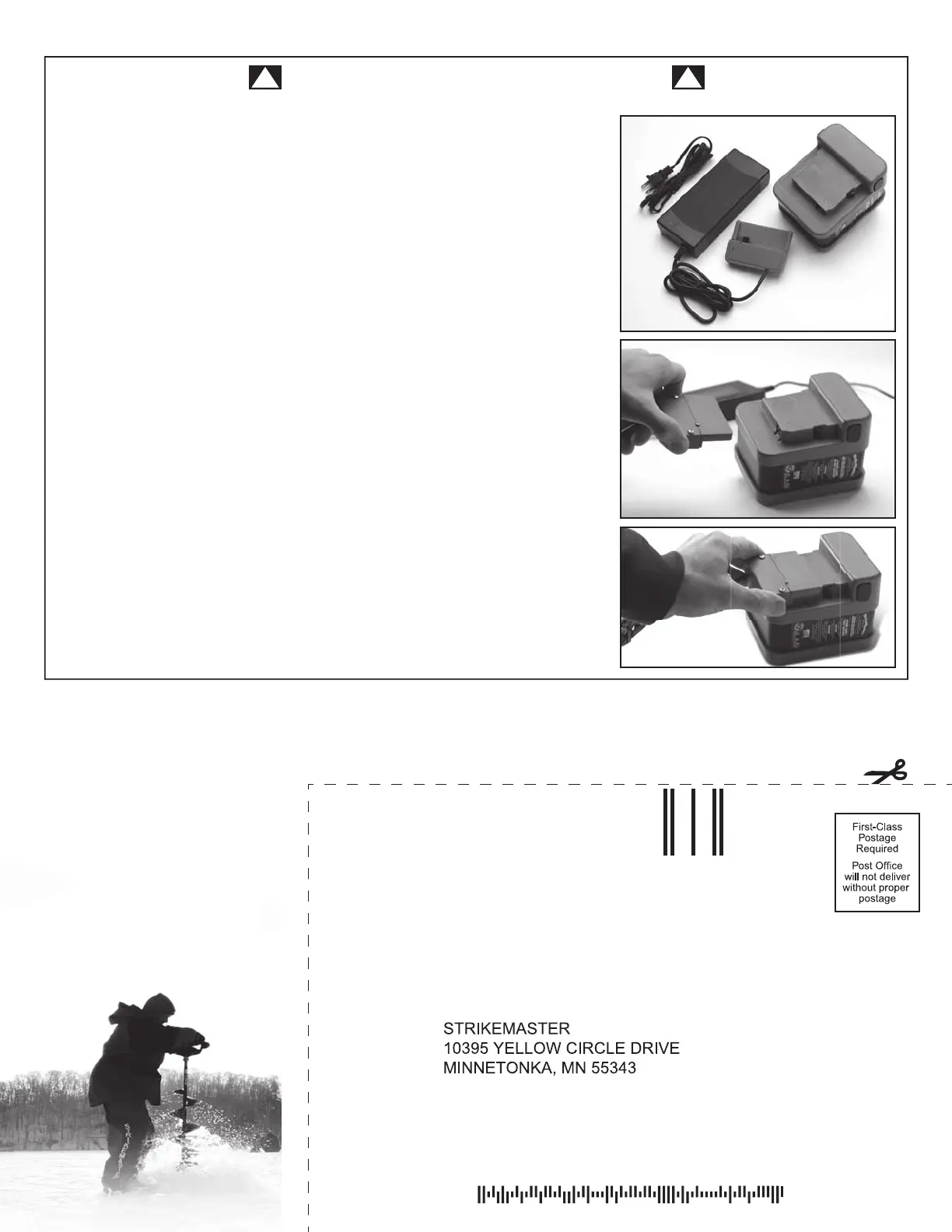
CHARGING WITH WALL CHARGER ADAPTER
When charging the 50 volt lithium battery using the StrikeMaster 2 amp battery
charger, ALWAYS connect the charger directly to a standard 110 volt wall outlet
BEFORE connecting the battery.
DO NOT rely on the battery status indicator, the battery charger will automatically
stop charging when battery is full. After battery is fully charged, the charger
changes to maintenance/fl oat mode. DO NOT leave the charger
connected to the battery for more than 24 hours.
! !
1. Always charge the battery at room temperature. If the battery is used in a cold
environment, allow it to warm up for at least an hour before charging. Cold
batteries will not charge completely.
2. To charge the battery, ALWAYS connect the charger directly to a standard 110
volt wall outlet BEFORE connecting to battery (red light should come on).
During charging phase, light will be red. Charge the battery until the light on
the charger turns green.
3. To disconnect charger, remove plug from wall outlet then disconnect charger
from battery.
4. Charge time will be 2 hours for completely dead battery.
DO NOT leave the charger connected to the battery for more than 24 hours.
5. The Battery Status Indicator is mounted on the top of the battery to allow you
to see the level of battery power while in use. To check the charge level, simply
push the battery indicator button. The lights on the status indicator show the
charge level of the battery.
Replacement or additional batteries may be purchased. (Model# LLRB).
Visit STRIKEMASTER.COM


 To Next Page