6
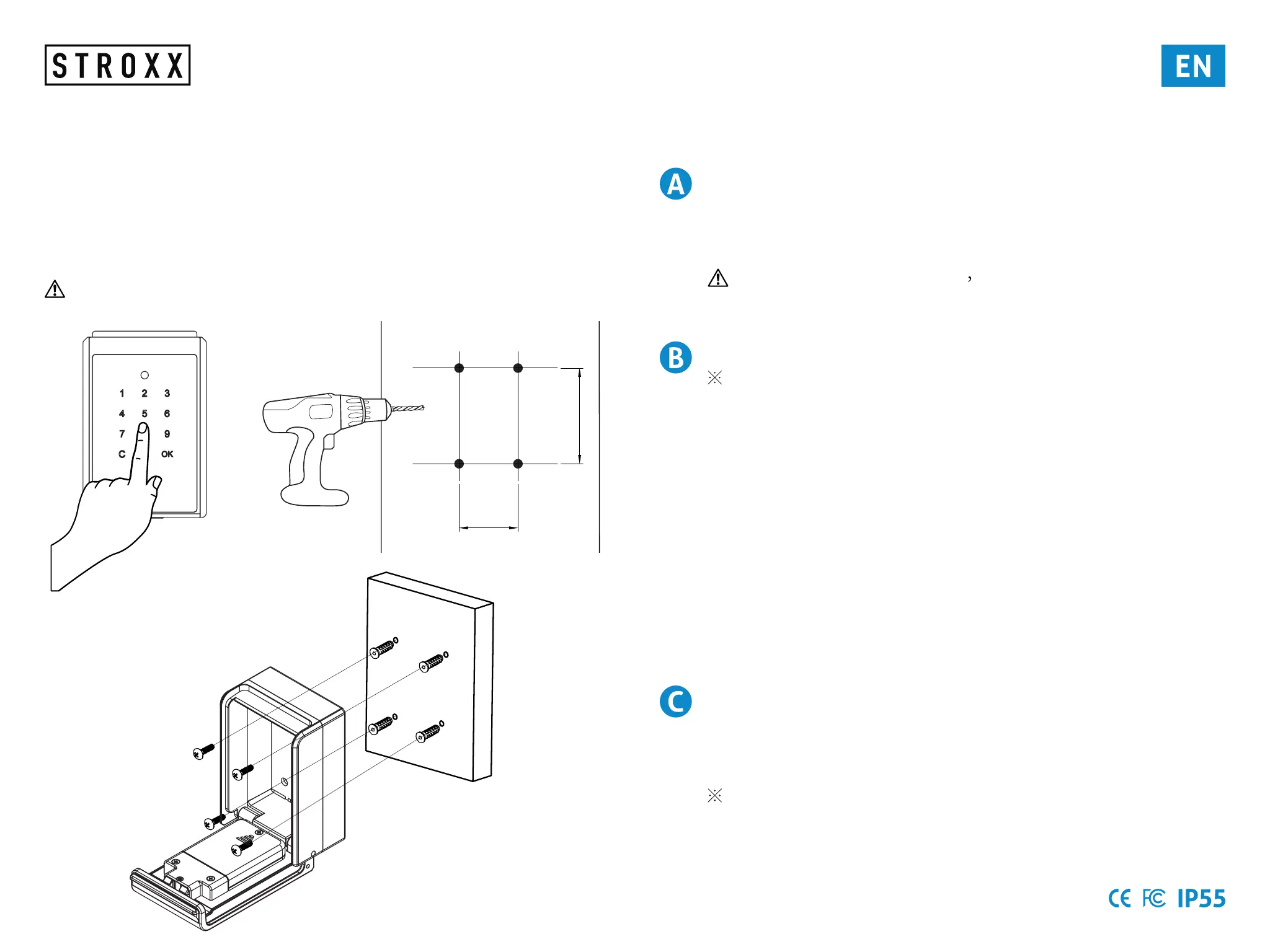
Lock Box Installation
Wall-Mounted
1. Unlock the Lock Box.
2. Drill holes on a wall.
3. Hammer the screw anchors into the holes and mount the
KB7002 Lock Box on the wall with the screw.
The equipment is only suitable for mounting at heights ≤2m
65mm
40mm
Lock Box Operation Instructions
EnterAdministratormode(Defaultcode:123456)
Instruction:
Press [ OK ] >> Administrator pass code >> [ OK ]
The default code is 123456 if the pass code has been
changed, press the new pass code.
Change Administrator pass code
Command code 01: Change Administrator pass code
Instruction:
Enter Administrator mode >> Press Command code 0 1 >> [
OK ] >> New pass code >> [ OK ] >> New pass code
>> [ OK ] >> [ C ]
(New administrator pass code: must be 6 digits )
Example:
(Original administrator pass code 123456 change to 112233)
Press [ OK ] >> 1 2 3 4 5 6 >> [ OK ] >> 0 1 >> [ OK ] >> 1 1 2
2 3 3 >> [ OK ] >> 1 1 2 2 3 3 >> [ OK ] >> [ C ]
Exit Administrator mode
Instruction:
Press [ C ] to exit administrator mode
To perform your settings, press C to exit administrator
mode.



 To Next Page