EasyManua.ls Logo

Stryker Medical 2025 - User Manual

Default Icon
140 pages
Print Icon
To Next Page IconTo Next Page
Loading...
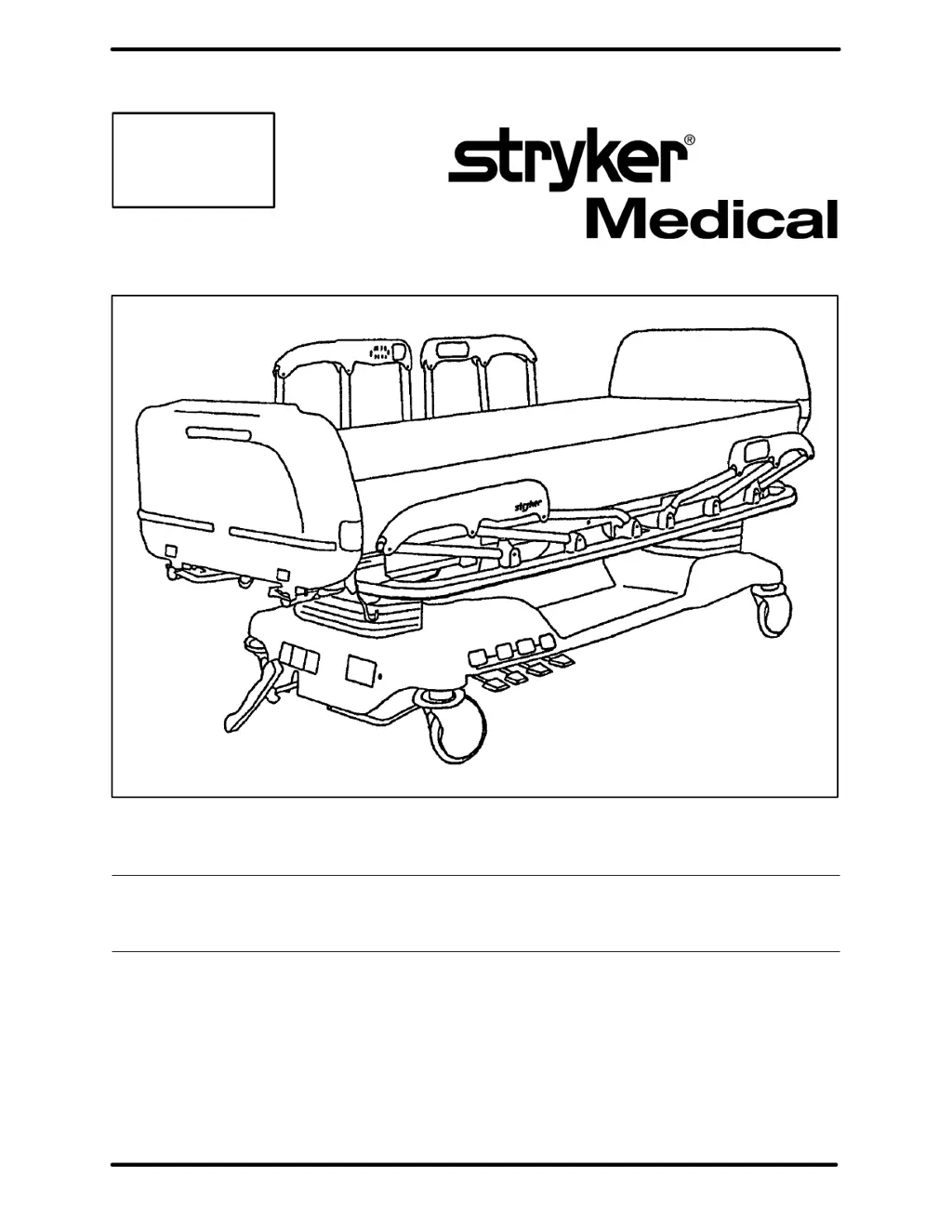
2025/2026 Critical Care Bed
MAINTENANCE MANUAL
For beds with serial numbers 9709035185 and above.
For Parts or Technical Assistance
1–800–327–0770
IMPORTANT
File in your
maintenance
records

Table of Contents

Questions and Answers

  • F
    flongAug 15, 2025
    How to troubleshoot no power to Stryker Medical Equipment bed?
    • L
      leslie03Aug 16, 2025
      If your Stryker Medical Equipment bed has no power, here's what you can do: * First, check the wall outlet to ensure it's providing power. * Then, unplug the bed's power cord and use a DMM to check the continuity of fuses F1 and F2 on the power board. * If the fuses are in good condition, plug the power cord back into the outlet. * Next, check for 120 VAC power at HDR1 on the power board. * Finally, check for DC voltages on HDR4 (Pins 4–7) on the power board.
  • J
    Jeffrey PattonAug 18, 2025
    What to do if there is no change in weight on Stryker Medical Equipment scale?
    • K
      Kristy AdamsAug 19, 2025
      If the Stryker Medical Equipment scale shows no change in weight, take these steps: 1. Make sure the cables are correctly installed and undamaged. 2. Check the voltages on the CPU at HDR32, Pin 1 (Grd) to Pin 4 (5Volts), Pin 1 (Grd), Pin 7 (–5 Volts). If the voltages are incorrect, replace the CPU board and the power board. 3. If the voltages are correct, replace the CPU. 4. If there is still no change, replace the load cells, CPU, and power boards.
  • K
    Kathleen SpencerAug 21, 2025
    Why is Stryker Medical Equipment scale weighing too heavy in all positions?
    • S
      Stephanie CrossAug 21, 2025
      If your Stryker Medical Equipment scale is consistently weighing too heavy, here's how to address it: * Begin by verifying that the bed has been properly calibrated. * Next, use a known weight at each corner of the bed to confirm that the counts change uniformly across all corners. If a load cell isn't changing correctly, it should be replaced. * If the issue persists, try replacing the CPU and recalibrating the bed.
  • E
    emily01Aug 25, 2025
    How to fix no bed down motion on Stryker Medical Equipment?
    • M
      Madison ChoiAug 25, 2025
      To troubleshoot the lack of bed down motion on your Stryker Medical Equipment, follow these steps: 1. Enter diagnostics and press bed down. If motion occurs, re-burn the lift potentiometer. Monitor Pin 3 and Pin 2 of HDR28 on the CPU board for the foot pot, and Pin 2 and Pin 3 of HDR23 for the head pot, using a DMM. Ensure voltage changes on Pin 3 correspond with lift motion. 2. If there's no down motion in diagnostic mode, check for 120 VAC power on HDR6, Pin 4 and Pin 3, and HDR9, Pin 3 and Pin 4 of the power board. 3. Verify a 5 VDC signal on the CPU board at HDR32, Pin 1 and Pin 3, and Pin 1 and Pin 5. 4. Inspect jumpers on HDR10 of the power board and HDR24 of the CPU board.
  • V
    valenzuelaheatherAug 27, 2025
    What causes Stryker Medical Equipment scale weighing too light in one position?
    • N
      Nicole HutchinsonAug 27, 2025
      If your Stryker Medical Equipment scale is weighing too lightly in only one position, check the following: * Ensure that nothing is interfering with the weighing surface and the stationary surfaces of the bed, such as foley bag hooks not touching the base hood, load cell and lift coil cord cables routed properly and not touching Gatch stand, and that load cells or the litter are not obstructed. * If in Trend position, calibrate the bed and check again. * If in reverse Trend position, make sure the Foley bag hook isn't touching the litter frame.
  • G
    grosswilliamAug 30, 2025
    What to do if there is no Trend motion on Stryker Medical Equipment bed?
    • K
      kgillAug 30, 2025
      If your Stryker Medical Equipment bed has no Trend motion, here’s what to check: * First, inspect the jumpers on HDR10 of the power board and HDR24 of the CPU board. * Then, check the bed up and down limits. * Next, verify 120 VAC on HDR6, Pin 3 and Pin 4 of the power board. * Finally, check for 5 VDC on HDR32 Pin 5 and HDR4 Pin 1 of the CPU board.
  • A
    Adam SullivanSep 2, 2025
    Why is Stryker Medical Equipment scale weighing too heavy in one position?
    • K
      Kristi ClarkSep 2, 2025
      If your Stryker Medical Equipment scale is weighing too heavy in one position, check for any mechanical interference between the weighing surface and the stationary sections of the bed. If in Trend position, calibrate the bed and check again.
  • A
    Andrew RichmondSep 5, 2025
    What to do if there is no Fowler down motion on Stryker Medical Equipment?
    • H
      howardjamesSep 5, 2025
      If your Stryker Medical Equipment has no Fowler down motion, here’s what you should do: * Enter diagnostics and check for Fowler down motion. If motion is present, re–burn the Fowler potentiometer. * Check for 120 VAC power on HDR11 Pin 3 and Pin 1 of the power board. * Check for 5 VDC signal on HDR32 Pin 1 and HDR33 Pin 1 of the CPU board.
  • Y
    Yolanda BushSep 8, 2025
    What does 'Check Corners' mean during Stryker Medical Equipment calibration?
    • J
      johnkellySep 8, 2025
      If the display reads “Check Corners” during calibration of your Stryker Medical Equipment, check each corner to verify the load cells are working and changing value. Using a 50 pound weight at each corner of the bed, verify the counts change approximately 375 to 425. For example, if a right corner without weight reads 400, it should read 825 after adding the weight. If a corner does not respond correctly or is out of specification, replace the load cell.
  • J
    jennifer35Sep 12, 2025
    Why does weight go negative at right foot corner on Stryker Medical Equipment?
    • M
      Michael McdonaldSep 12, 2025
      If the weight goes negative when checking the weight at the right foot corner on your Stryker Medical Equipment, check the left load cell (in check corners mode). It must read at least +300 with no weight on the bed.

Summary

Introduction

Specifications

Details bed capabilities like weight capacity, dimensions, and electrical requirements.

Warning Caution Note Definition

Explains the meaning of warning, caution, and note indicators used in the manual.

Warning

Explains specific warnings related to bed operation, like brake usage.

Preventative Maintenance

Maintenance Checklist

Lists items to inspect and verify during routine maintenance.

Static Discharge Precautions

Static Protection Procedure

Step-by-step guide for implementing static protection.

Maintenance Procedures - Base

Checking Hydraulic Fluid Level

Instructions for checking and refilling hydraulic fluid.

Jack Descent Rate Adjustment

Adjusting the speed at which the bed descends.

Brake Adjustment

Procedure for adjusting the bed's braking system.

Maintenance Procedures - Litter

CPU Board Replacement

Procedure for replacing the Central Processing Unit (CPU) board.

Scale Calibration Procedure

Detailed steps for calibrating the bed's scale system.

Electrical Troubleshooting

Troubleshooting Guide

Guide to diagnose and resolve electrical problems.

Scale System Troubleshooting Guide

Diagnosing issues related to the bed's scale system.

Bed Circuit Boards

CPU Kit All Options P;N 2025-700-18

Diagram and connector pinouts for the CPU kit.

Power Board - P;N 2025-300-930

Diagram and pinouts for the domestic power board.

International Power Board - P;N 3221-300-930

Diagram and pinouts for the international power board.

Head Wall Output Configuration

37-Pin Connector

Pin assignments for the 37-pin connector.

Stryker Pendant Port

Pin assignments for the Stryker pendant port.

Replacement Parts and Kits

Base Assembly

Base Assembly, Domestic

Part list for domestic base assembly components.

Base Assembly, International

Part list for international base assembly components.

Litter Assembly

2025-30-100 Litter Option Assembly - No Scale;No Bed Exit

Parts for litter option assembly without scale or bed exit.

Actuator Box Assembly

2025-32-15 Domestic Act. Box Electronics

Parts list for domestic actuator box electronics.

2025-41 Hybrid DMS Option

Parts list for the hybrid DMS option.

Bed Extender Assembly

Head Wall Communication Option Assembly

Head Wall w;Nurse Call & Battery Option Assembly

Head Wall w;Nurse Call & 1 Stryker Port Option Ass’y

Head Wall w;Nurse Call & 2 Stryker Ports Option Ass’y

Head Wall Interface Assembly, Nurse Call Option

Full Length Siderail Assembly

Split Siderail Assembly

Siderail Control Option Assembly

Standard Siderail with DMS Option - Domestic

Diagrams of standard siderail controls with DMS option.

Foot Board Assembly

2025-135-10 Foot Board Assembly - Standard Components

Parts list for standard foot board components.

2025-136-11 Foot Board Assembly - No Position Package

Parts list for foot board assembly without position package.

2025-136-10 Foot Board Assembly - Patient Positioning Option #2

Parts list for foot board assembly with patient positioning option #2.

Foot Board Standard Module Assembly

2025-507-35 Scale Display Assembly

Blue Stone Labeling Assembly Options

2025-000-160 Standard Labels + Nurse Call

Labels for standard configuration with nurse call.

2025-000-164 Standard Labels

Labels for standard configurations.

Forest Green Labeling Assembly Options

2025-000-260 Standard Labels + Nurse Call

Labels for standard configuration with nurse call.

2025-000-272 Std. Labels + Pat. Pos. Option #2

Labels for standard and patient positioning option #2.

Head Board Assembly with CPR Option

Optional Pendant Assembly

3000-300-80 Removable I.V. Pole Assembly

2035-112-10 & 2035-113-11 Optional 2-Stage I.V. Ass’y

2035-112-10 Head End, Left

Parts list for the head end, left 2-stage I.V. assembly.

2035-113-11 Foot End, Right

Parts list for the foot end, right 2-stage I.V. assembly.

Warranty

Limited Warranty

Details Stryker's warranty terms, exclusions, and duration.

To Obtain Parts and Service

Information on how to get parts and service from Stryker.

Damaged Merchandise

Policy for handling claims for damaged merchandise.

Stryker Medical 2025 Specifications

General IconGeneral
BrandStryker Medical
Model2025
CategoryMedical Equipment
LanguageEnglish

Related product manuals