What to do if recording does not work on Studebaker SB2140 Portable Stereo System?
- CclarkdanSep 9, 2025
If recording does not work on your Studebaker Portable Stereo System, apply a piece of adhesive tape over the missing tab space on the cassette.
What to do if recording does not work on Studebaker SB2140 Portable Stereo System?
If recording does not work on your Studebaker Portable Stereo System, apply a piece of adhesive tape over the missing tab space on the cassette.
How to fix noise or distorted sound on AM/FM broadcast on Studebaker Portable Stereo System?
If your Studebaker Portable Stereo System's AM/FM broadcast sounds distorted or noisy, try fine-tuning the station. If you're using FM, fully extend the telescopic antenna. For AM, reposition the unit to get better reception.
Why my Studebaker SB2140 does not respond or have no power?
If your Studebaker Portable Stereo System isn't responding, first, ensure it's properly connected to the AC outlet. If it is, try plugging it into another outlet to rule out a power issue.
What to do if my Studebaker SB2140 is ON but there is low or no volume?
If your Studebaker Portable Stereo System has low or no volume, slowly rotate the MASTER VOLUME knob to increase the volume level.
Why won't my Studebaker SB2140 CD player play?
If your Studebaker Portable Stereo System CD player won't play, first, ensure the FUNCTION switch is set to CD. Next, check that the CD is inserted correctly with the label side facing outward. If you're using a self-compiled CD, it might not be compatible; try using better quality blank media.
How to fix poor cassette sound quality or recording issues on my Studebaker Portable Stereo System?
If you are experiencing poor cassette sound quality or the recording function is not working on your Studebaker Portable Stereo System, clean the heads, capstan, and pinch roller. If that doesn't resolve the issue, check the cassette itself; if the tabs are broken out, apply a piece of adhesive tape over the missing tab space.
What to do if my Studebaker Portable Stereo System CD skips while playing?
If the CD skips while playing on your Studebaker Portable Stereo System, wipe the CD with a clean cloth or try using another disc. The disc may be dirty or scratched.
Why does my Studebaker SB2140 have intermittent sound from the CD Player?
If you're experiencing intermittent sound from the CD player on your Studebaker Portable Stereo System, try cleaning or replacing the disc, as it may be dirty or defective. You can also use a CD-lens cleaning disc to clean the lens. Additionally, relocate the player away from sources of excessive shock or vibration.
How to improve poor cassette sound quality on Studebaker Portable Stereo System?
If you are experiencing poor cassette sound quality on your Studebaker Portable Stereo System, clean the heads, capstan, and pinch roller.
How to fix intermittent sound from CD Player on Studebaker SB2140 Portable Stereo System?
If you experience intermittent sound from the CD Player on your Studebaker Portable Stereo System, clean or replace the disc. If the issue persists, use a CD-lens cleaning disc to clean the lens. Also, relocate the player away from shock or vibration.
Comprehensive safety instructions for operating the audio unit safely and preventing hazards.
Details compliance with FCC rules and potential interference.
Precautions and warnings regarding the Class 1 laser product to prevent eye exposure.
Guidelines for optimal placement, ventilation, and avoiding extreme operating temperatures.
Advice on protecting furniture from unit feet and general usage notes.
Detailed identification of all buttons, knobs, ports, and indicators on the unit.
Instructions for operating the unit using the AC adapter and connecting to power.
Information on using the built-in rechargeable battery and low battery indicators.
Step-by-step guide for charging the internal battery using the AC adapter.
How to operate the radio, tune stations, and optimize FM stereo reception.
Instructions for playing CDs, skipping tracks, and using repeat modes.
How to create and play a programmed sequence of tracks from a CD.
How to adjust treble, bass, and balance for optimal sound output.
Guide for playing MP3 files from a USB flash drive, including playback controls.
Steps to pair and connect Bluetooth-enabled devices for wireless music streaming.
How to use the unit as a Bluetooth transmitter to send audio to external receivers.
How to connect external audio sources via AUX IN and use headphones for private listening.
Instructions for playing cassettes and understanding the automatic stop feature.
Guides for recording from microphone, radio, and CD onto cassette tapes.
Steps to record audio from USB drives, AUX inputs, and Bluetooth devices onto cassettes.
Instructions on how to turn the LED light show feature on and off.
Procedures for resetting the unit and general maintenance advice for longevity.
Best practices for handling cassette tapes to prevent jamming and tangling.
Instructions for cleaning tape heads, compact discs, and the unit's exterior.
A guide to identify and resolve common operational problems with the unit.
Comprehensive list of technical specifications including frequency range, power, and connectivity.
Details the 90-day limited warranty, terms, and procedures for service within the U.S.A.
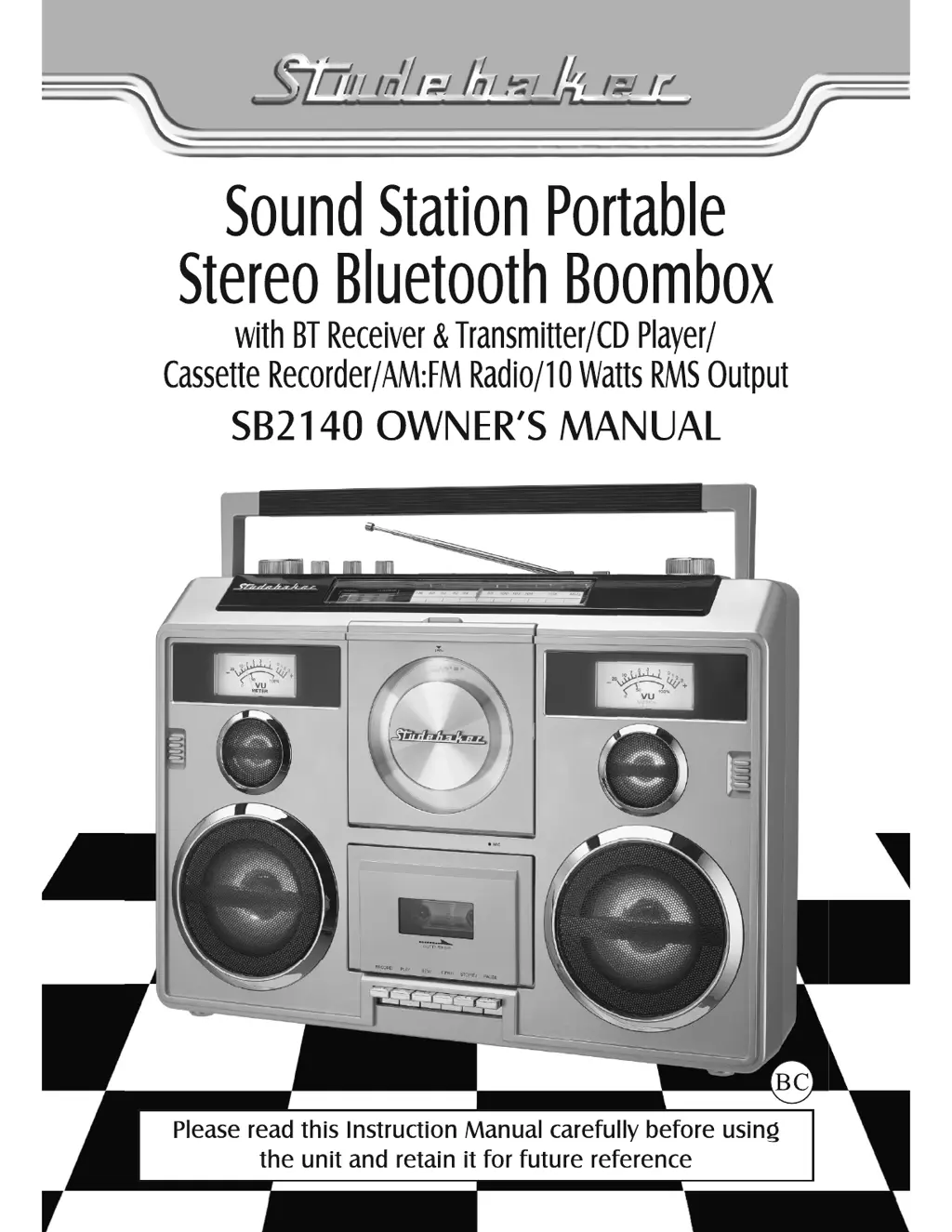
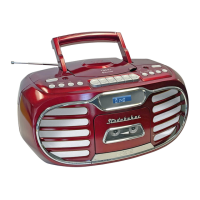
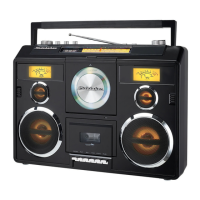
The Studebaker SB2140 is a portable stereo Bluetooth boombox, designed to offer a versatile audio experience with multiple playback options and recording capabilities. This device functions as a BT receiver and transmitter, CD player, cassette recorder, and AM/FM radio, delivering 10 Watts RMS output.
The SB2140 offers a comprehensive range of audio functions:
| Brand | Studebaker |
|---|---|
| Model | SB2140 |
| Category | Portable Stereo System |
| Language | English |