Need help?
Do you have a question about the Studer A827 and is the answer not in the manual?
General overview of the STUDER Autolocator's capabilities and compatibility.
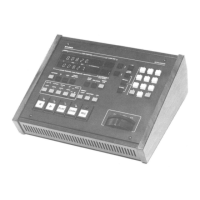
Details the available versions of the STUDER Autolocator and their components.
Step-by-step instructions for physically connecting the Autolocator to a compatible tape recorder.
Explains fundamental tape control functions like PLAY, STOP, REWIND, and FAST FORWARD.
Describes the function of the numeric keypad for entering addresses and data.
Explains how to store and recall tape positions using memory keys.
Covers keys used for locating specific tape addresses and managing tape movement.
Details using memory locations for locating and controlling variable tape speed.
Explains how to set up and execute tape loops using the LOOP functions.
Describes the AUTO RECORD function for automated drop-in/drop-out editing.
 General
| Power Requirements | 100-240 V AC, 50/60 Hz |
|---|---|
| Type | Analog Tape Recorder |
| Tape Width | 1/4 inch |
| Tape Speed | 15 ips, 30 ips |
| Frequency Response | 20 Hz to 20 kHz |
| Total Harmonic Distortion | <0.5% |
| Input Connectors | XLR |
| Output Connectors | XLR |
| Reel Size | 10.5 inch |
| Equalization | NAB, IEC |


 To Next Page