Studer Innotec SA
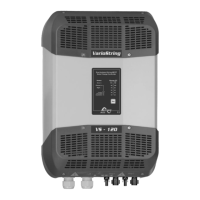
VarioString
User manual V 2.3 3
Contents
1 INTRODUCTION ...................................................................................................................................... 5
2 GENERAL INFORMATION ....................................................................................................................... 5
2.1 About this user manual ....................................................................................................................... 5
2.2 Important safety instructions .............................................................................................................. 6
2.3 Conventions .......................................................................................................................................... 6
2.4 Quality and warranty .......................................................................................................................... 7
2.4.1 Exclusion of warranty .................................................................................................................. 7
2.4.2 Exclusion of liability ...................................................................................................................... 7
2.5 Warnings and guidelines .................................................................................................................... 8
3 MOUNTING AND INSTALLATION ........................................................................................................... 8
3.1 Storage .................................................................................................................................................. 8
3.2 Unpacking ............................................................................................................................................. 8
3.3 Mounting place.................................................................................................................................... 9
3.4 Fixing/Dimensions ................................................................................................................................. 9
3.4.1 VarioString VS-120........................................................................................................................ 9
3.4.2 VarioString VS-70 ....................................................................................................................... 10
3.4.3 Assembling the cooling fan ECF-01 ....................................................................................... 10
4 WIRING ................................................................................................................................................. 11
4.1 Elements of the cable compartment ............................................................................................ 11
4.1.1 VarioString VS-70 ........................................................................................................................ 12
4.1.2 VarioString VS-120...................................................................................................................... 13
4.2 Connecting the battery ................................................................................................................... 14
4.2.1 Precautions when using the batteries ................................................................................... 14
4.2.2 Connecting the battery ........................................................................................................... 15
4.2.3 Protection device of the battery ........................................................................................... 15
4.3 Photovoltaic generator (PV) ........................................................................................................... 16
4.3.1 Dimensioning .............................................................................................................................. 16
4.3.2 Serial connection (chain or string) of PV modules ............................................................. 17
4.3.3 Parallel connection of PV module strings ............................................................................. 18
4.3.4 Safe use of the photovoltaic modules .................................................................................. 19
4.3.5 Protection devices .................................................................................................................... 19
4.3.6 Cable cross-section and connection ................................................................................... 19
4.3.7 Parallel connection of several VarioString ........................................................................... 19
4.3.8 Extension of an existing installation ........................................................................................ 20
4.4 Earthing ................................................................................................................................................ 20
4.4.1 Detecting an earthing fault .................................................................................................... 20
4.5 Lightning protection .......................................................................................................................... 21
4.6 Connecting the communication cables ...................................................................................... 21
5 POWER-UP OF THE EQUIPMENT ........................................................................................................... 22
6 DISPLAY SYSTEM ................................................................................................................................... 23
6.1 The “SET” button (4) ........................................................................................................................... 23
6.2 “Night” standby indicator (1) .......................................................................................................... 23
6.3 “Charge” cycle indicator (2) .......................................................................................................... 23
6.4 “Error” indicator (3) ............................................................................................................................ 24
6.5 Charging current Indicator (5)-(6)-(7)-(8)-(9)-(10) ....................................................................... 24
7 BATTERY CHARGING PROCESS ........................................................................................................... 25
7.1 General points .................................................................................................................................... 25
7.2 Battery cycle ....................................................................................................................................... 25
7.2.1 Bulk phase (1) ............................................................................................................................. 25
7.2.2 Absorption phase (2) ................................................................................................................ 25
7.2.3 Floating phase (4) ..................................................................................................................... 25
7.2.4 Equalization phase (3) .............................................................................................................. 25
7.2.5 Temperature compensation ................................................................................................... 26
7.3 Default battery charge cycle (original settings) ......................................................................... 26
7.4 Recovery after deep discharge ..................................................................................................... 26
8 REMOTE ENTRY (AVAILABLE AS FROM SOFTWARE VERSION 1.5.22) ............................................... 27


 To Next Page