9
12 3 4
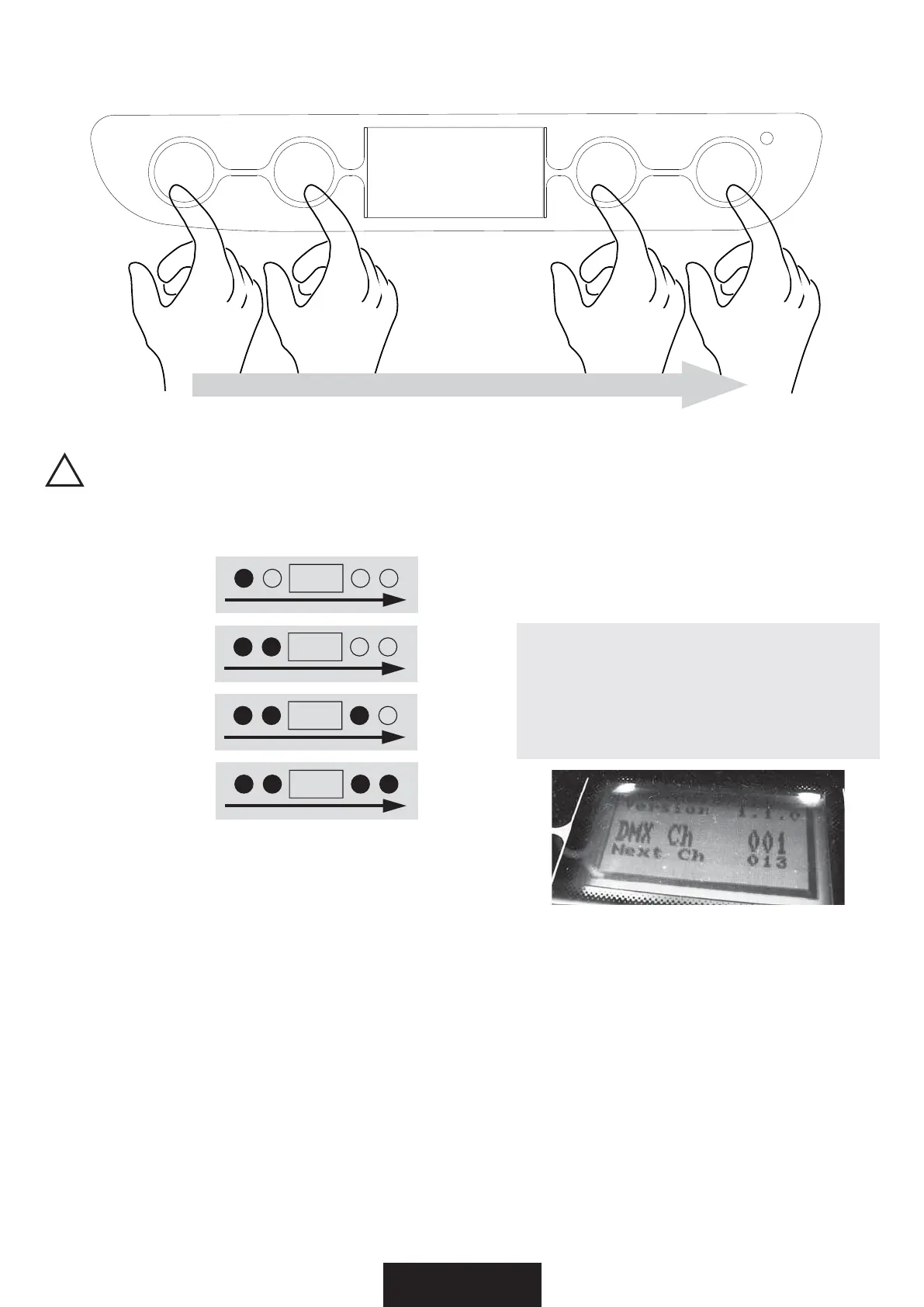
If you want to enter into setup mode, you must follow the start procedure:
Se desiderate entrare nella modalità setup, dovete seguire la procedura di accesso:
1 > press DOWN
you will see
2 > than press UP
you will see
3 > than press ESC
you will see
4 > than press ENTER
you will see
In this way you enter into the setup. You can see this screen.
In questo modo entrate nel setup. Potete vedere la seguente schermata.
• DOWN - to go backward in the selected options
- scorrimento indietro
• UP - to go forward in the selected options
- scorrimento avanti
• ESC - exit from menu and return to a previus menu level
- esce dal menu e torna ad un livello inferiore
• ENTER - to confirm the selected options
- conferma delle opzioni selezionate
IMPORTANT
CONTROL PANEL - START PROCEDURE / PANNELLO DI CONTROLLO - PROCEDURA DI ACCESSO
UP
DOWN
ENTER
DMX
ESC



 To Next Page