EasyManua.ls Logo

Studiologic acuna88 - Control Panel and Connections; Control Panel Overview; Back Panel Connections

Studiologic acuna88
Print Icon
To Next Page IconTo Next Page
To Previous Page IconTo Previous Page
Loading...
acuna88 by Studiologic® 7
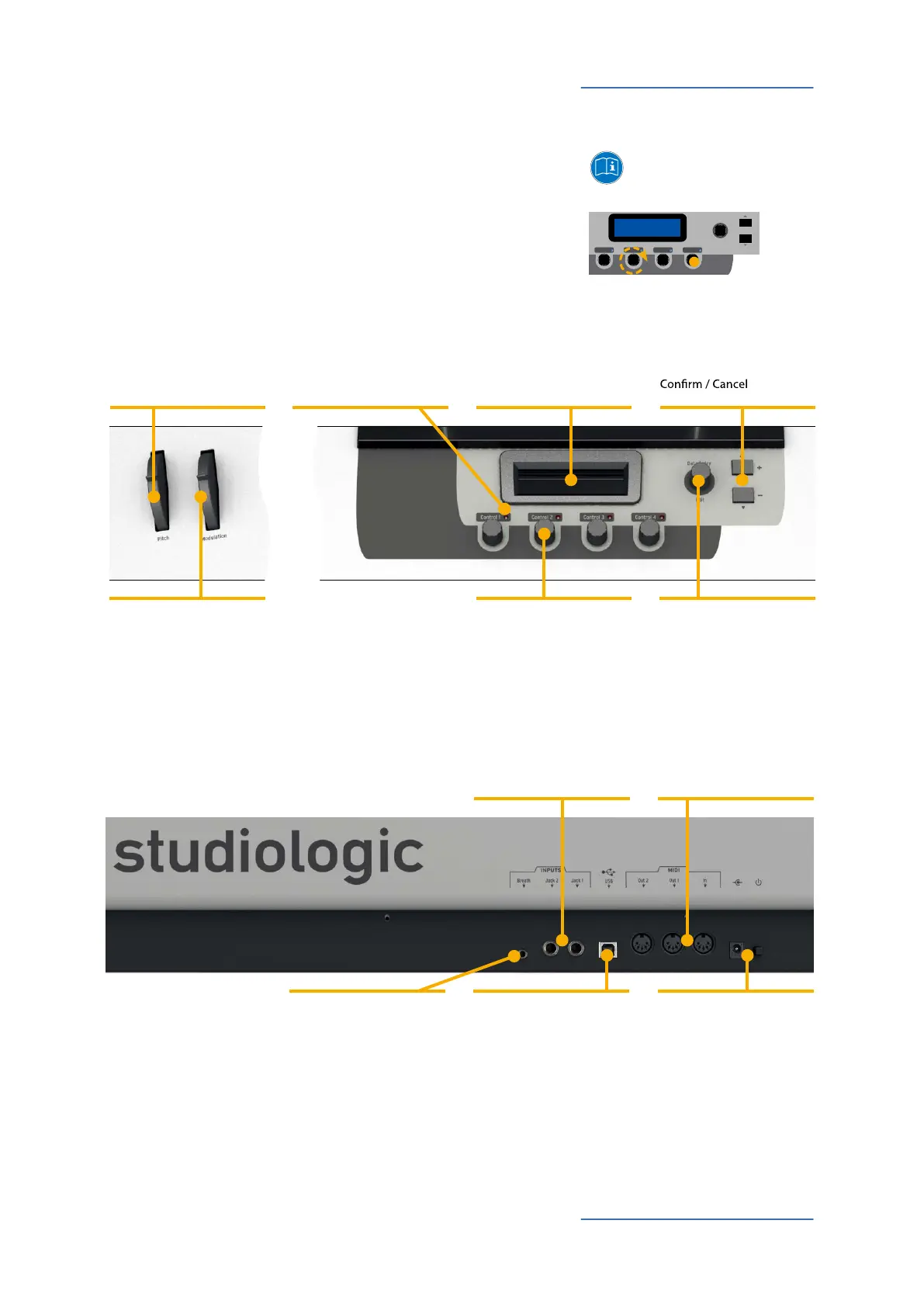
제어부와 연결부
메뉴얼에 모든 실행 버튼은
굵은 이탤릭체 (e.g. Control 1)
,
스플레이에 표시되는 값들은 굵은 글씨 (e.g. Select Zone)표기
됩니다.
ACUNA88에는 누를 있는 인코더가 있습니다. 또한 인코더를
좌우로 돌려서 값을 조절할 수 있습니다.
`
Display
Programming / values
Page 9 - 15
Navigation / Page scrolling
Page 10 - 15
MIDI Controller / Zone /
Selection
Page 9 -14
Data Entry / Navigation
Page 9 - 15
Pitch Wheel
Page 9, 11
Modulation Wheel
Page 9, 11
Zone status LED
Page 9
Pedal Jack 1 / 2
Page 8, 12
MIDI In, MIDI Out 1 / 2
Send / receive MIDI data
Page 8, 10, 14
Breath Control
Page 8, 11, 14
USB port for MIDI I/O
and iPad connection
Page 8, 10
Mains / Power
Page 4, 8
제어부
연결부/ 악기의 후면
+
-
Edit
Data Entry
Control 1 Control 2 Control 3 Control 4

Other manuals for Studiologic acuna88

Related product manuals