FIRMWARE VERSION AND UPDATE
Check the firmware version.
Firmware update instructions
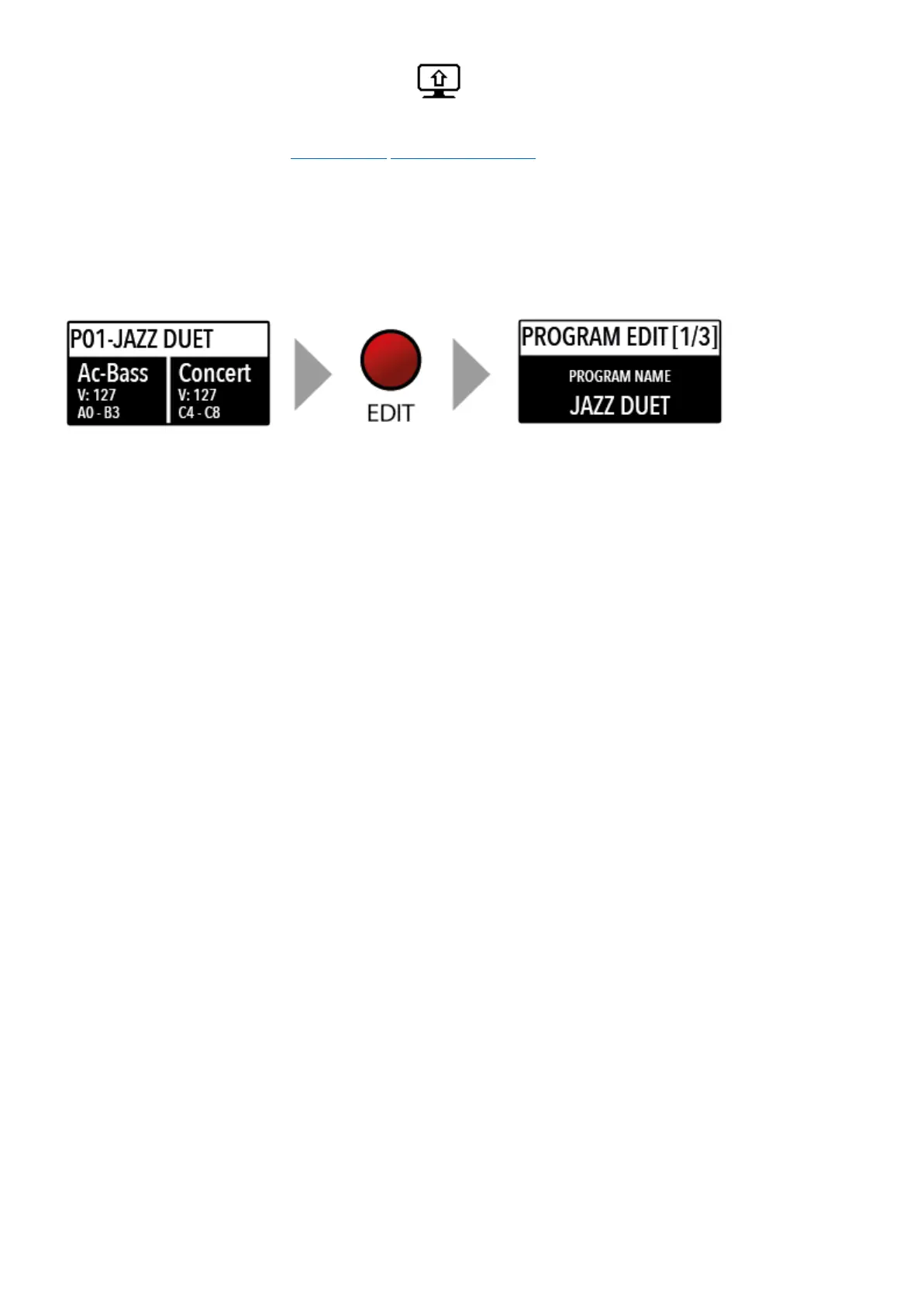
If the focus (cursor) is on the upper part of the display on Programs selection, pressing the EDIT
button will enable the Program Edit, with the following parameter and settings.
Program edit is common for SOUND and MIDI; it refers to general parameters associated to both
the SOUND and MIDI sections.
After having selected this function, click on the encoder and input the letters of number rotating it;
a small triangle will show what digit you are editing.
To confirm the new name or keep the previous, press STORE and a popup window will ask you to
confirm the change or not, rotating the encoder to YES or NO and confirm by clicking.
This function allows to select the SPLIT point for each PROGRAM, by rotating the encoder till the
desired note is shown. Please note that, as per international standard, the instrument keyboard is
named from A0 (first key on the left) to C8 (last key on the right) and consequently the middle C
below the display is C4. The reference pitch of A=440 Hz is on A4, the A of the same octave of C4
(below the sound banks) for all sounds that are based on the standard 8’ of the piano range. Only
some ORGAN sounds will play one octave below, if based on a 16’ pitch drawbar of the vintage tone
wheel organs or the related Pipe Organs 16’ classic organ stops; in these cases the foundamental of
the selected sound on A4 will be 220 Hz (one octave below 440 Hz).
The Mixer allows to control all four parts and zones (LOWER/UPPER/ZONEA/ZONEB) at once,
in a single organized page. This function can also be accessed with a shortcut, keeping pressed the
SPLIT button also marked MIXER with brackets.
User manual - Numa Compact X SE https://www.studiologic-music.com/support/articles/ncxse_manual/?l...
22 di 32 01/03/2024, 13:41



 To Next Page