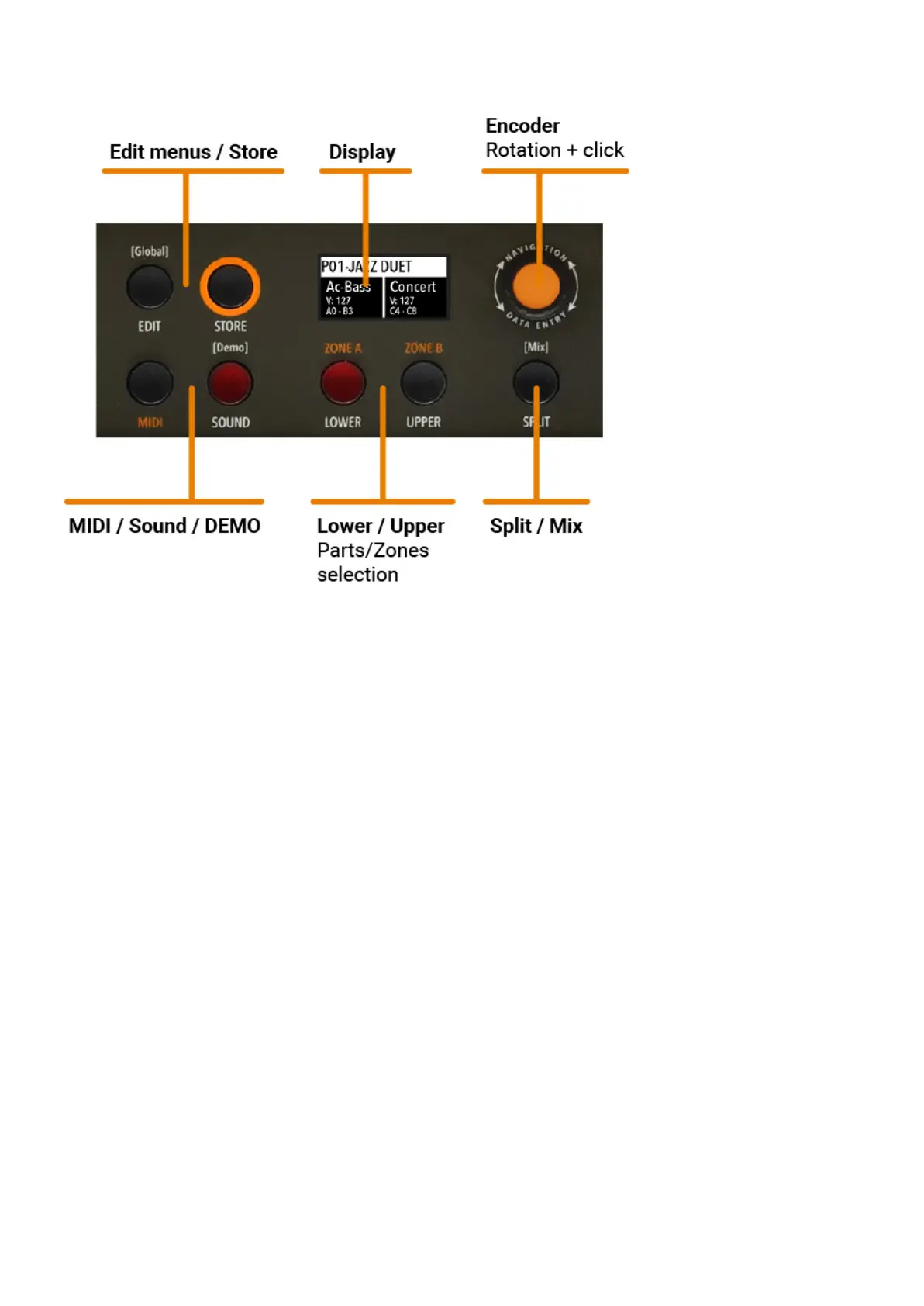
Panel - display and navigation
The main HOME display of the Numa Compact is the one shown at power on and it’s divided in 3
main areas: the top area shows the current Program number and name, the left and right lower
areas are related to the Lower and Upper Sound sections, in SOUND mode, and to the Zone A and
Zone B sections, in MIDI Mode.
Two differente navigation modes can be choosen in Global edit.
If you set the related parameter ADVANCED, the navigation works as follow:
SOUND to show the UPPER and LOWER parts on the display.
MIDI to show Zone A and Zone B on the display.
LOWER (MIDI A) and UPPER (MIDI B) to enable or disable the audio parts and the
SOUND button is on, press it to move the focus from UPPER part to LOWER part and
MIDI button is on, press it to move the focus from Zone A to Zone B and vice versa.
Encoder to move the focus to the Program. A second press of the Encoder shows the list
and press again so choose the Program.
With ADVANCED navigation, when you move a Sliders that control the SYNTH parameters, the
display shows the changes of the related parametes.
User manual - Numa Compact X SE https://www.studiologic-music.com/support/articles/ncxse_manual/?l...
5 di 32 01/03/2024, 13:41



 To Next Page