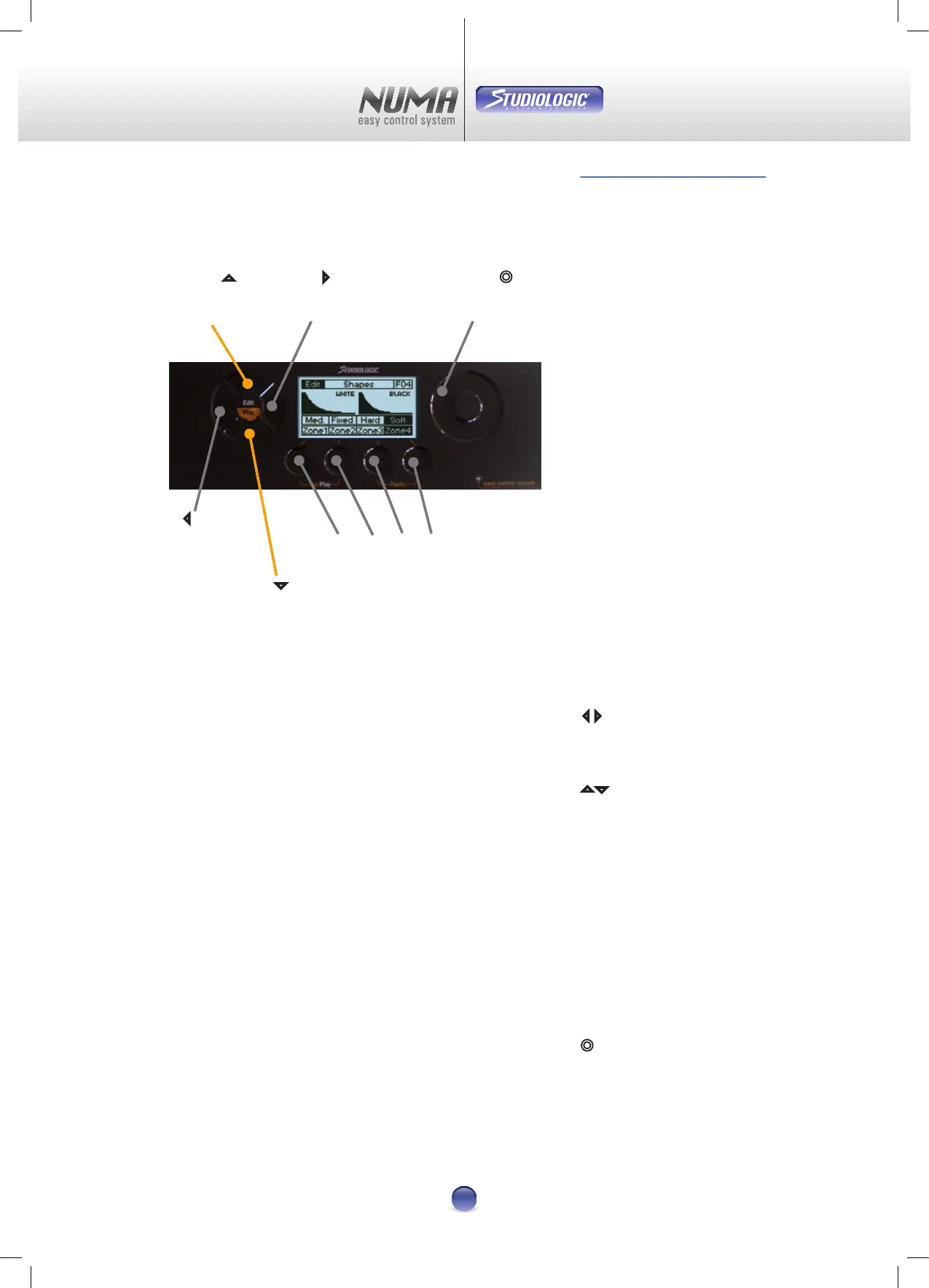
Operation of the NUMA is done with 4 touch-sensitive pads,
a virtual dial and the LCD display.
While in Play ore Edit Mode, these pads select the single
pages for dierent parameters.
Touching both simultaneously activates the Edit Mode.
Selecting a patch in Play Mode is done with these two pads.
In Edit Mode they select the sub-pages.
Control Keys 1-4 activate the corresponding parameter
above the pad. For example Zone, Reset, Store, No or Yes.
Touching both
u
+
v
simultaneously activates the YouPlay
Mode. The combination of
w
+
x
initializes a reset of all MIDI
data.
The Virtual Dial selects the patches in Play Mode and changes
the selected parameter in Edit Mode.
Operation
u v w x
Control Keys
¢
Virtual
Dial
3
Navigation
left
4
Navigation
right
5
Navigation
up
6
Navigation
down
Image 1
Control Elements
Navigation
34
Navigation
5 6
Control Keys
u v w x
Virtual Dial
¢












 To Next Page