Example:
Choose patch F04 with the pads
5 6 . Try to switch the
respective zone on and o, using the Control Keys
u
-
x
.
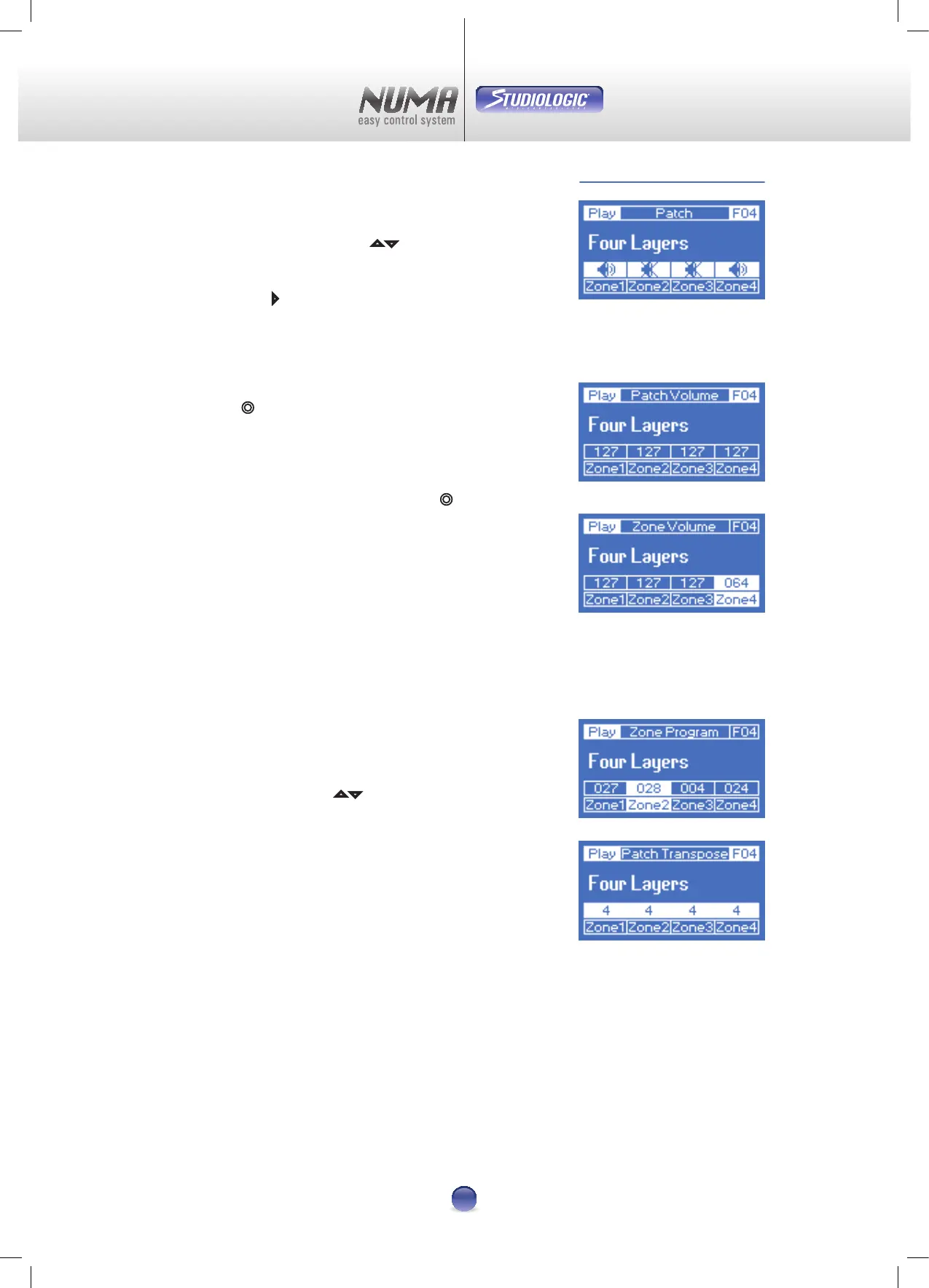
At last, leave On Zone 1 and 4 (Image 4).
Now touch pad
4 :
The display changes the upper row to Patch Midi, the line
above the zones shows the respective MIDI channel.
Now touch pad
x two times.
The display (Image 5) shows Patch Volume in the upper
row. Now you can change the volume of all zones with the
Virtual Dial
¢ .
If you want to change the volume of zone 4 only, then you
have to select it with pad
x
rst. The display now pictures
Zone Volume and zone 4 gets activated (Image 6). Volume of
zone 4 can be changed with the Virtual Dial
¢ . Deselecting
zone 4 results in changes to all zones at once.
This procedure is the same for all other parameters. Feel free
to try dierent setups (Image 7-8).
Note: Do not forget that changing the patch-preset resets all
currently made settings!
How to store changes >> Page 12
To get out of the Live-Edit-Mode -
just touch one of the pads
5 6 .
Play Mode Example
Image 4
Image 5
Image 6
Image 7
Image 8












 To Next Page