NUMA by Studiologic®
12
Edit Mode Part 4
Jack 1&2 Conrol / Polarity / Type
There are three separate pages for setting up the foot-
switches. Choose it with
5 6 , change it with ¢ .
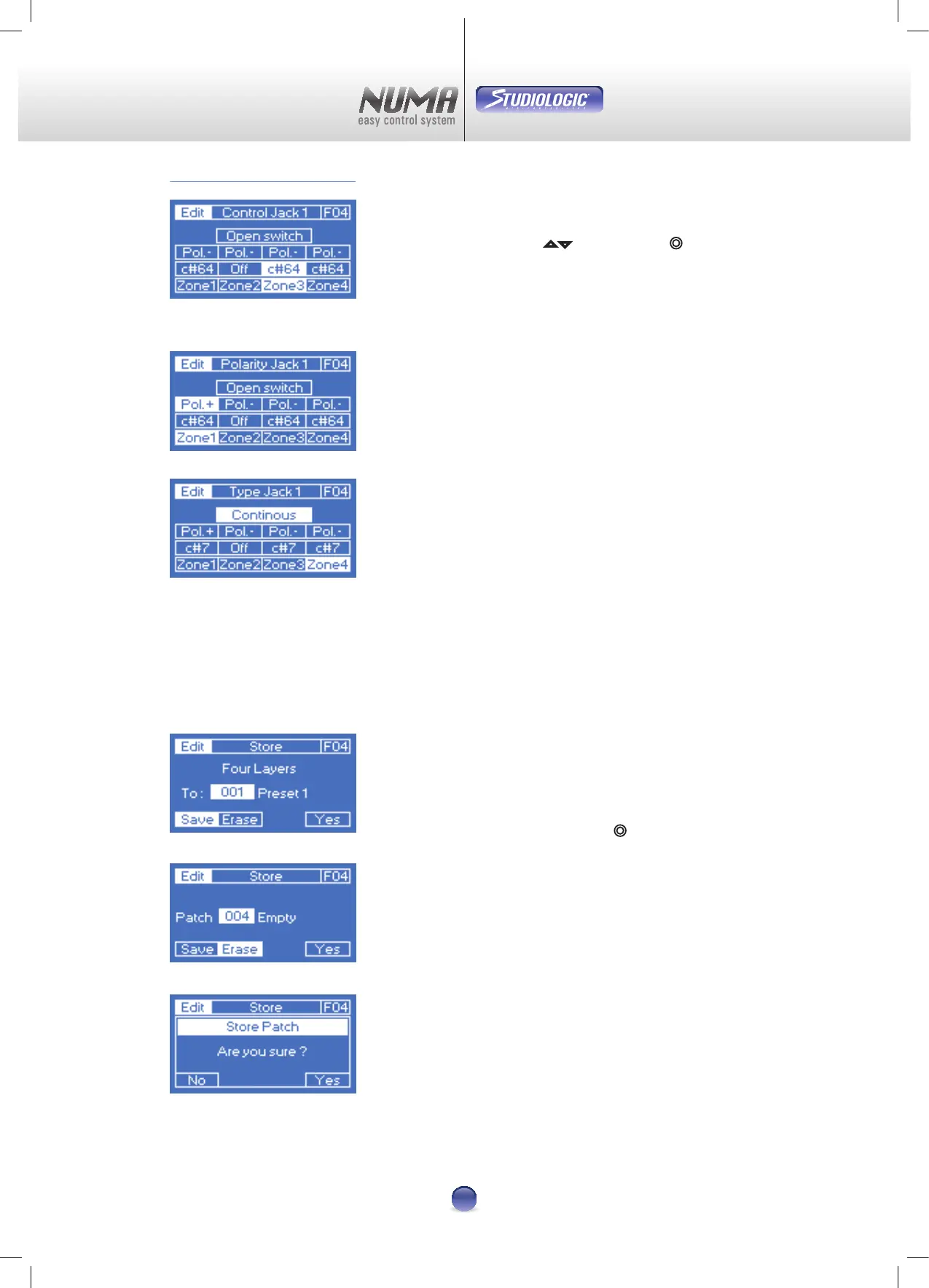
The Control parameter (Image 23) enables you to assign a
distinctive controller to every zone, activated by operation.
Data range is „O“ and C#0-C#127.
The Polarity (Image 24) parameter changes the action of the
switch from positive (+) to negative (-). This makes it easy to
use a closed switch as an open one.
On the page Type Jack (Image 25) choose which type of
switch you use:
Continuous
Like a volume Pedal
Open switch
Open in static condition
Closed switch
Closed in static condition
Store
Here you can nd everything you need to manage and store
Patches 1-64.
This is how it works:
Choose a patch with the virtual dial
¢ (Image 26) and select
between Save (
u
) und Erase (
v
). Conrmation is done
via touching Yes (
x
) - See Image 27.
Note: There‘s a security query before nal save or erase
(Image 28).
=
=
=
Image 25
Image 24
Image 23
Image 26
Image 27
Image 28












 To Next Page