Edit Mode Part 3
Wheel Control/Polarity
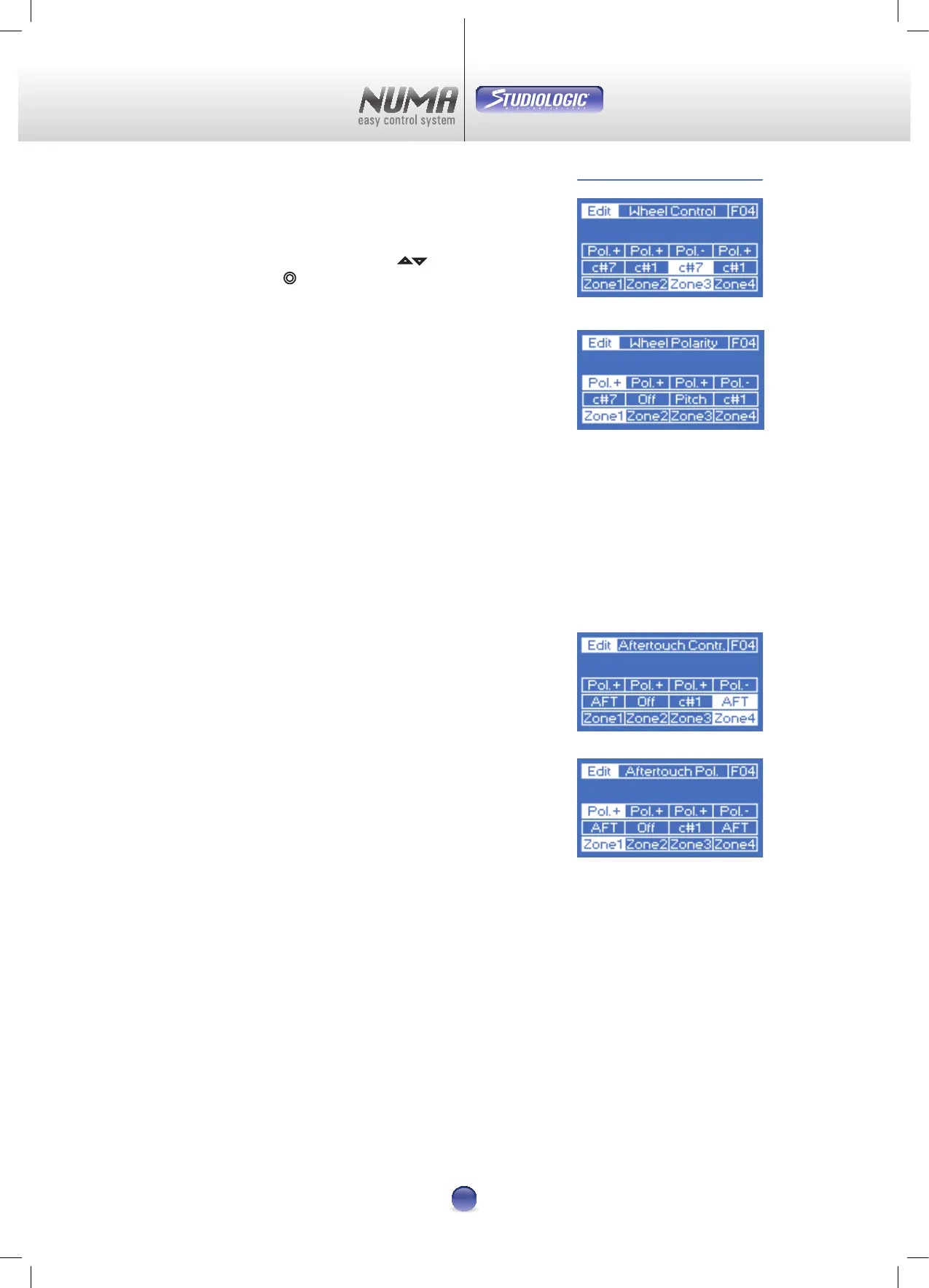
This page for the Modulation-Wheel is divided in two
sections: Wheel Control and Polarity (Image 19-20). The
selection is handled via the two pads
5 6 , and - as always -
via the Virtual Dial
¢ .
Wheel Control enables the following parameters:
O
Modulation wheel is out of operation
Pitch
Make pitch changes with the modulation wheel
C#0-C#127
Moving the wheel generates a control change command
from 0 up to 127
The Polarity parameter denes the direction of the changes.
Pol.+ for an upward change, or Pol.- for a downward change.
Note: Any changes will take place only after a full movement
of the Modulation-Wheel.
Aftertouch Control / Polarity
Again you can nd two settings here for Aftertouch control
(Image 21) :
O
No Aftertouch at all
AFT
This activates the standard aftertoch of the external
sound module.
C#0-C#127
The changing parameter can be assigned to a control
change command.
The direction of the change is controlled with Aftertouch
Polarity (Image 22).
Note: The Aftertouch function is monophon.
=
=
=
=
=
=
Image 22
Image 21
Image 20
Image 19












 To Next Page