Edit Mode Part 2
Volume
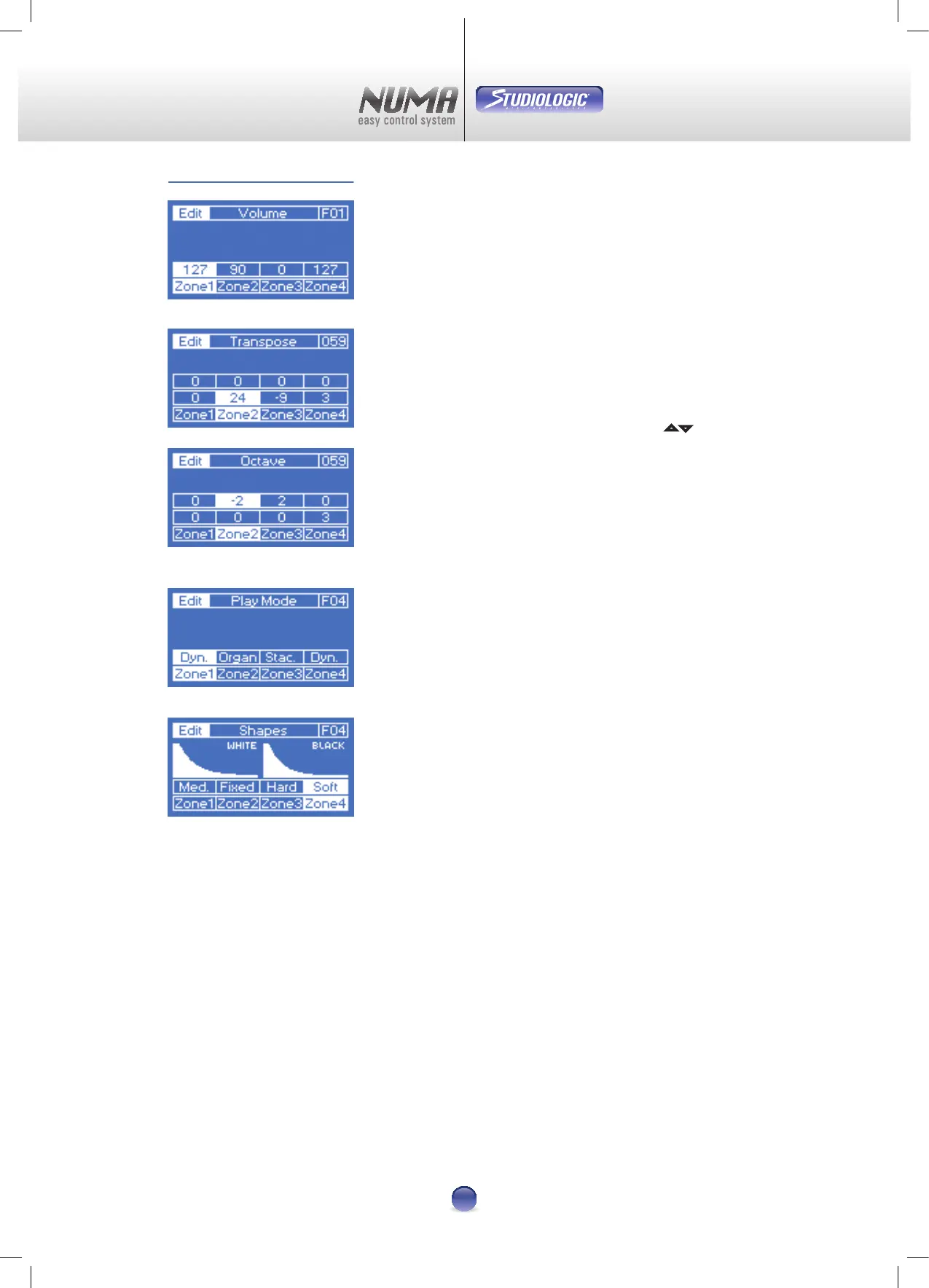
On this page you can adjust the Volume of each zone. The
range is „0“ up to „127“ (Image 14).
Note: Changing one parameter for all zones, at the same
time, is not possible in Edit Mode.
Transpose/Octave:
This Page oers you two dierent settings:
Transpose (Image 15) for changing the pitch for ± 2 octaves
in small 48 steps and the direct selection (Image 16) in xed
octave steps.
Selecting a sub-page is handled via the pads
5 6 .
Note: Both parameters can be combined but, the maximum
change is ± 2 Octaves.
Play Mode
This mode enables you to assign an individual dynamic to
each zone: Dynamic, Organ and Staccato (Image 17).
You can nd detailed settings on the next pages.
Shapes
Here you can do the ne tuning of the three Play Modes
(Image 18):
Dynamic
Three factory presets (Soft, Medium, Hard) and
15 User-Presets are possible.
Organ
Only one setting without dynamic.
Staccato
Three factory presets (Soft, Medium, Hard) and
15 User-Presets are possible.
The main dierence between „Dynamic“ and „Staccato“ lies
in the use of dierent sensors for the dynamic measurement.
The Note-O-Command for the „Staccato-Setup“ is initiated
a little earlier and the dynamic is therefore much faster. This
results in a more percussive, even a little aggressive Sound.
How to create your own dynamic curves is explained on
page 14.
=
=
=
Image 14
Image 15
Image 16
Image 17
Image 18












 To Next Page