13
VMK88
plus
MANUAL SLIDERS / KNOBS
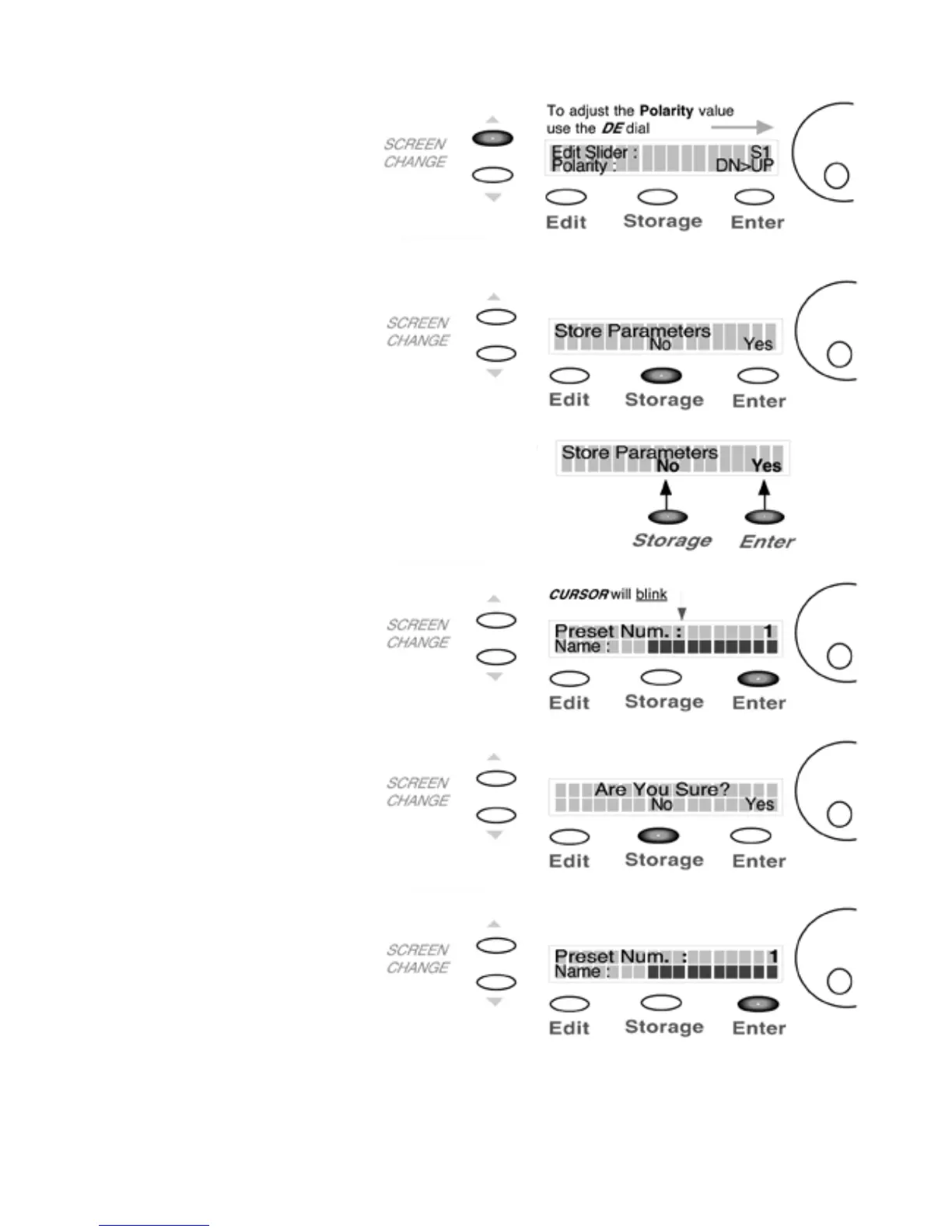
6)PRESS PAGE UP
In this example select DN>UP
When the Slider is in the DOWN
position it will send a Value of O.
when UP a Value of 127.
7)PRESS STORAGE
You are now going to save your
program to a user preset.
NOTE:
Storage and Enter buttons now
function as No or Yes buttons
8)PRESS ENTER(Yes)
In this example we’ll choose Yes.
9)PRESS STORAGE
The blinking cursor indicates
preset number selection.
10)PRESS ENTER(Yes)
You will now return to the
Preset page.
You have completed your rst
programing session! You will have
to repeat these steps in order to
program more sliders and knobs.














 To Next Page