
 Need help?
Do you have a question about the Studiomaster Horizon 2012 and is the answer not in the manual?
Initial setup guide for producing sound from the mixer.
Steps to connect and configure microphone inputs for optimal sound.
Guide to utilizing built-in DSP effects for vocal enhancement.
How to use the VMS vocal compressor for dynamic control.
Setup guide for using AUX outputs for stage monitoring.
Essential safety precautions before operating the mixer.
Detailed electrical and physical specifications of the mixer.
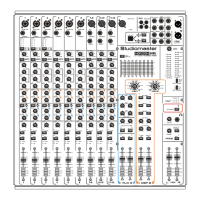
Description of the combination XLR and 1/4" jack input for microphones.
Information on the built-in compressor for dynamic vocal control.
Adjusting input signal level for optimal signal-to-noise ratio.
Equalization controls for adjusting high, mid, and low frequencies.
Auxiliary sends for creating independent mixes for monitors or effects.
Pre-Fade Listen button for monitoring channel signal.
Controls the signal level from the channel to the main outputs.
XLR input for low impedance dynamic and condenser microphones.
Adjusts incoming signal level for optimum signal-to-noise ratio.
Frequency adjustment controls for HI, MID, and LO bands.
Auxiliary sends for onboard effects and external DSP connections.
Determines if AUX signal is pre or post channel fader.
Adjusts amplifier signal and reduces output power.
Determines signal sources feeding the internal amplifiers.
For signal monitoring through headphones.
Adjusts signal level at the MIX2 output for secondary systems.
Two-way crossover for routing signals to specific outputs.
Settings for program selection, reverb, delay, and regen.
Common issues like no power, no sound, and overheating.
Tips and techniques to avoid microphone feedback issues.
 General
| Type | Analog |
|---|---|
| Channels | 12 |
| Outputs - Main | 2 x XLR, 2 x 1/4" |
| Aux Sends | 2 |
| Phantom Power | Yes |
| Mic Preamps | 8 |
| USB Interface | Yes |
| Outputs - Aux | 2 x 1/4" |
| EQ Bands | 3-band |
| Returns | 2 x 1/4" (stereo) |

 To Next Page