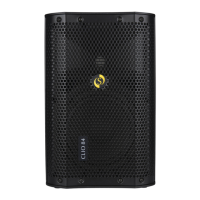
Controls & Features - PAX12+
1. MIC input : XLR type connector, suitable for use with
balanced dynamic microphones.
2. LINE input : TRS jack socket suitable for use with
balanced or un-balanced line level signals as supplied
by the outputs of mixing consoles, CD players,
keyboards.
3. LINK socket : TRS jack socket wired in parallel with
the LINE input. This facility allows the linking of the
input signal to many PAX+ powered monitors.
4. GAIN control : Increases or reduces the signal
connected to the MIC or LINE inputs for providing the
correct level to the internal amplifier. For high signal
levels (example : the output of a mixing console) use a
lower GAIN setting. For lower signal levels (example :
speech from a microphone) use a higher GAIN setting.
Note that if too much gain is applied the POWER /
PEAK LED will change colour from green to orange
indicating possible distortion. If this is the case, reduce
(turn anti-clockwise) the GAIN control slightly.
5. HI, MID, LO controls : Very useful for changing the
characteristics or tone of the sound. For simplicity or
for new users set these controls to the centre (12
o’clock) position, which effectively turns off or
bypasses the tone section completely.
However, to get the best out of your monitor or just
want to experiment read on
HI : Similar to the treble control on a HI-FI system can
increase or decrease sounds in the treble range.
Adding a little HI on playback (CD/MP3) can add
4
www.studiomaster.com



 To Next Page