EasyManua.ls Logo

Sturtevant Richmont Torq-Tronics 300I - User Manual

Default Icon
51 pages
Print Icon
To Next Page IconTo Next Page
Loading...
Torq-Tronics®
Digital Torque
Tester
Owners Manual
Version 2.1A 5/2001 P/N: 857432
For Models: 10I (10191), 50I (10192), 100I (10193), 300I (10194), 80 (10195,
150 (10196), 150 (10197), 250 (10197), 600 (10198)
Sturtevant RIchmont
Division of Ryeson Corporation
3203 N. Wolf Road Franklin Park, IL 60131
Phones: 800/877-1347 847/455-8677 Fax: 847/455-0347
E-mail: CustomerService@srtorque.com Web: www.srtorque.com
An ISO 9001 Company
Question and Answer IconNeed help?

Do you have a question about the Sturtevant Richmont Torq-Tronics 300I and is the answer not in the manual?

Summary

Safety Recommendations

Eye Protection Requirements

Wear impact-resistant eye protection when operating or working near power tools.

Hearing Protection Requirements

Hearing protection is recommended in high noise areas (85 dBA or greater).

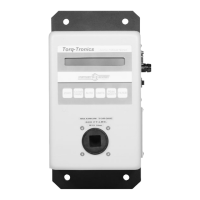
Meet Your Torq-Tronics

Display and Operator Interface

Describes the LCD display and the main operating keys.

Chapter 1 - Features

LCD Display and Basic Controls

16-char LCD for info; Zero, Clear/Print, Auto, Units keys for operation.

Advanced Control Keys

Peak Select key for modes; Filter key for signal processing.

Chapter 1 - Features (Continued)

Peak Select Key Operation

Selects between Track, Peak, and Initial Peak operating modes.

Chapter 2 - Installing Your Torq-Tronics

Location Selection Criteria

Considers tool proximity, mount solidity, electricity source, and orientation.

Mounting and Rigidity

Unit must be secured to a solid support for accuracy and to prevent damage.

Chapter 2 - Installing Your Torq-Tronics (Continued)

Mounting to Selected Support

Steps for physically mounting the unit using bolts and nuts.

Electrical Connection Procedure

Steps for installing batteries and connecting AC power via charger.

Installation Testing Procedures

Procedures to test electrical power supply and optional communications.

Chapter 3 - Testing Torque Wrenches & Manual Torque Screwdrivers

Initial Torq-Tronics Setup

Steps to power on, boot up, and set the tester for initial use.

Torque Wrench Testing Procedure

Procedure for applying force until click and reading the displayed torque.

Chapter 5 - Joint Simulators and Power Tool Testing

Chapter 5 - Joint Simulators and Power Tool Testing (Continued)

Joint Simulator Washer Configuration Procedure

Chapter 7 - Testing Power Tools Under 10 Inch-Pound Capacity

Chapter 7 - Testing Power Tools Under 10 Inch-Pound Capacity (Continued)

Preparing the Torq-Tronics for Testing

Tool Testing Procedure

Procedure for engaging the tool, triggering, and evaluating results with filters.

Chapter 8 - Testing Non-Shutoff Pulse Tools (Continued)

Tool Testing Procedure for Pulse Tools

Procedure for engaging, triggering, and evaluating pulse tool results with filters.

Chapter 9 - Testing Power Tools Over 10 Inch-Pound Capacity

Chapter 9 - Testing Power Tools Over 10 Inch-Pound Capacity (Continued)

Tool Testing on Simulator

Apply torque using the tool on the joint simulator and record results.

Result Comparison and Adjustment

Compare test results with actual joint torque and adjust simulator/filter if needed.

Chapter 10 - Calibration

Calibration Procedure Steps

Steps for calibrating the Torq-Tronics unit using weights and terminal software.

Calibration Commands and Points

Commands for calibrating zero, 10%, and 100% points.

Chapter 10 - Calibration (Continued)

Weight Application and Zeroing

Applying weights and zeroing the tester for calibration points.

Repeat Verification for Loads

Repeating verification for different load percentages and directions.

Calibration Verification Procedure

Steps to verify the accuracy of the calibration.

Specifications

General Specifications Overview

Lists general characteristics like accuracy, modes, display, controls, and communication.

Model Range and Drive Size Details

Details model ranges and corresponding drive sizes for different models.

Specifications (Continued)

Sturtevant Richmont Torq-Tronics 300I Specifications

General IconGeneral
Resolution0.01 in-lbs
DisplayLCD
Unitslb-ft, lb-in, Nm, cNm
Power SourceRechargeable battery
Data OutputRS232
Operating ModesTrack, Peak, First Peak
Operating Temperature32°F to 122°F (0°C to 50°C)
Dimensions9.5 x 4.5 x 2.5 inches
Drive Size1/2"

Related product manuals