B1
G
J
I
I
G
H
H
H
H
J
J
J
J
AA
DD
D1
DD
EE
GG
L
G
A
A
A
A
H
H
H
J
I
B1
AA
DD
EE
GG
x4
x8
x4
x4
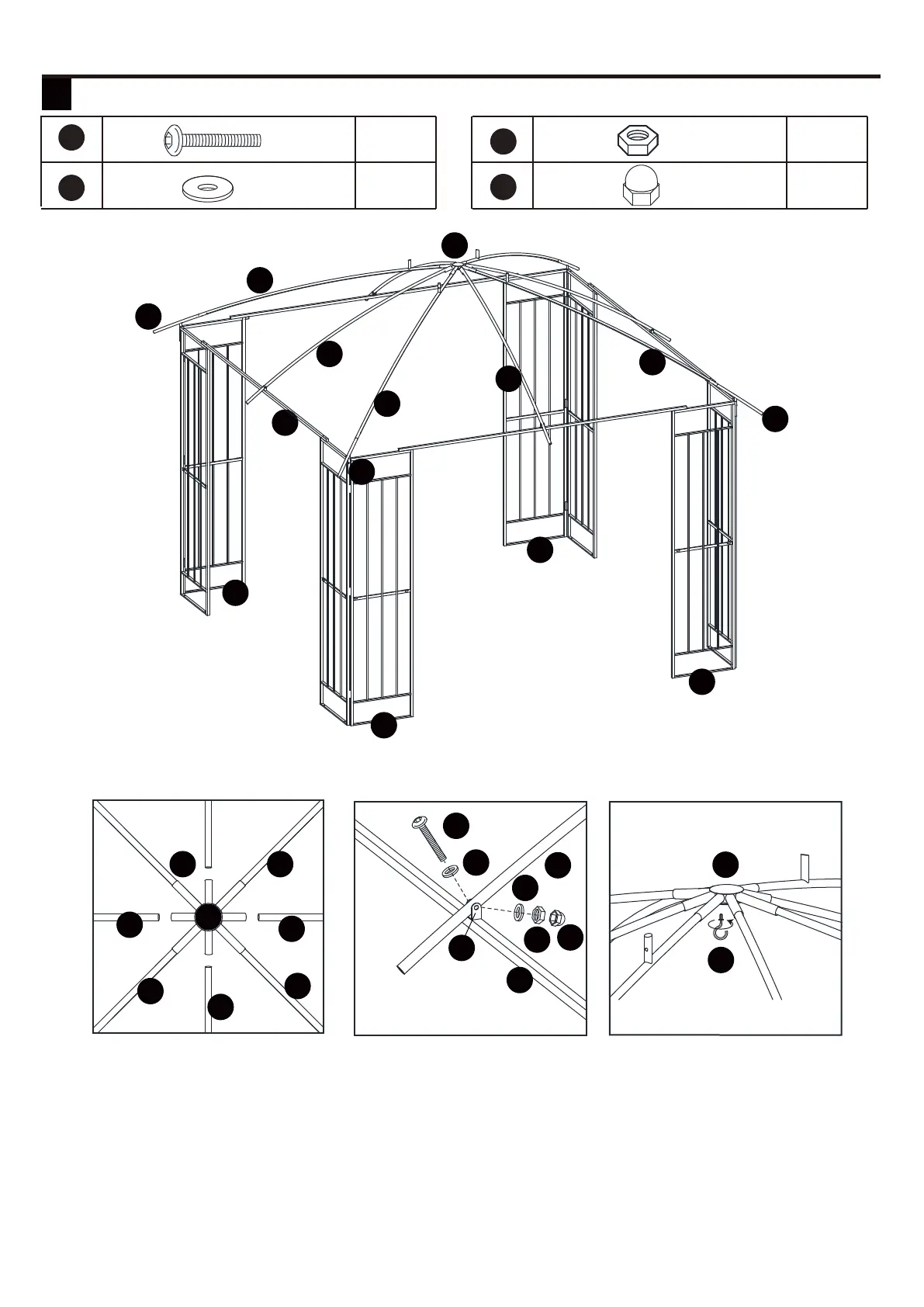
3.1. Insert the top part of middle bar (J) into top connector (G). Repeat for all middle bars (J).
3.2. Connect the middle bar (J) onto the connector (D1) by bolt (AA), Flat washers (DD), Nut (EE).
Place cap (GG) on the nut (EE).
3.3. Attach hook (L) to top connector (G).
INSTALLATION INSTRUCTIONS
3 Hardware Used
1 2 3 4 5 6
7
8 9 10 11 12
13 14 15 16 17 18
19 20 21 22 23 24
25 26



 To Next Page