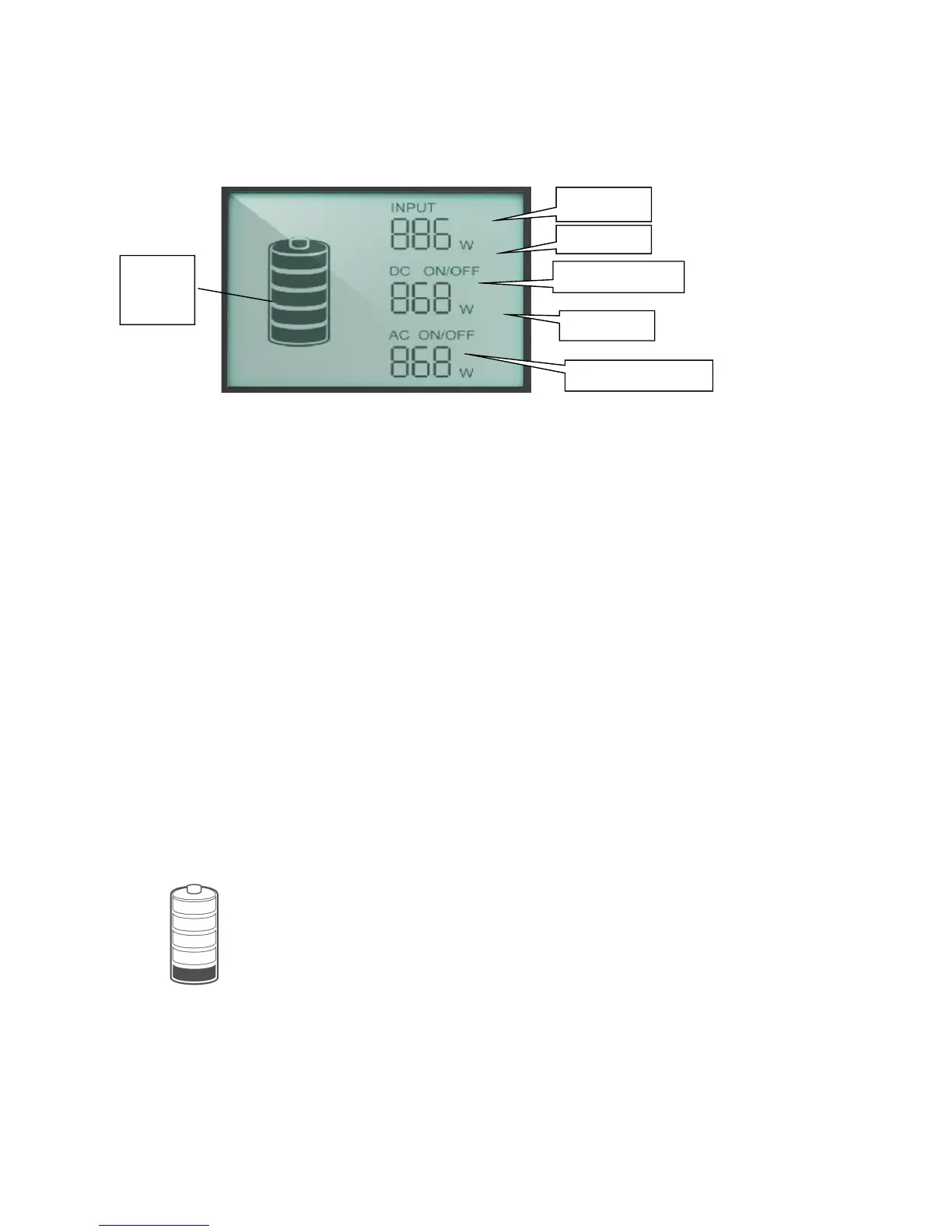
■Power Display
1) Input Power
Input Power: < 100W, Accuracy: +/-5W
Input Power: 100W~150W, Accuracy: +/-10W
2) AC Output Power
AC Output Power: < 100W, Accuracy: +/-5W
AC Output Power: 100W~150W, Accuracy: +/-10W
3) DC Output Power
DC Output Power: < 100W, Accuracy: +/-5W
■LCD Battery Display
The LCD Battery Display indicates the charge level. There are 5 segments of the battery,
approximating 20%~40%~60%~80%~100% capacity. During using, segments will disappear
from the display, indicating the remaining capacity. When charging it, you will notice a battery
segment blinking with 1 second interval. This indicates the current charge status and the
number under INPUT shows the real-time charging power. Once it is fully charged, all battery
segments will be lit and remain solid.
Charge it when there is only a battery segment!
Note:
1. When the machine malfunctions, the error code would display at places where ‘Charging
Power’, ‘DC Output Power’ and ‘AC Output Power’ are displayed.


 To Next Page