
 To Next Page
T
Tammy SanchezSep 8, 2025
What does error E06 mean on a Suaoki Power Supply?
- AAlexandra StokesSep 8, 2025
Error E06 indicates 3rd Battery String Over-Voltage. Disconnect the charger and restart it.

What does error E06 mean on a Suaoki Power Supply?
Error E06 indicates 3rd Battery String Over-Voltage. Disconnect the charger and restart it.
What does E01 mean on my Suaoki G500?
E01 indicates that the Suaoki Power Supply's system is experiencing over-temperature protection. This is likely because the ambient temperature is higher than 45?. The output will resume once the product cools down.
What does E12 mean on my Suaoki G500?
Error E12 means the Suaoki Power Supply's inverter has Over Current Protection activated. Check if the AC output is experiencing an overload or a short-circuit.
What does error E14 mean on a Suaoki G500 Power Supply?
Error E14 indicates that the Suaoki Power Supply's inverter has Short-circuit Protection activated. Check if the AC output has an overload or short-circuit.
Why does my Suaoki G500 show E13?
Error E13 indicates that the Suaoki Power Supply's inverter has Over Load Protection activated. Check if the AC output is experiencing an overload.
What does E21 mean on my Suaoki Power Supply?
Error E21 indicates 12V/10A DC Output Over Current Protection. Check if the output port is experiencing an overload or short-circuit.
What does E19 mean on my Suaoki G500?
Error E19 indicates 13V/6A Cigarette Lighter Socket Over Current Protection. Check if the output port is experiencing an overload or short-circuit.
What does E20 mean on my Suaoki G500 Power Supply?
Error E20 indicates 13V/6A Cigarette Lighter Socket Over Load Protection. Check if the output port is experiencing an overload.
What does error E05 mean on a Suaoki Power Supply?
Error E05 indicates 2nd Battery String Over-Voltage. Disconnect the charger and restart it.
What does E17 mean on my Suaoki Power Supply?
Error E17 indicates Low Temperature Charging Protection. Check if the ambient temperature is lower than 0?
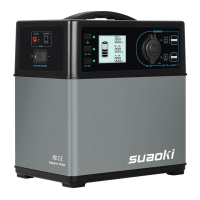
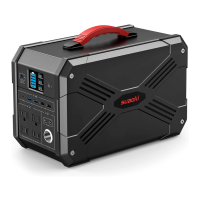
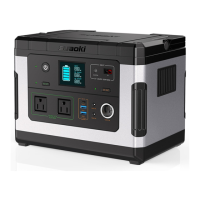
Master Power Button with indicator light for controlling the device's power.
LCD screen displaying device status, charge level, and power information.
Table listing error codes, causes, and troubleshooting steps.
Detailed specifications for AC output, including power and voltage.
Detailed specifications for DC output, including voltage and current.
Specifications for USB and Type-C communication protocols and output.
Specifications for solar charging input, including voltage and efficiency.
Details about battery material, model, voltage, and capacity.
Specifications for IP rating, temperature, humidity, and dimensions.
Information on the product warranty period and claim process.
Website and email for technical assistance and customer support.
 General
| Battery Type | Lithium-ion |
|---|---|
| USB Output | 5V/2.4A |
| Car Output | 12V/10A |
| AC Output | 110V |
| DC Output | 12V |
| Charging Methods | AC wall outlet, car charger, solar panel |
| Dimensions | 7.5 x 5.5 x 3.1 inches |
| Cycle Life | 500+ cycles |
| Output Ports | AC, DC, USB, Car Port |