EN
Measuring Modes
· 4 ·
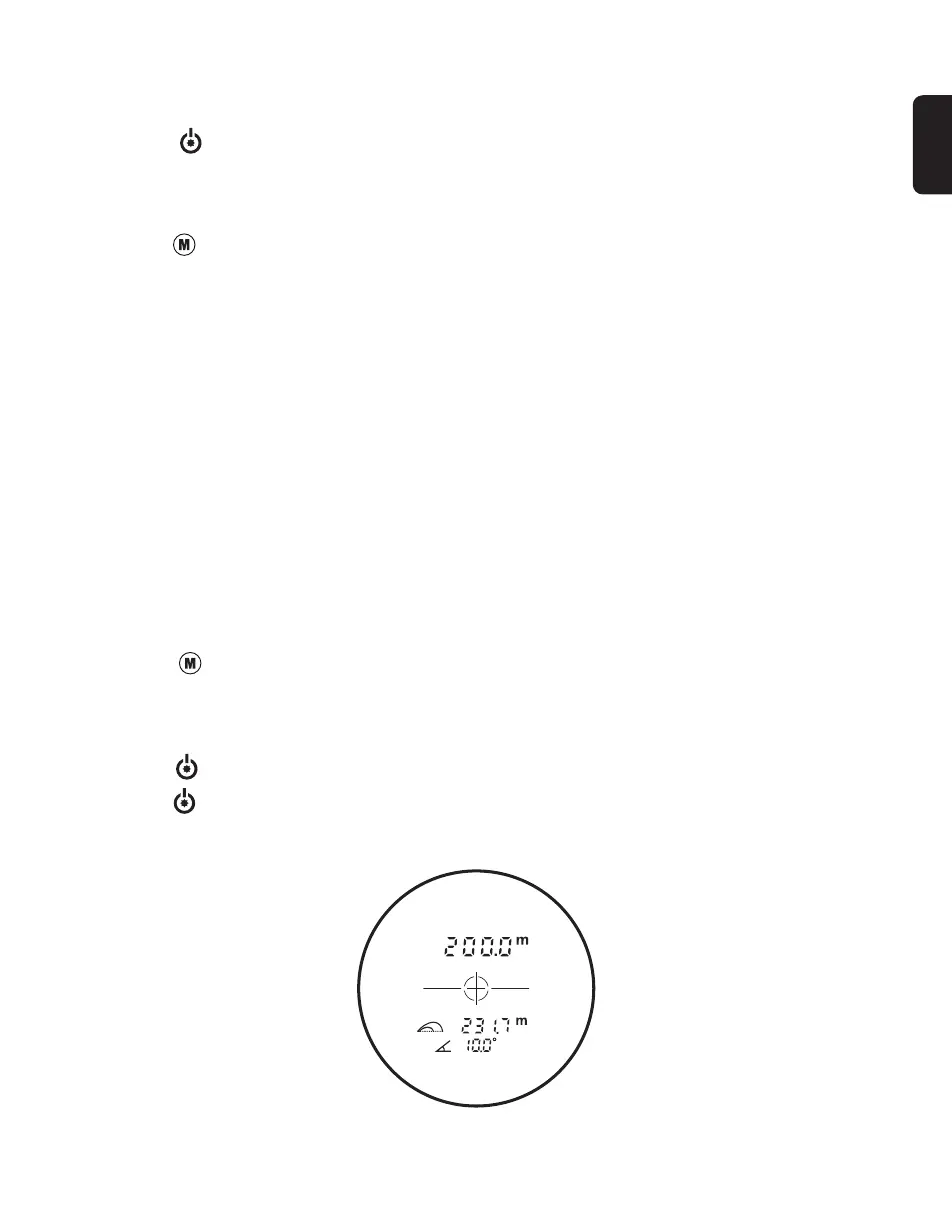
A. Golf Trajectory Mode
Data displayed on the lens: Distance + Trajectory + Angle
Short press to activate Single distance measurement;
Long press 2s to activate Continuous measurement;
Trajectory compensation angle / slope: ± 20°
Switch ON or OFF
1. Press the to switch on.
2. Automatically switch off after 8s of inactivity.
Measuring Unit
Long press 2s to change the unit (m or Yd)
Please adjust the eyepiece to focus the target before measuring.
※ Note:
In the course of the measurement, if the target reflection is weak or out of the measuring
range, it will display as "---".
* The measurement range will be affected by materials of the target, inclined angle of the
target surface, visibility of the weather, etc.
In general, the measurement range will be longer when:
1. The target surface is smooth and bright with larger area.
2. The beam is perpendicular to the target surface.
3. The weather is cloudy without fog.
Short press to switch to 4 measuring mode as below:



 To Next Page