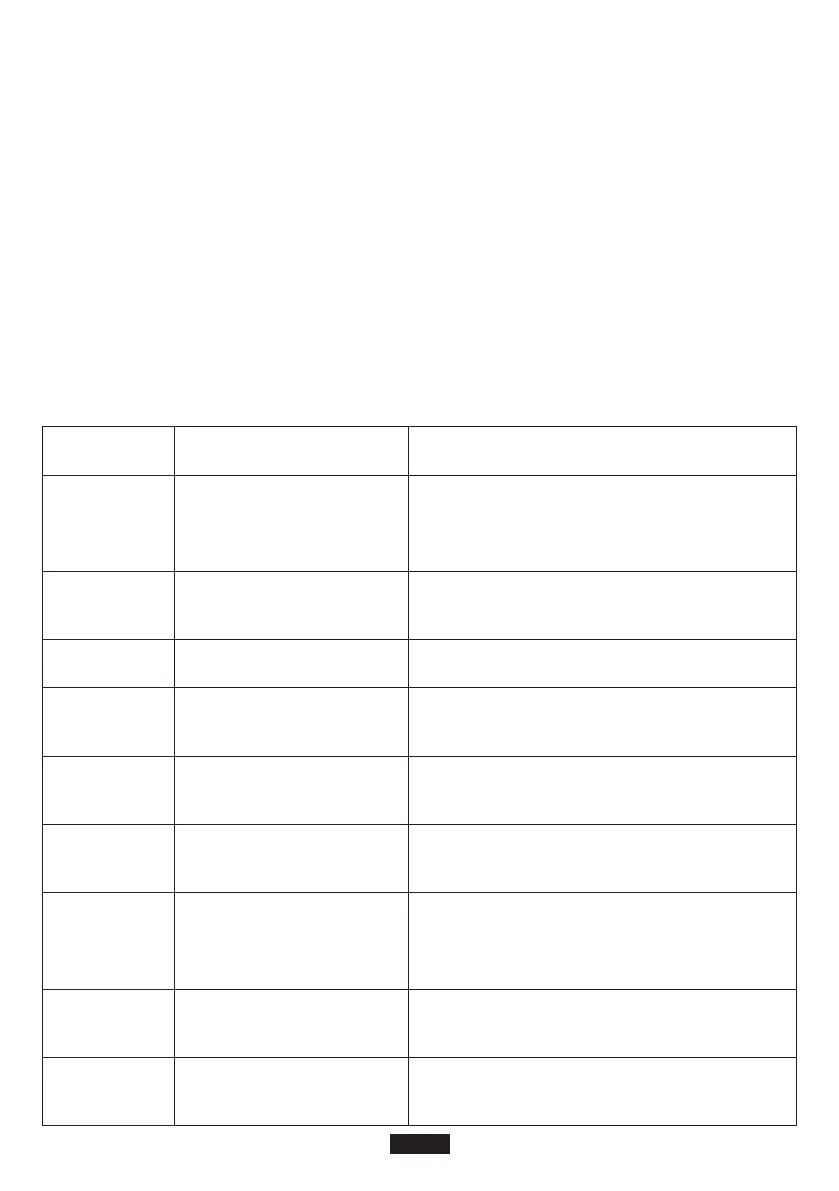
E01
E02
E03
E10
Error codes Cause Solution
• 50Hz/60Hz Frequency Selection
Step 1: Press the power button, DC button and AC button at the same time. The LCD screen
would light up and display the current frequency (50Hz or 60Hz). Release the buttons
and move on to the next step.
Step 2: Long press DC button or AC button to select between 50Hz and 60Hz. The frequency
displayed on LCD would change accordingly.
Step 3: Once the desired frequency is selected, press AC and DC power button at the same time
to confirm the choice. When the setting is done, repeat Step 1 to check the current
frequency.
Note: If DC 12V output port is overloaded or short-circuited, BMS protection may be triggered.
As a result, the product will shut down and cannot be turned on. In this case, you need to charge
the product to activate it.
Trouble-shooting
Over-temperature protec-
tion (System)
Check whether the ambient temperature is
higher than 40°C. When the temperature cools
down, the output will be turned on again.
Over-voltage protection
(Battery)
Disconnect the product from power source to
stop charging and restart it.
Battery damage protection Contact Suaoki customer service.
SOC (state of charge)
protection
Charge the product in time and restart it after
fully charged.
E11
Battery low-voltage
protection
Charge the product in time and restart it after
fully charged.
E12
Inverter over-current
protection
Check whether the AC output port get
overloaded or short-circuited.
E14
Inverter short-circuit
protection
Check whether the AC output port get
overloaded or short circuited.
E16
Charging over-voltage
protection
Check whether the input voltage exceeds the
maximum input voltage.
E13
Inverter over-load protec-
tion
Check whether the AC output get overloaded,
please refer to the ‘Product Specifications’
section for overload capacity.
EN-6



 To Next Page