䙟 User interface
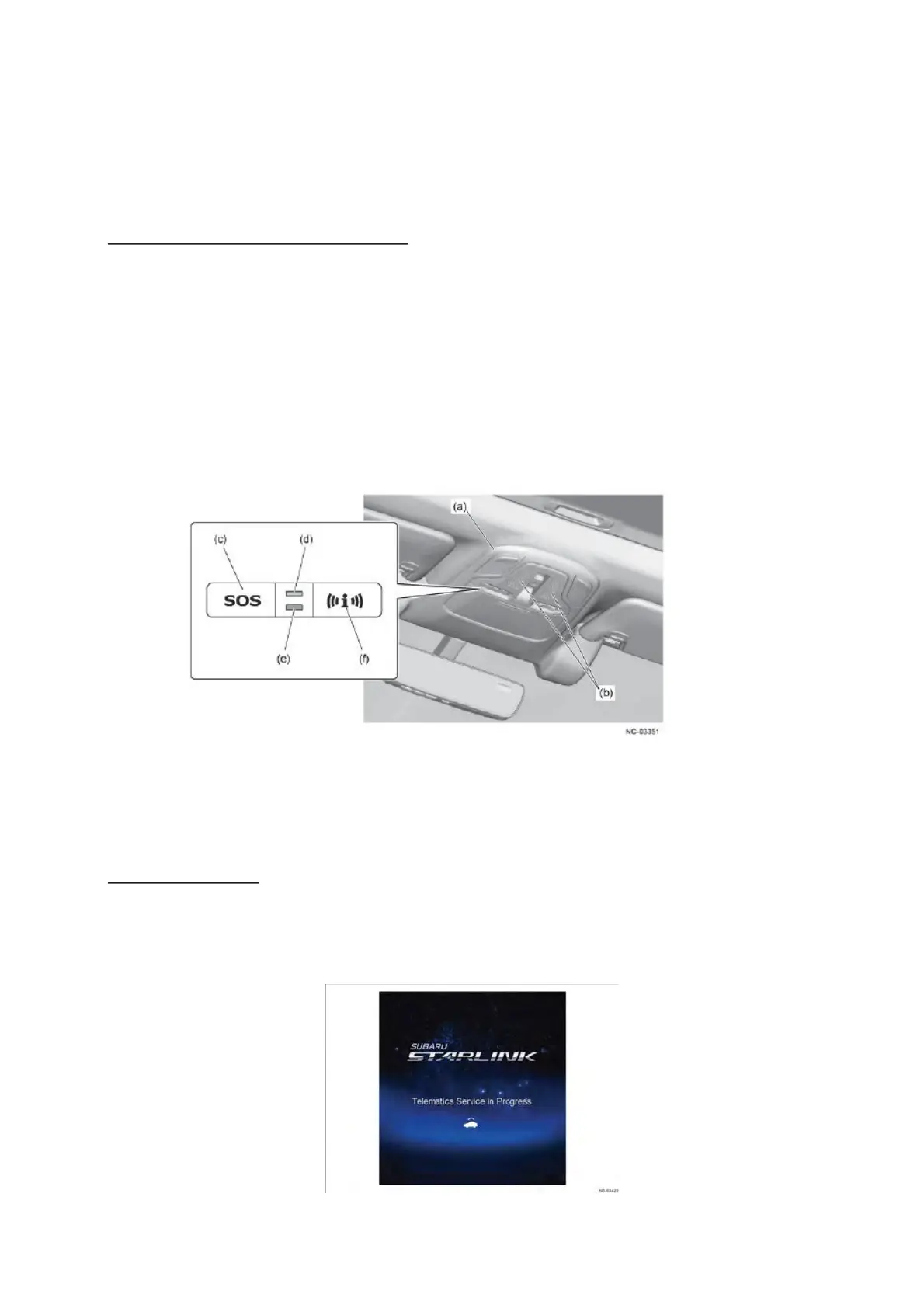
The UI of the system enables communication with the outside by the switches with integrated
indicators, service displays that use the navigation system or audio H/U display, and a voice
guidance function.
Switches with integrated indicators
In the event of a vehicle failure or other issue, the user can contact road services.
Also, the user can select road service or the concierge via the head unit.
(a) Overhead console (d) GREEN LED indicator
(b) Microphone Opening (e)
RED LE
D indicator
(c)
SOS 䝇䜲䝑䝏䠄SOS E
mergency Assistance䠅 (f) iCall 䝇䜲䝑䝏䠄Enhanced Roadside Assistance䠅
*1䠖Diagnostic Trouble Code
*2䠖Advanced Automatic Collision Notification
Communication with the outside can be made immediately by operating the switches, and
the switches are located in the overhead console/EyeSight camera cover section to ensure
ease of use in an emergency situation.
By specification, a quick press of the switch starts communication with each corresponding
service, while pressing and holding the switch cancels communication.
In an emergency, the user contacts a Telematics Customer Care Advisor.
< SOS switch ( SOS Emergency Assistance ) >
< iCall switch ( Enhanced Roadside Assistance䠅 >
By specification, when the navigation system or audio H/U receives a mute signal from the
DCM, the navigation system or audio system stops audio playback, and displays the following
across the full screen of the touch panel display. This ensures that the user is made visually
aware that the service has been activated.
Display indication


 To Next Page
 Loading...