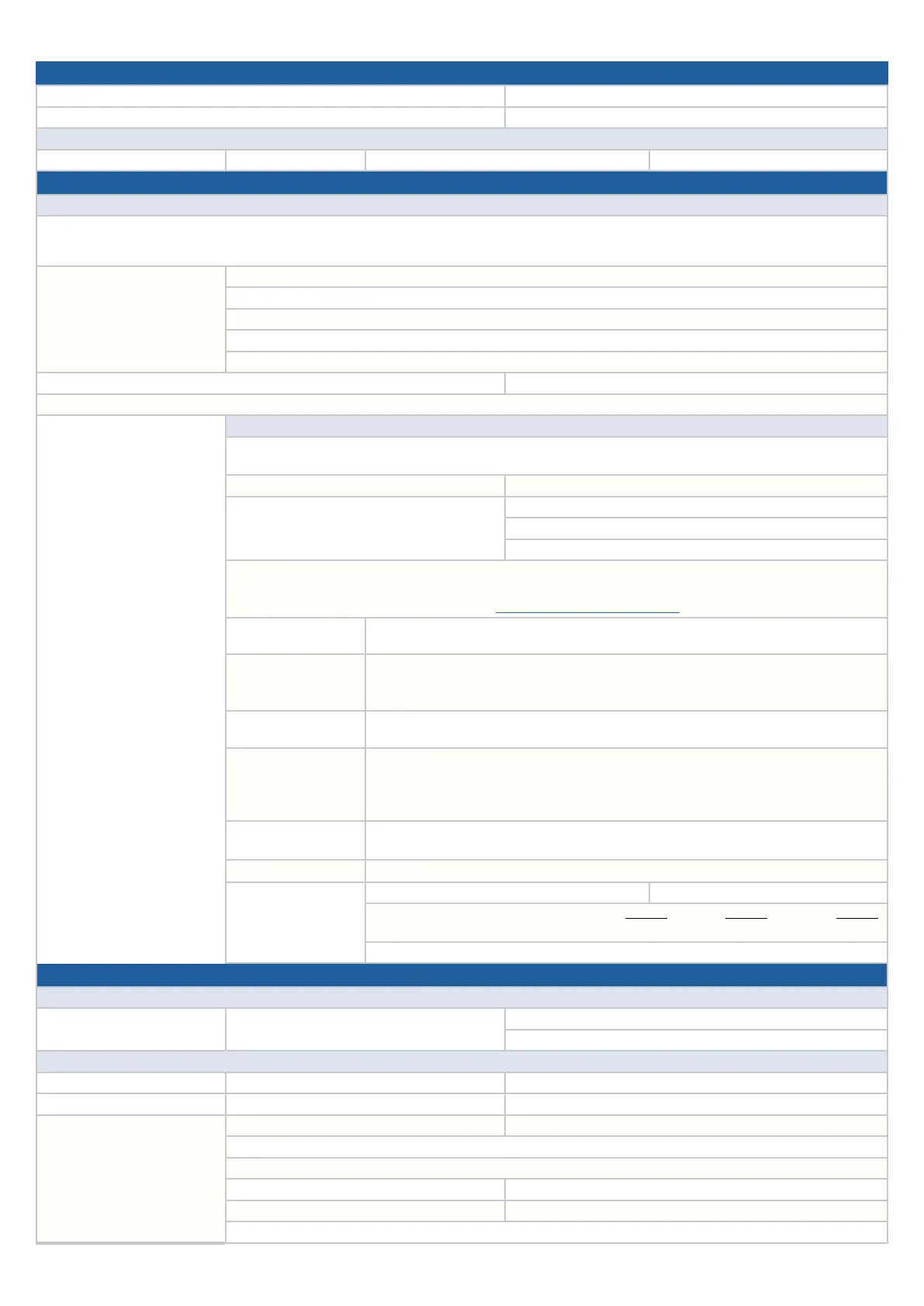
GENERAL
1a. Date of Service: 1b. Reoccurring problem: YES NO
2a. Original Date of Service (if applicable): 2b. Total number of visits:
Vehicle Details
4a. Vehicle Model: 4b.Year: 4c. Mileage: 4d. VIN:
A. Customer Interview Details
Condition Description
7. Condition Description Summary (per customer) please supply video or photo, if possible:
8. Last 5 actions performed
before symptom occurred
(List 1 to 5 in order)
Step 1:
Step 2:
Step 3:
Step 4:
Step 5:
9. Incident Date and Time: Cabin temperature:
10. Can duplicate Customer’s Complaint (please supply video or photo, if possible): YES NO
Condition when issue observed: Driving Mode (indicate where applies)
11. PARKED: Accessory On: YES NO Ignition On: YES NO
DRIVING: YES NO
12a. Error Message displayed: YES NO 12b. If YES, what is the content?
13a. Any Genuine Subaru or aftermarket accessories
installed?
13b. List cables used, if any:
13c. Genuine cables: YES NO
13d. No physical damage: YES NO
14. If the phones or other devices paired/connected to the unit, what type of phone/software/cell phone carrier (List all the data)?
NOTE: To verify if a compatible phone follow this link: http://www.subaru.com/owners/index
15. Display/touch switch
malfunction
Brightness / Contrast: Discoloration: No rear camera: Partial Display:
Lines in screen: No Audio Control Screen: No Navi Map on Screen: Others:
16. Operating problems
Display does not switch: Display changes unexpectedly: Response is dull/slow:
Does not respond to key entry: Does not respond to steering switch entry:
Does not change to night mode screen: Discs cannot be inserted or ejected: Others:
17. Radio malfunction
AM Station: FM Station: SXM Station: HD Station: No Sound:
No/Poor Sound: Noise /Static: Sound cuts in/out: Others:
18. Audio malfunction
Does not sound: Front R: Front L: Rear R: Rear L: Others:
Operation related problems: Cannot adjust volume level:
Cannot use tone control or adjust tone range: Cannot record: Sound skipping:
CD: DVD: Specific mode/disc: Others:
19. CD/USB/SD/iPod
malfunction
Will not accept: Will no eject (CD): Will not play: Skips/Jump Chapter: No Sound:
Noise/Static: Sound cuts in/out: Shows Error: Others:
20. Voice Recognition
Voice recognition is not ready: Not recognize commands: Others:
21. HVAC controls 21a. HVAC control screen displayed? YES NO 21b. HVAC controls work? YES NO
21c. If NO, which operation doesn’t work? ON/OFF:
Fan speed: Temp setting:
MODE SETTING: Auto: Recirculation:
21d. Brief description of condition:
B. For Retailer Personnel
Retailer Details
22a. Retailer Name: 22b. Retailer Code or Acct#: 22c. Contact Name:
22d. Phone:
Hardware Component Details (as applicable):
Cockpit Control Unit (CCU) 23a. SW Ver: 23b. Part Number:
Center Information Display (CID) 24a. SW Ver: 24b. Part Number:
Summary for Diagnostics
performed:
25a. Have any DTCs been set? YES NO 25b. If YES, list all:
26. All CP1 wiring harness connectors fully seated in the unit? YES NO
27. Is there any physical damage/tampering present? YES NO
28a. Has the video been taken? YES NO 28b. If YES, has it been shared? YES NO
29a. Has the data log been collected? YES NO 29b. If YES, has it been shared? YES NO
30. Have you checked the Service Manual? YES NO
63


 To Next Page
 Loading...