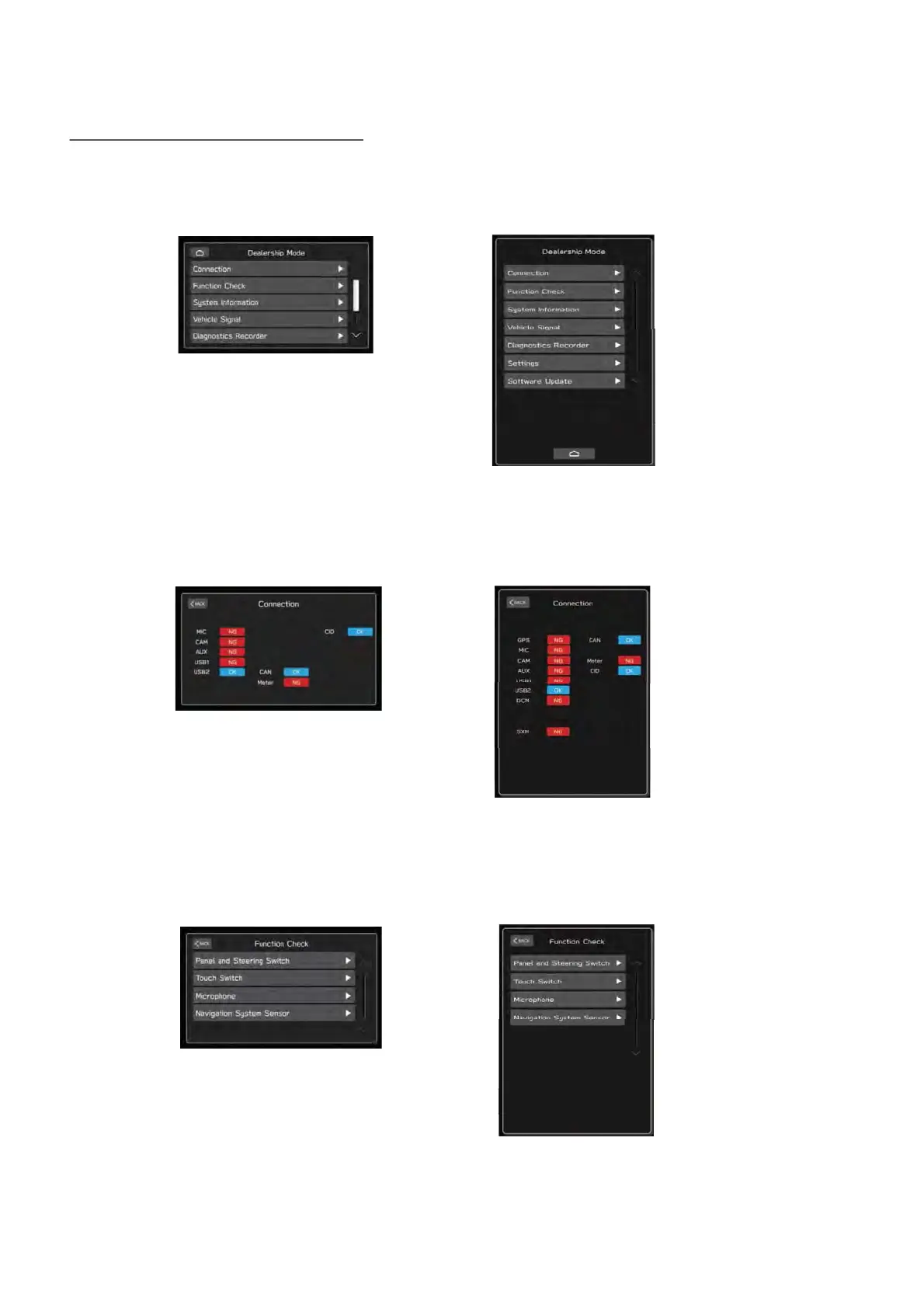
8.3. Menu of the Dealership mode
- Displays the connection status of the devices connected to the Cockpit Control Unit (CCU).
- AUX, USB1, and USB2 displays the device connection status to each port.
(2) Connection
Displays each item of the self check function.
(1) Dealership Mode
- Displays the operation status of connected devices such as switches, knobs, and touch panels.
- Models with navigation systems installed display the correction learning level and antenna
reception information
(3) Function Check
(Lower Screen)
(Lower Screen)
(Lower Screen)



 To Next Page