8
Finding an Address
7
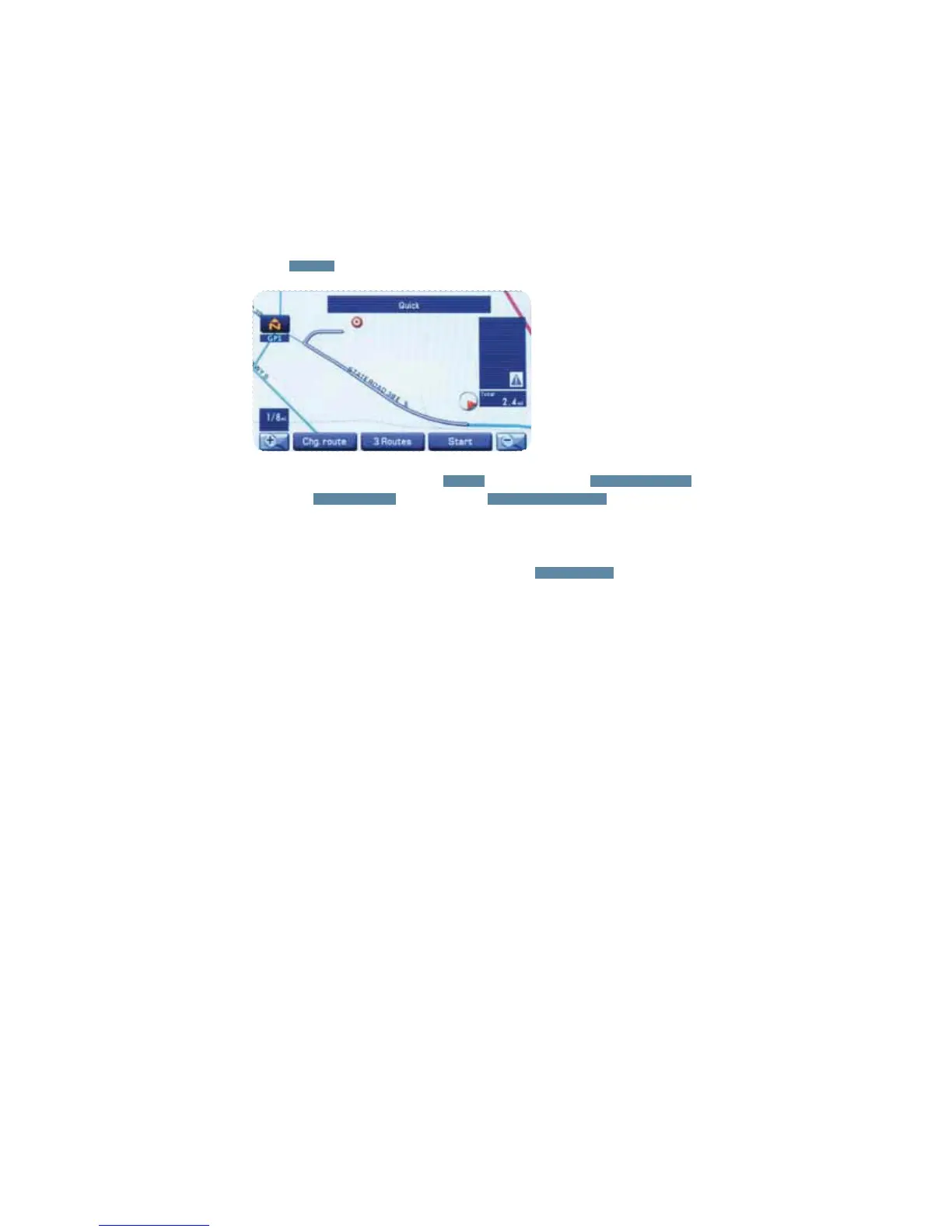
Select
START
; route guidance begins along the displayed route.
t*GUIFTZTUFNDBOOPUýOEZPVSEFTJSFESPVUFTFMFDU
CHG. ROUTE
. This will allow you
to access the ROUTE OPTIONS screen from which you can prompt the system to
calculate a new route.
t*GUIFNBQEJTDEPFTOPUDPOUBJOUIFSFMFWBOUIPVTFOVNCFSEBUBBOFSSPSNFTTBHF
will be displayed and a street map will appear, allowing you to set the destination using
the map disc.
t*GUIFEFTUJOBUJPOJTOPUPOBSPBETFUBEFTUJOBUJPOQPJOUPOBNBJOSPBEOFBSFTUUPUIF
actual destination.
To cancel route guidance press the
MENU
button, then touch
ROUTE OPTIONS
,
then touch
ROUTE PREF.
, and then touch
CANCEL GUIDANCE
.
NOTE








 To Next Page