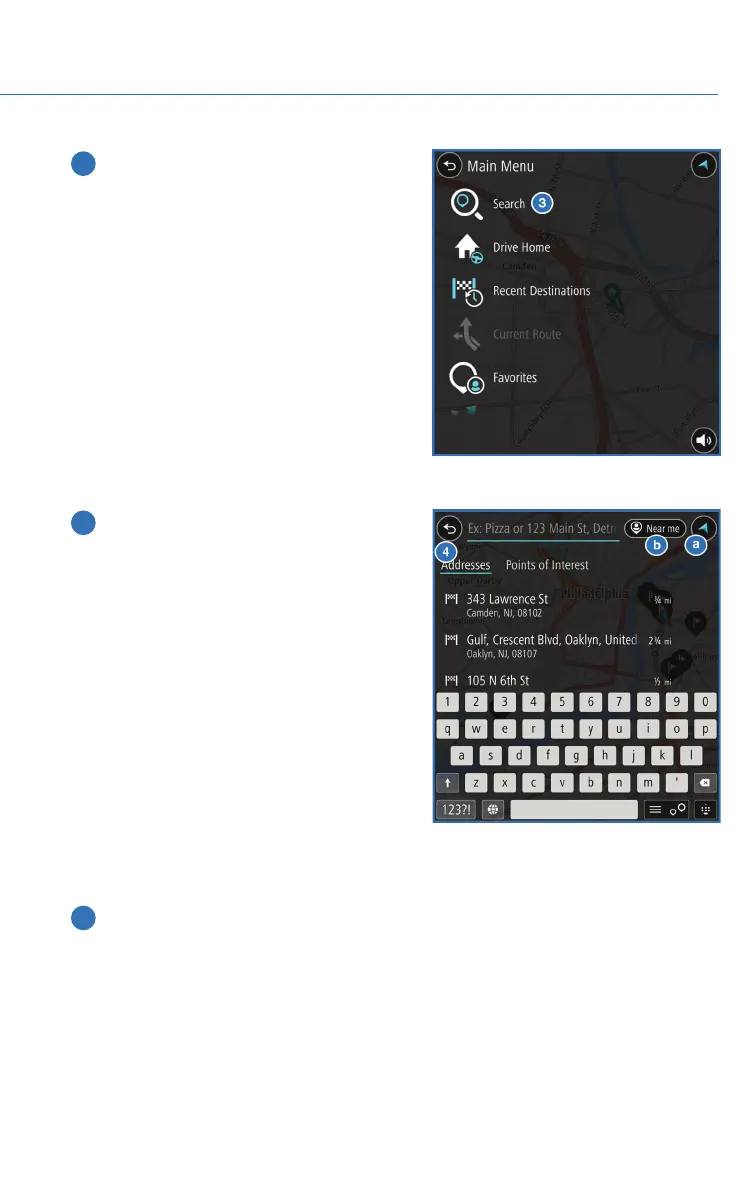
3 Next, select “Search”.
4 Select “Addresses” if it is not already
selected and type the address.
a. Selecting this icon will display the
current vehicle location.
b. Selecting this icon allows you to set the
search radius filter. Once the filter is set,
the search will only be performed for
items within the chosen option: Whole
Map, Near Me, In Town or City, Along
Route, Near Destination, or
Latitude/Longitude. You may need to
change the setting if your destination is
beyond the scope of the search radius
filter.
NOTE: You can toggle between “Address” and “Point Of Interest” search by
selecting the one you want.
5 When the address appears on the screen select it.
HOW TO APPENDIX
151














 To Next Page