Decrease speed
Pushdownthe“RES/SET”switch
tothe“SET”side;holduntilyour
vehicle slows to the desired speed
and release. To decrease the speed
using the brake pedal, press the
pedal to release cruise control
temporarily. When the speed
decreases to the desired speed,
pushdownthe“RES/SET”switch
tothe“SET”sidetosetthespeed.
23
Getting
Started
Instrument
Panel
Gauges
Personalize Controls While
Operating
Safety / In Case
of Emergency
Additional
Information
Controls
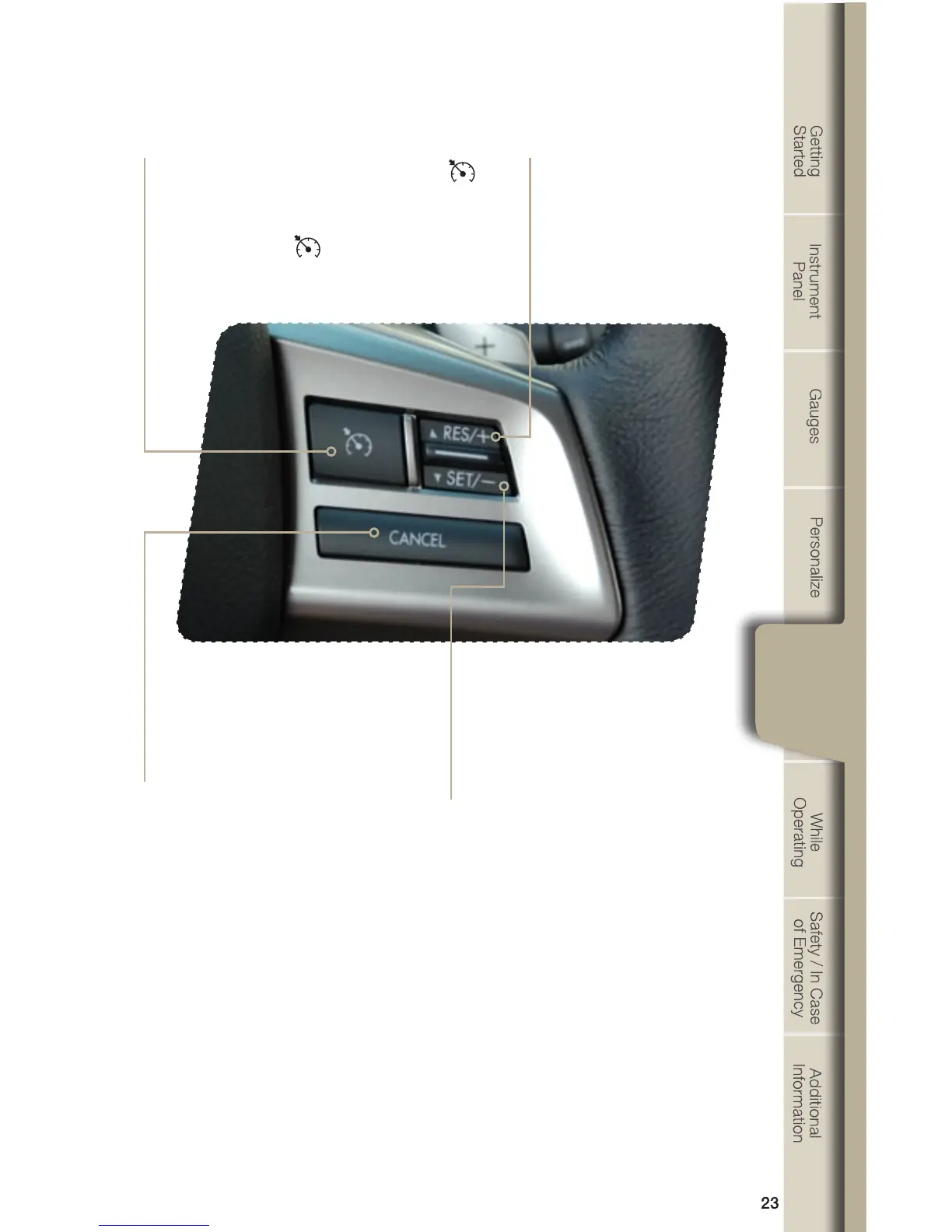
Cruise Control
•Toactivatethecruisecontrol,pressthe
button. The indicator light on the instrument
panel will turn on. To deactivate cruise
control, press the
button again.
•Presstheacceleratorpedaluntil
your vehicle reaches the desired
speed. Push the switch to the
“SET”sideandrelease.Easeoff
the accelerator pedal. Your vehicle
will maintain the desired speed.
•Tocancelthecruisecontrol,push
the brake pedal or press the
“CANCEL”button.Ifyouhave
a manual transmission, you can
push in the clutch pedal.
•Toresumeyourspeedafter
canceling, push the switch
tothe“RES”side.
Increase speed
Pushupthe“RES/SET”switch
tothe“RES”side;holduntilyour
vehicle reaches the desired speed
and release. To increase speed
using the accelerator pedal, press
the pedal until you reach the
desired speed. Push down the
“RES/SET”switchtothe“SET”
side to set the speed.















 To Next Page