EasyManua.ls Logo

Subaru REAR SEAT ENTERTAINMENT SYSTEM - User Manual

Subaru REAR SEAT ENTERTAINMENT SYSTEM
54 pages
Print Icon
To Next Page IconTo Next Page
Loading...
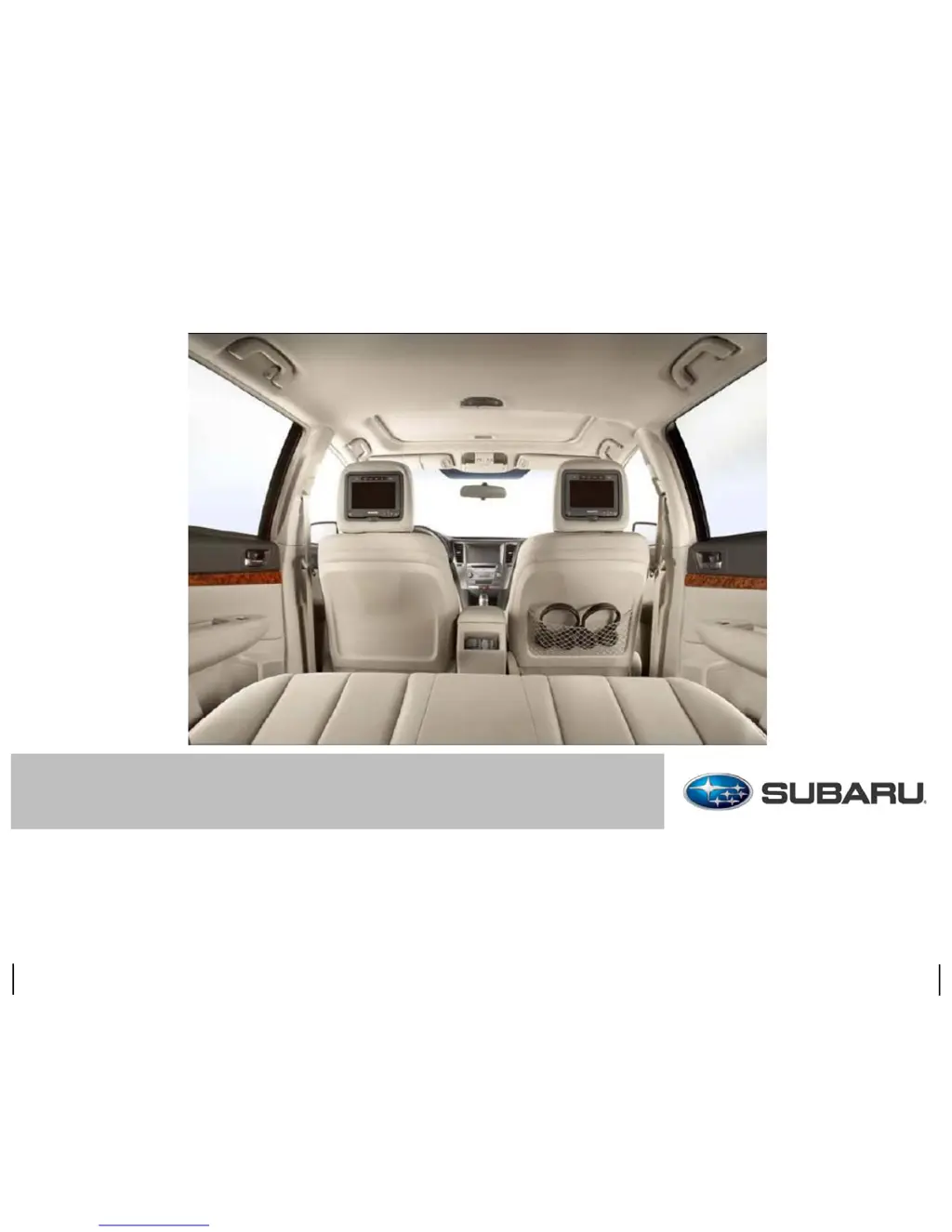
REAR SEAT ENTERTAINMENT SYSTEM USER GUIDE

Questions and Answers

  • H
    Hayley StevensAug 20, 2025
    Why is there no sound or distorted sound from my Subaru Car Stereo System?
    • D
      Dr. Aaron RuizAug 20, 2025
      If you are experiencing no sound or distorted sound from your Subaru Car Stereo System, ensure the DVD player is correctly connected and all cables are properly connected to the correct sockets. Also, if you're using IR headsets, verify that the IR transmitter is turned on.
  • S
    Sheila MatthewsAug 22, 2025
    What to do if my Subaru REAR SEAT ENTERTAINMENT SYSTEM Car Stereo System disc will not play?
    • R
      Robin CraneAug 22, 2025
      If your Subaru Car Stereo System disc will not play, make sure to insert the disc with the label side up. Check that the disc type is compatible (DVDs, audio CDs, and MP3 CDs are supported). The device and disc are region coded, so if the region codes do not correspond, the disc cannot be played. Contact your Subaru dealer if you want to change the region code.
  • H
    housesusanAug 25, 2025
    What to do if my Subaru REAR SEAT ENTERTAINMENT SYSTEM multimedia system does not start?
    • R
      Richard MillsAug 25, 2025
      If the backlight flashes three times and then goes out and the device does not start when the power switch has been pressed, the vehicle’s battery voltage is too low. Check/charge the battery. Also, check the power wire fuse, located under the center console trim panel.
  • W
    whillAug 26, 2025
    How to fix Subaru REAR SEAT ENTERTAINMENT SYSTEM when the unit stopped unexpectedly?
    • G
      greenkelliAug 27, 2025
      If your Subaru Car Stereo System unit stopped unexpectedly, the thermal protection function may have powered down the unit. Turn the unit off and wait until it cools down before resuming operation.
  • C
    Christian SmithAug 28, 2025
    What to do if my Subaru REAR SEAT ENTERTAINMENT SYSTEM remote control does not seem to have power?
    • A
      Andrew MillerAug 28, 2025
      If the remote control does not seem to have power, remove the screw from the back of the remote control with a coin or other hard object. Replace the battery, replace cover and tighten screw.
  • C
    Chase ZhangAug 30, 2025
    What to do if my Subaru REAR SEAT ENTERTAINMENT SYSTEM Car Stereo System is not responding to the remote control commands?
    • P
      Paul SteeleAug 30, 2025
      If the unit is not responding to any of the commands from the remote control, check that you pressed RIGHT or LEFT for the corresponding device. Check that the remote control batteries are not discharged.
  • P
    penningtonericSep 1, 2025
    Why is there no RSE sound coming from the vehicle audio system in my Subaru?
    • J
      jessica94Sep 1, 2025
      If no RSE sound is coming from the vehicle audio system, check that the vehicle’s audio system is set to AUX input. Also, ensure that there is no device plugged into the AUX port in the center console and verify that the audio output (A.I.I.) is activated on the desired RSE unit.
  • S
    Stephanie BaileySep 3, 2025
    Why is my Subaru REAR SEAT ENTERTAINMENT SYSTEM Car Stereo System disc playing and then stopping immediately?
    • R
      Roberto GillespieSep 3, 2025
      If the disc starts playing but then stops immediately, the disc may be dirty, so clean it. Alternatively, there may be a build-up of condensation; allow the player to dry.
  • A
    Alexander ReedSep 5, 2025
    How to fix inoperative IR sensor in Subaru Car Stereo System?
    • W
      William MoralesSep 5, 2025
      If the IR sensor is inoperative, check that the batteries in the remote control are not drained. Make sure that the sensor eye on the remote control is not hidden and verify the remote control is set to control the desired monitor.
  • I
    Isaac FergusonSep 7, 2025
    Why can't I advance through a movie on my Subaru Car Stereo System?
    • C
      carlossheppardSep 7, 2025
      You can’t advance through the opening credits and warning information that appears at the beginning of movies because the disc is programmed to prohibit that action.

Summary

Before Using the System

Quick Guide

Front Panel Controls and Connectors

Controls and Connectors Overview

Identifies and describes the physical buttons and connection ports on the system's front panel.

Remote Control Functions (Part 1)

Buttons and Functions (1-15)

Explains the functions of various buttons on the remote control, including navigation and playback.

Remote Control Functions (Part 2)

Buttons and Functions (16-23)

Continues the explanation of remote control buttons, covering playback, menus, and settings.

Display Operations

Using the Display Screen

Instructions on adjusting the screen angle and turning the display on/off.

Accessing Display Settings

How to access and adjust display settings like brightness, contrast, and color.

Display Settings Menu

DVD Player Usage

Using the DVD Player

Instructions for playing DVDs, VCDs, CDs, and MP3s.

DVD Player Setup Menu

Guide on accessing and modifying the DVD player's configuration menus.

DVD Player General Setup

General Setup Page

Settings for TV display format, angle mark, and other general configurations.

DVD Player Advanced Setup

DVD Player Preferences

Parental Control Setup

How to set restrictions for viewing movies based on content ratings.

DVD Player Security

Password Setup for Parental Control

How to set or change passwords for parental control and content protection.

Troubleshooting Guide (Part 1)

Troubleshooting Guide (Part 2)

Troubleshooting Guide (Part 3)

Subaru REAR SEAT ENTERTAINMENT SYSTEM Specifications

General IconGeneral
BrandSubaru
ModelREAR SEAT ENTERTAINMENT SYSTEM
CategoryCar Stereo System
LanguageEnglish

Related product manuals