EasyManua.ls Logo

Subaru 2017 BRZ Series - User Manual

Subaru 2017 BRZ Series
59 pages
Print Icon
To Next Page IconTo Next Page
Loading...
Black plate (4,1)
Model "B4444BE-A" EDITED: 2016/ 4/ 28
Antenna system
& FM reception
Although FM is normally static free,
reception can be affected by the surround-
ing area, atmospheric conditions, station
strength and transmitter distance. Build-
ings or other obstructions may cause
momentary static, flutter or station inter-
ference. If reception conti nues to be
unsatisfactory, switch to a stronger station.
Installation of accessories
Always consult your SUBARU dealer
before installing a citizen band radio or
other transmitting device in your vehicle.
Such devices may cause the electronic
control system to malfunction if they are
incorrectly installed or if they are not
suited for the vehicle.
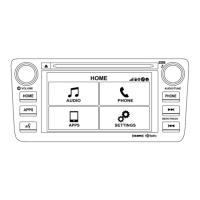
Audio set
Your vehicle may be equipped with one of
the following audio sets. Refer to the
pages indicated in this section for operat-
ing details.
CAUTION
. Always consult your SUBARU
dealer before installing a citizen
band radio or other transmitting
device in your vehicle. Such
devices may cause the electronic
control system to malfunction if
they are incorrectly installed or if
they are not suited for the vehi-
cle.
. To prevent the battery from being
discharged, do not leave the
audio/visual system on when
the engine is not running.
NOTE
. If a cell phone is placed near the
audio set, it may cause the audio set to
emit noise when the phone receives
calls. This noise does not indicate an
audio set malfunction. Note that a cell
phone should not be placed near the
audio set.
2

Questions and Answers

  • E
    Erica JohnsonAug 13, 2025
    Why is there an audio mute delay when selecting an HD2/HD3 multicast channel preset on my Subaru 2017 BRZ Car Stereo System?
    • J
      jamesestradaAug 13, 2025
      This is normal behavior. The digital multicast content won't play until the HD Radio broadcast is decoded, which can take up to 7 seconds. Please wait for the audio to become available.
  • B
    Brian JohnsonAug 17, 2025
    What to do if there is an audio mute when an HD2/HD3 multicast channel had been playing on my Subaru Car Stereo System?
    • J
      Janice ReevesAug 17, 2025
      This is normal. The radio may not have access to digital signals. Please wait until the digital signal returns. If you are out of the coverage area, try selecting a new station.
  • K
    Kimberly ThomasAug 21, 2025
    Why does the sound fade, blending in and out on my Subaru 2017 BRZ?
    • N
      Nicolas BryantAug 21, 2025
      Sound fading in and out usually happens because the radio is switching between analog and digital audio. This is a reception issue, but it may clear up as you drive. You can also turn off the HD Radio indicator to keep the radio in analog audio mode.
  • K
    katherine57Aug 25, 2025
    What does 'Acquiring' mean on my Subaru Car Stereo System?
    • J
      James HaleAug 26, 2025
      The "Acquiring" caution message appears when the system attempts to acquire digital transmission. The message disappears when the reception in digital of the SPS station is confirmed; when the system determined that the SPS station could not be received; when the SPS broadcast is ended (stopped) by the radio station while receiving SPS.
  • L
    leekyleAug 28, 2025
    What does 'HD Channel is unavailable' mean on my Subaru Car Stereo System?
    • T
      Trevor GomezAug 28, 2025
      The caution message “HD Channel is unavailable” appears when digital reception is not possible. The message disappears when the status is changed to acquiring digital data because the reception condition of SPS station has improved; when the received station is changed.
  • E
    Eric ZimmermanSep 1, 2025
    How to fix time alignment mismatch (echo, stutter, skip) on Subaru 2017 BRZ Car Stereo System?
    • P
      Paul HardySep 1, 2025
      This is a radio broadcast issue. A user can contact the radio station.
  • C
    christopherjohnsonSep 4, 2025
    What to do if there is no text information shown for the present selected frequency on my Subaru 2017 BRZ?
  • B
    Brenda CochranSep 8, 2025
    What to do if text information does not match the present song audio on my Subaru 2017 BRZ?

Summary

Antenna System

FM Reception

Factors affecting FM reception and tips for improvement.

Installation of Accessories

Audio Set Introduction

Operating the Audio;Visual System

Audio System Troubleshooting Tips

Explains common issues with FM, AM, and SiriusXM reception.

CD Player and Disc Usage

Disc Compatibility and Handling Precautions

Details disc types, warnings about usage, and player care.

Audio File and Format Information

Supported Audio File Formats and Specifications

Lists compatible audio file formats, sampling frequencies, and bit rates.

Audio File System Terms and Standards

Understanding Audio File Metadata and Formatting

Explains terms like ID3 tags, WMA tags, and ISO 9660 format.

System Error Message Reference

Troubleshooting Errors for CD, USB, and iPod

Provides a guide to system error messages and their explanations.

Touchscreen Operation Guide

Using Touch Gestures for Navigation

Describes touch, drag, and flick gestures for screen interaction.

Screen Interaction and Input Methods

Entering Text and Navigating List Screens

Explains text input methods and list screen navigation.

Basic System Controls

System Power, Volume, and Source Selection

Covers turning the system on/off, adjusting volume, and selecting audio sources.

Function Menu and System Settings

Accessing Audio Functions and Unit Settings

Guides on navigating the function menu and accessing unit settings.

Configuring System Settings

General, Bluetooth, and Sound Settings Configuration

Details settings for language, Bluetooth pairing, and audio quality adjustments.

Adjusting Audio Balance and Vocal Image

Instructions for setting speaker balance, fader, and vocal image controls.

Speed-Sensitive Volume and Graphic Equalizer

Explains how to set speed-sensitive volume and customize the graphic equalizer.

Advanced Audio Enhancement Settings

Describes Sound Restorer, Volume Smoother, Virtual Bass, and Vocal Image Control features.

Display and Camera Settings

Adjusting Display Brightness and Rear Camera Image

Covers display settings like Day/Night mode and adjusting the rear camera view.

SUBARU STARLINK Smartphone Integration

Connecting and Using STARLINK with Smartphones

Guides on smartphone connectivity and operating the STARLINK function.

AM;FM Radio Operation

Radio Control Screen and Basic Functions

Details the radio interface, band selection, and station scanning.

Station List, Presets, and Bookmarking

Explains how to select stations from a list, preset channels, and manage bookmarks.

Radio Settings and HD Radio Technology

Radio Settings and HD Radio Features Overview

Covers radio settings, HD Radio technology, and program service data.

Music Information Tagging and iPod Transfer

Troubleshooting Guide

Diagnosing and Resolving Radio Reception Issues

Provides solutions for common radio experience problems like static and muting.

SiriusXM Satellite Radio Service

SiriusXM Control Screen and Data Service Usage

Explains the SiriusXM control interface and how to use its data services.

Changing SiriusXM Source and Selecting Channels

Guides on switching to SiriusXM and navigating channel lists.

Subscribing to SiriusXM Satellite Radio

Subscription Process and Customer Support Details

Outlines the subscription process and provides customer contact information.

SiriusXM Settings and Channel Management

Setting Channel Locks and Displaying Radio ID

Details how to lock channels and find the unique radio ID.

Direct Tuning and Channel Input Methods

Aha by Harman Application

Aha Application Control Screen and Features

Describes the aha app's main screen, controls, and available content features.

Changing Aha Audio Source and Adjusting Levels

Covers switching to the aha source and configuring audio gain levels.

Aha Application Requirements and Notes

Smartphone Connectivity, Data Usage, and App Notes

Important notes on connecting smartphones, data plans, and app requirements for aha.

Supported Devices and Smartphone Connection for Aha

Lists compatible devices and steps to connect a smartphone to the aha system.

Using the Aha App and Changing Audio Source

Instructions on how to use the aha application and switch audio sources.

Pandora Application Integration

Connecting Smartphone and Operating Pandora

Details how to connect a smartphone and use the Pandora application.

Pandora Control Screen and Audio Panel

Pandora Functions, Thumbs Up;Down, and Source Selection

Describes Pandora controls, rating songs, and changing audio sources.

Managing Pandora Stations and Bookmarks

Explains how to add, delete, and store stations, and register song/artist bookmarks.

CD Playback Functionality

CD Control Screen and Available Operations

Details the CD player's interface, track selection, and folder navigation.

Disc Handling and Playback Mode Selection

Covers disc loading, unloading, and choosing playback modes like repeat or shuffle.

USB Memory Audio Playback

USB Memory Control Screen and File Operations

Explains how to play audio files from a USB drive and its controls.

Connecting USB Devices and Selecting Play Modes

Details connecting USB devices and choosing playback modes for USB audio.

iPod Audio Playback and Connectivity

Connecting iPods and Basic Playback Controls

Guides on connecting iPods and using basic playback functions.

iPod Settings, Play Modes, and Source Selection

Covers iPod settings, selecting play modes, and changing the audio source.

Bluetooth Audio System Features

iPod Settings, Play Modes, and Bluetooth Audio Setup

Details iPod settings, play modes, and setting up Bluetooth audio.

Bluetooth Device Connection and Audio Source Selection

Guides on connecting Bluetooth devices and selecting the Bluetooth audio source.

Bluetooth Operation and Device Management

Selecting Play Modes and Managing Bluetooth Devices

Explains play modes and how to register/remove Bluetooth devices.

AUX Input and Audio Settings

Connecting Portable Devices via AUX and Adjusting Audio Levels

Covers connecting devices to the AUX input and adjusting audio gain.

Control Screen and Audio Panel Operations

Connecting Portable Devices and Setting Audio Gain

Explains how to connect portable devices and adjust audio gain levels.

Subaru 2017 BRZ Series Specifications

General IconGeneral
Screen Size6.2 inches
NavigationOptional
Apple CarPlayNot available
Android AutoNot available
HD RadioNot available
BluetoothYes
USB PortYes
Auxiliary Input JackYes
Smartphone IntegrationLimited
Audio System6-speaker
ConnectivityBluetooth, USB, Auxiliary input
Head Unit Type6.2-inch touchscreen

Related product manuals