9
Getting
Started
Instrument
Panel
Gauges
Personalize Controls While
Operating
Safety / In Case
of Emergency
Additional
Information
Personalize
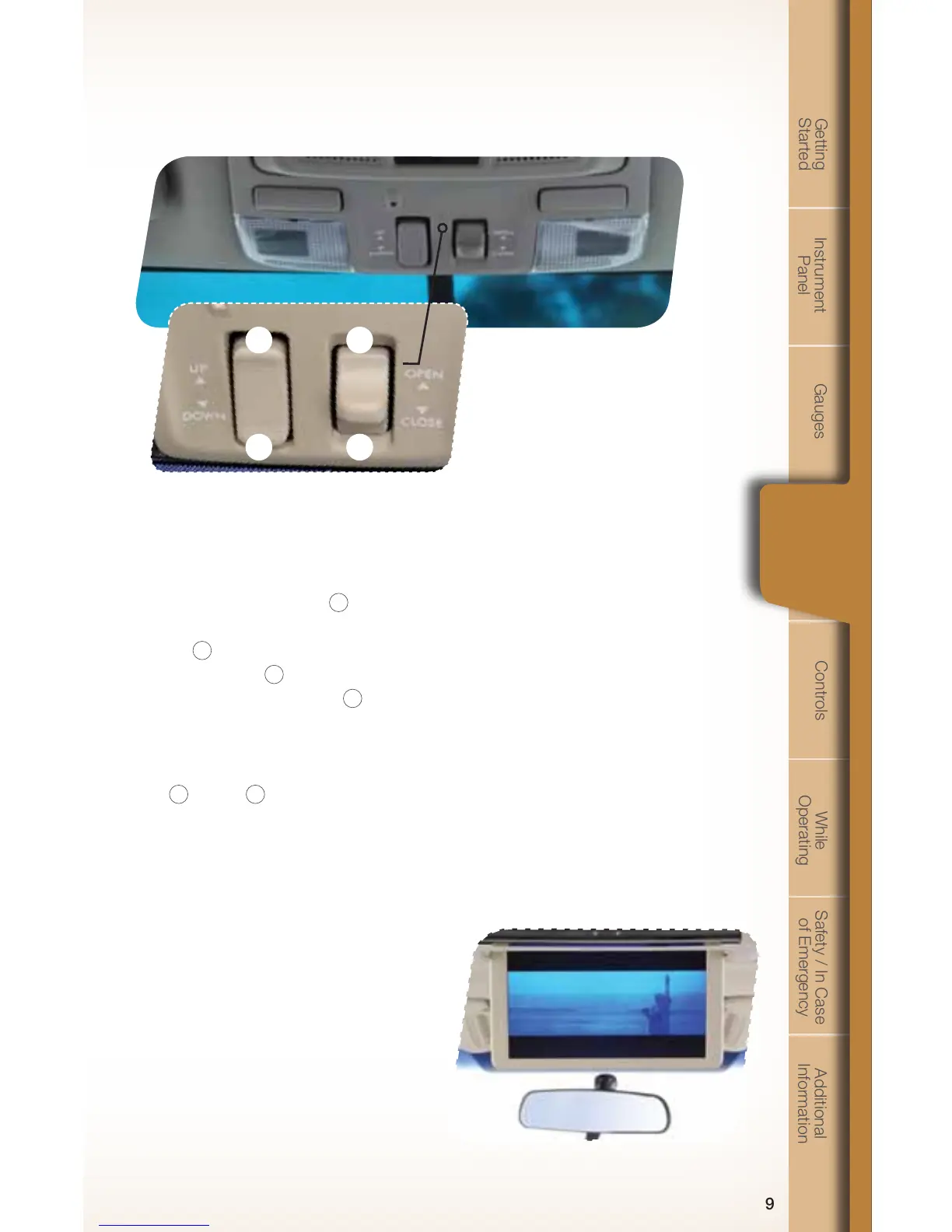
Power Moonroof
(if equipped)
With the moonroof in the fully closed
position, press the switch
2
to tilt
the moonroof up. Press and hold the
switch
1
to lower the moonroof.
Press the switch
4
to fully open the
moonroof. Press the switch
3
to close
the moonroof. To stop the moonroof
in a midway position while opening or
closing, momentarily press the switch to
the
4
side or
3
side.
Rear Seat Entertainment
System
(if equipped)
You can enjoy watching movies or
listening to music when a movie DVD or
music CD is inserted into the rear seat
entertainment system. You can operate
the rear seat entertainment system
by the remote control. You can play a
video or game when a video camera
or a video machine is connected to the
auxiliary input jacks, located on the left
rear quarter panel across from the 3rd
row seats. You can listen to audio by
using the wireless headphones that are
included with the system.
1
2
3
4
782335_11_Tribeca_QRG_102010b.indd 9 10/20/10 3:10 PM













 To Next Page