14
Controls
7
Audio controls
Radio Functions
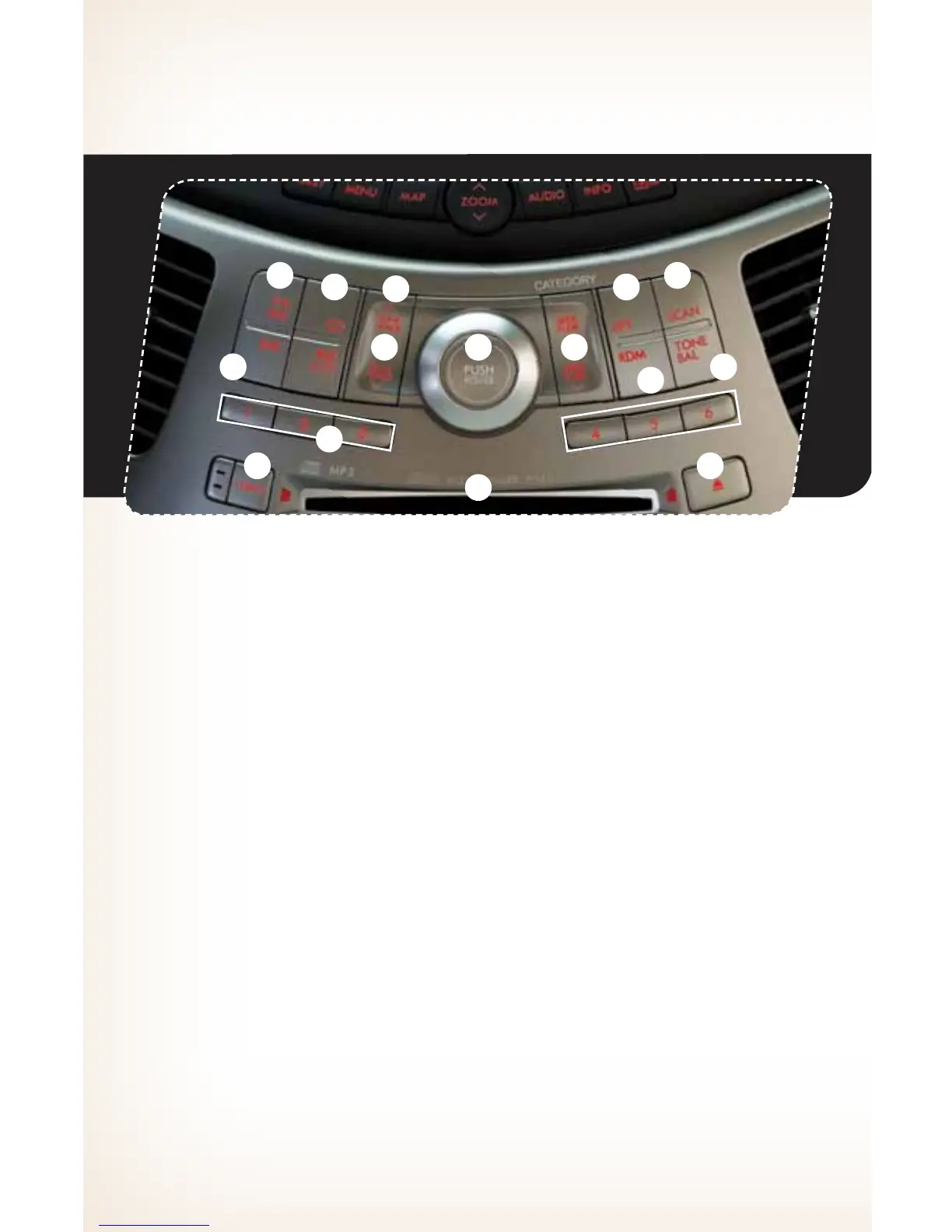
1. Power/Volume Control
Push the “POWER/VOL” knob for on or
off; turn the knob to control volume.
2. Bass, Treble, Balance, Fader
Each press of the “TONE/BAL” button
will cycle you through Volume, Bass,
Midrange, Treble, Fade, or Balance. Use
the “POWER/VOL” knob to adjust the
desired tone or mode.
3. FM/AM
Push to choose FM1, FM2 or
AM reception.
4. Tune/Track
Press the up arrow to increase the tuning
frequency; press the down arrow to
decrease it.
5. Seek
Press the up or down arrow of the “SEEK/
FLDR” button to pick up the next highest
or lowest frequency.
6. Presets
You can save up to six favorite stations for
each band – FM1, FM2, and AM. Select
a frequency and press one of the preset
buttons for more than 1.5 seconds to
store it.
7. Satellite Radio
An optional satellite radio tuner and
antenna can be connected to this audio
unit. You can hear satellite radio programs
by pressing the “SAT” button after
connecting optional equipment. To receive
satellite radio service, it is necessary to
enter into a separate contract with a
satellite radio provider.
CD Player Functions
8. Load (six-disc player)
Press the “LOAD” button and an available
position will blink. Press the “DISC
SELECT” button (1-6) at the position
where you want to insert a disc. When the
“LOAD” indicator ashes, insert the disc.
The disc will automatically be drawn in
and will begin play at the rst track.
118
14
12 5
4
2
15
13
9
1
3
10
6
782335_11_Tribeca_QRG_102010b.indd 14 10/20/10 3:11 PM













 To Next Page