15
Models ASDW1522 / LAWC1543 / ADWC1552 / SDW1527 / LWC1547 / SDWC1556 /
ASDW2412 / LAWC2431 / ADWC2442 / SDW2416 / LWC2435 / SDWC2446
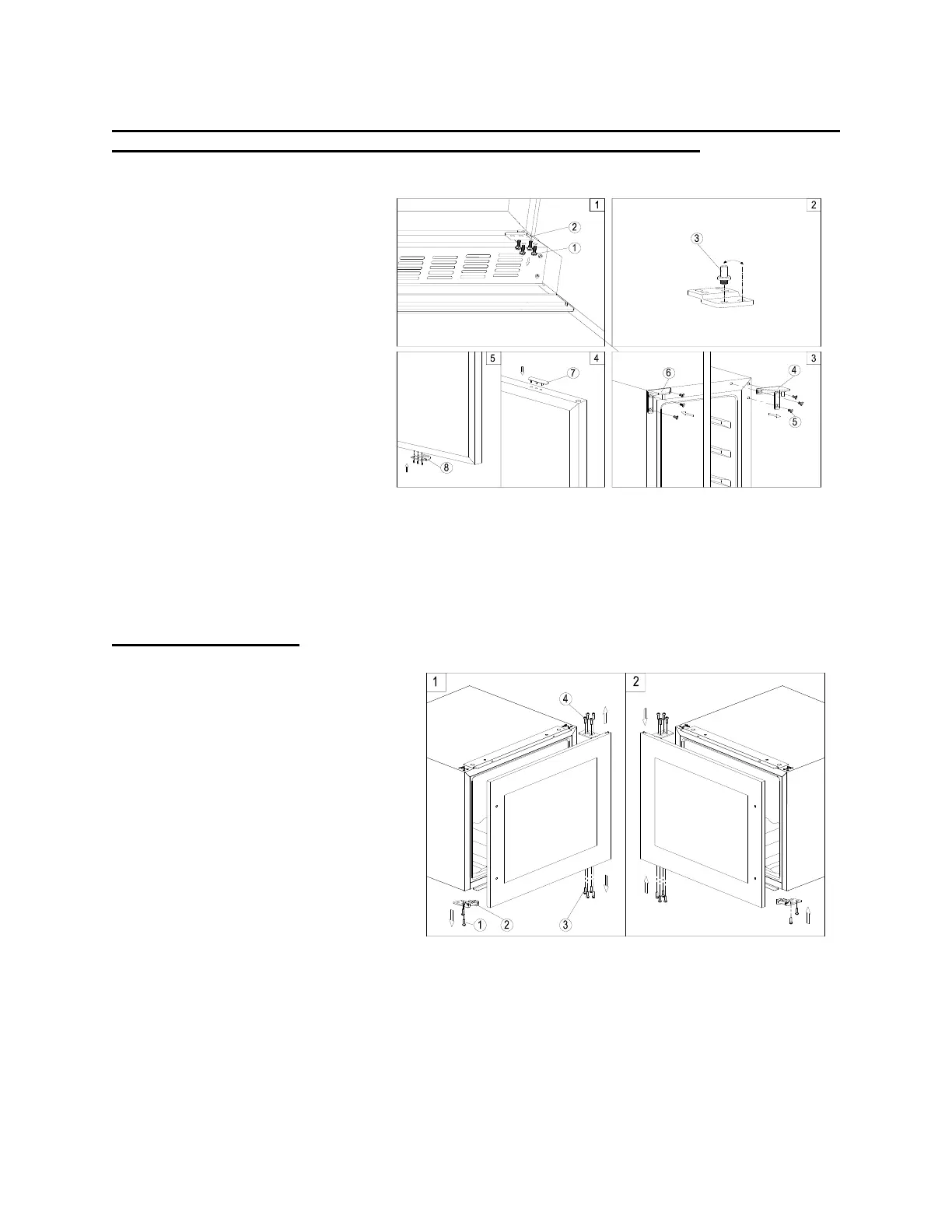
1. Remove the bottom hinge (2)
by unscrewing the four lock
screws (1). Be careful to hold
the door firmly after removing
the screws. (Fig. 1)
2. Gently pull down to remove the
door from the right top hinge
and place it on a padded
surface to avoid the risk of
damage. Then remove the
right top hinge (4). (Fig. 3)
3. Unscrew and transfer the
hinge pin (3) of the hinge plate
to the opposite side. (Fig. 2)
4. Pop out the cover caps on the
left side of cabinet and use
them to cover the screw holes
on the right-hand side.
5. Screw the alternative left top hinge (6), included in the fittings, on the left-hand side of cabinet.
(Fig. 3)
Models VC28S / VC60D
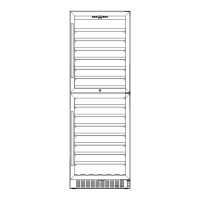
1. Remove the glass door by
unscrewing the eight lock screws (3)
and (4). Be careful to hold the glass
door firmly after removing the
screws and place it on a padded
surface to avoid the risk of damage.
2. Unscrew and transfer the door
supporter (2) to the opposite side.
3. Rotate the glass door 180°and refit
the glass door to the opposite side.
Then screw and tighten it after the
door is leveled.



 To Next Page